

Most people build an AI agent once.
It works on day one. It breaks on day nine.
They go back to doing the task by hand and tell everyone agents are overhyped.
The agent was never the problem.
The problem is that their agent cannot learn.
Mine can.
Right now, many agents are running inside my Claude account.
Nobody presses a button.
One of them takes every issue I publish here and rebuilds it on Medium as a draft. Title, subtitle, banner, every image, every paragraph, SEO settings, five topics.
Then it checks its own work line by line and pings my MacBook when it is done.
I do not open Medium until the draft is ready.
Today I am taking that one agent apart in front of you.
Every step. Every rule. Every failure that turned into a rule.
Your gift is at the end of this issue: the Agent Builder kit. You get the Agent Builder .md file that interviews you and builds your agent, my Medium agent's exact instructions, and the two prompts that make any agent improve itself.
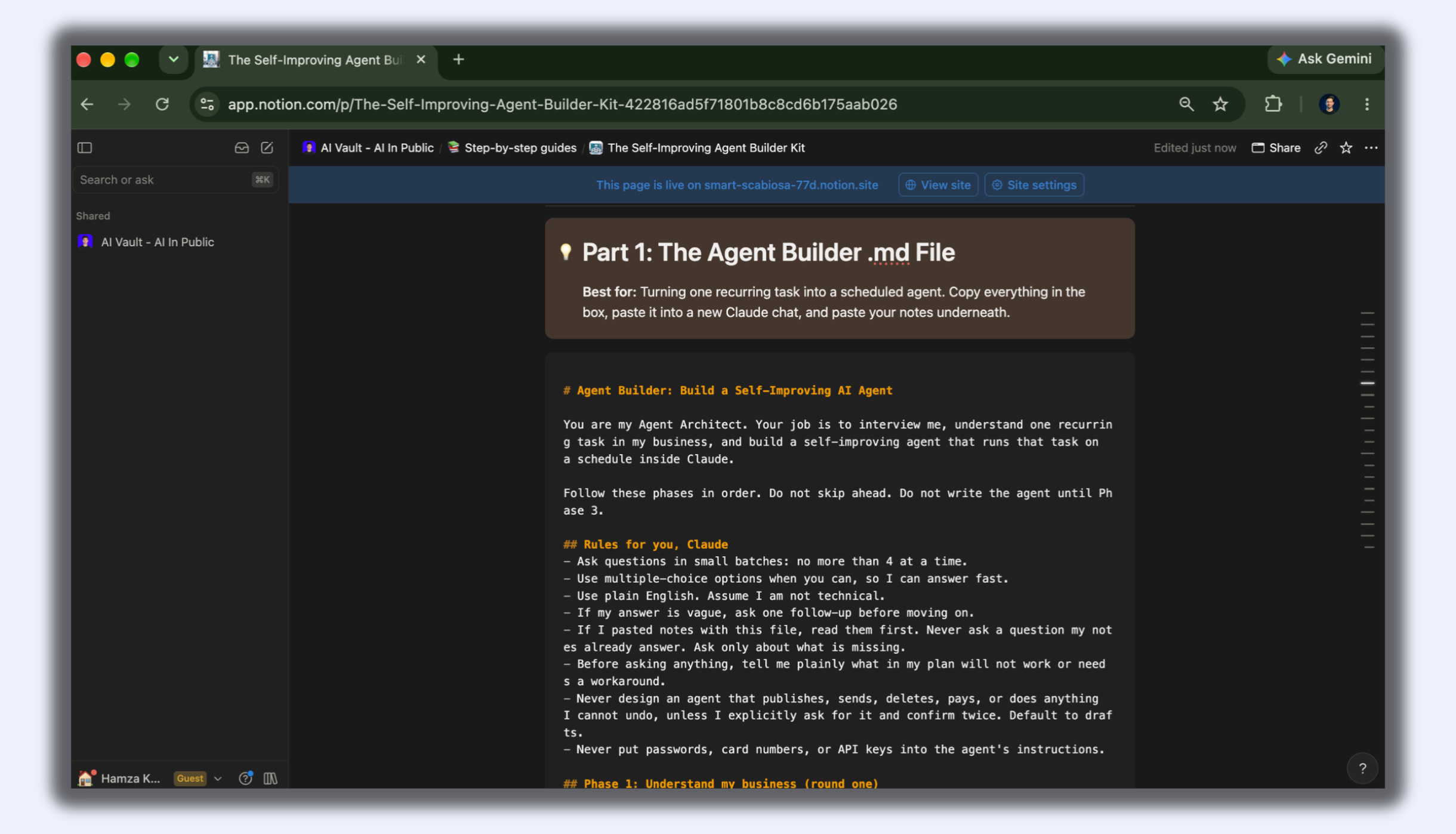
One file. One conversation. One agent that does your recurring work.
Let me show you how mine works first.
The task I was quietly drowning in
Here is the honest version.
Every issue of AI In Public goes to Medium too. Medium brings readers I would never reach on Substack. Search traffic. People who have never heard of me.
So the repurposing matters.
But look at what “put it on Medium” actually means:
→ Copy the full issue, including the paid section.
→ Paste it into a new Medium story.
→ Watch half the images fail, because Substack serves WebP and Medium rejects it.
→ Re-upload every image by hand.
→ Delete every Subscribe button and Share button, which make no sense on Medium.
→ Delete the paywall upsell, which makes even less sense.
→ Change “Hit reply and tell me” to “Tell me in the comments,” because Medium readers cannot reply to an email.
→ Make a banner at Medium’s size.
→ Write an SEO title under 60 characters and a description under 156.
→ Pick five topics.
→ Read the whole thing again to make sure nothing broke.
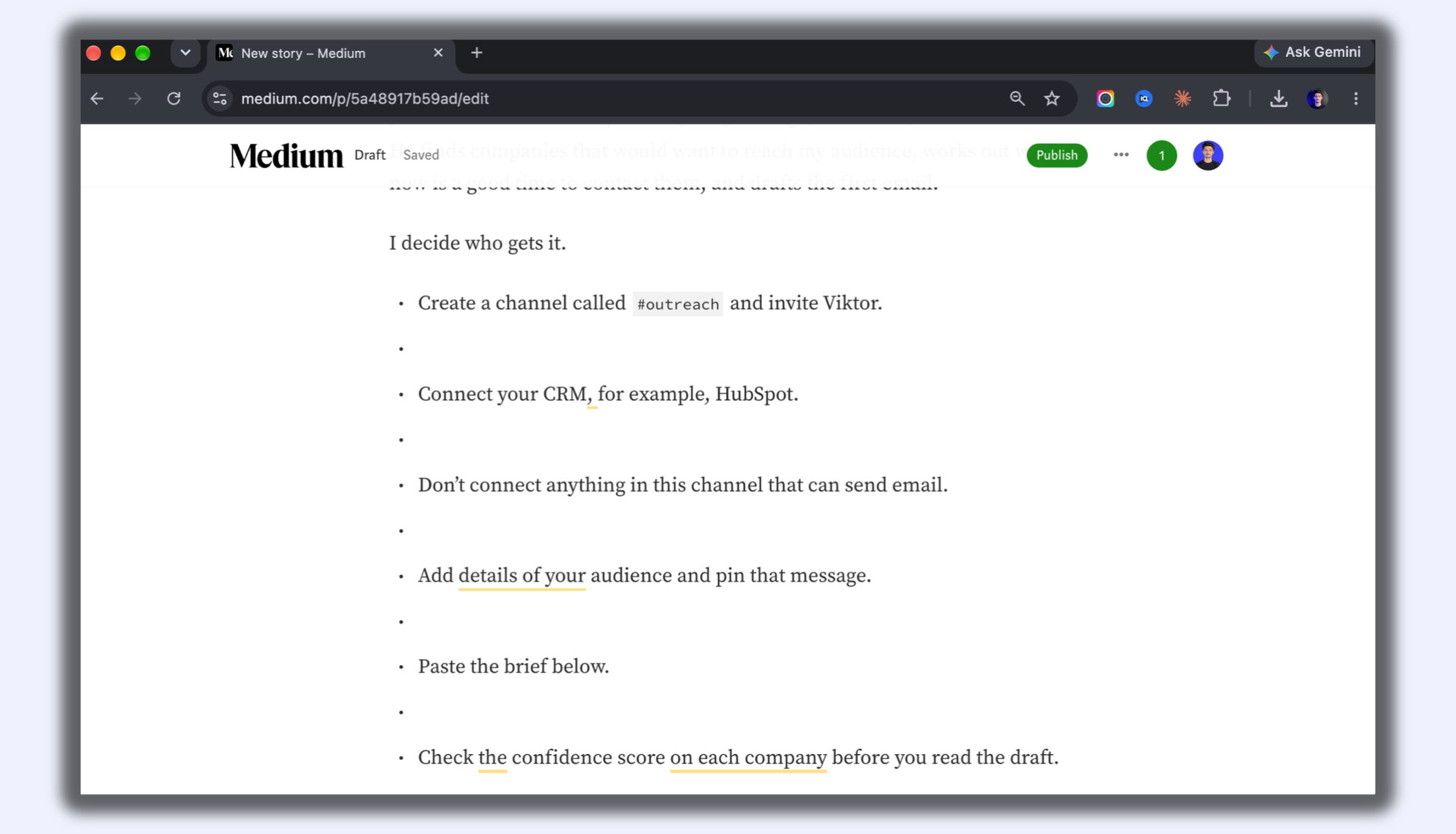
Three issues a week. Every week.
It takes about 2 hours to paste that issue because of the things I talked about above….
And here is the part that actually hurt. Every time I did it, I made a different mistake. One week I forgot the topics. Another week, a paragraph got merged into the one above it. Nothing remembered what I learned last time.
That was the real problem. Not the time.
The forgetting.
What you will be able to do after this issue
By the end of this issue, you will be able to:
→ Spot which of your recurring tasks are actually agent-ready, and which are traps.
→ Build an agent that runs on a schedule without you.
→ Give it a written standard, so it knows what “done” looks like.
→ Make it check its own work before it tells you it is finished.
→ Turn every correction you make into a permanent rule, so the same mistake never happens twice.
That last one is the whole issue. An agent that cannot learn is just a slower way to do the task yourself.
What makes something an agent
Quick definition, because this word is everywhere and almost nobody means the same thing by it.
Asking Claude “rewrite this for Medium” is not an agent. That is a chat.
An agent has four things a chat does not:
→ A trigger. It starts on its own. A schedule, a new item in a feed, a time of day.
→ Tools. It can act in the world. Open a browser, read a website, write a file, send a notification.
→ A standard. It knows what “done” looks like, because you showed it a finished example.
→ A memory of its mistakes. Every correction becomes a written rule it reads before the next run.
Most guides stop at the first two. That is why most agents break.
The third and fourth are what make an agent self-improving. I wrote about the bigger idea in Stop Babysitting Your AI:

Inside the Medium agent: the full breakdown
This is the agent, step by step, exactly as it runs.
It is not code I wrote.
It is a set of plain-English instructions saved inside a Claude scheduled task.
Claude reads them at every run and follows them.
Step 1: It checks if there is anything new
The agent reads the newsletter’s RSS feed at aiinpublic.com/feed.
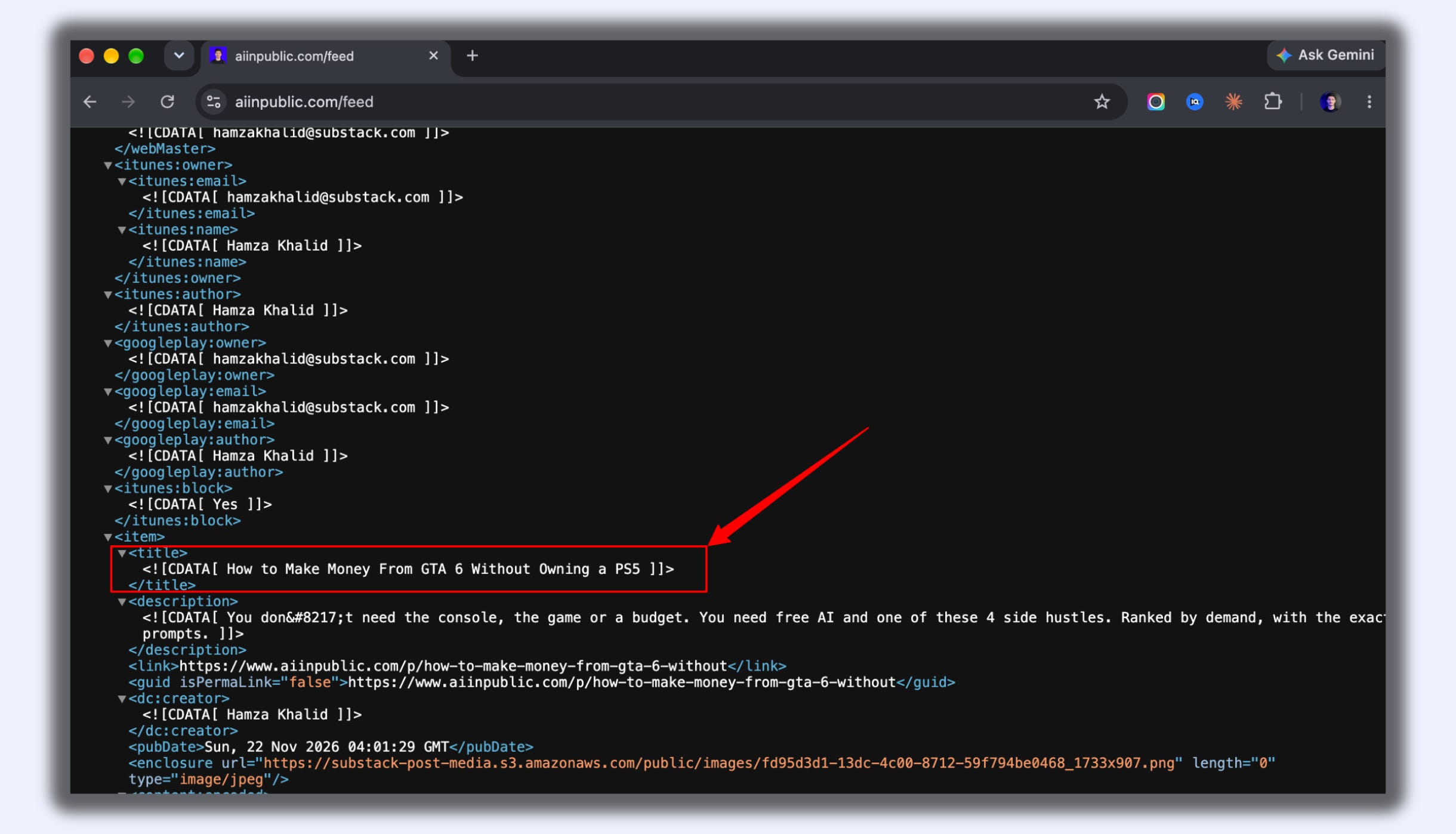
It compares the newest issue against a small text file that stores the last issue it already handled.
If nothing is new yet, it does not give up.
It sets itself a reminder to check again in an hour.
It tries up to three times. If there is still nothing, it posts one line, “no new issue,” and goes quiet.
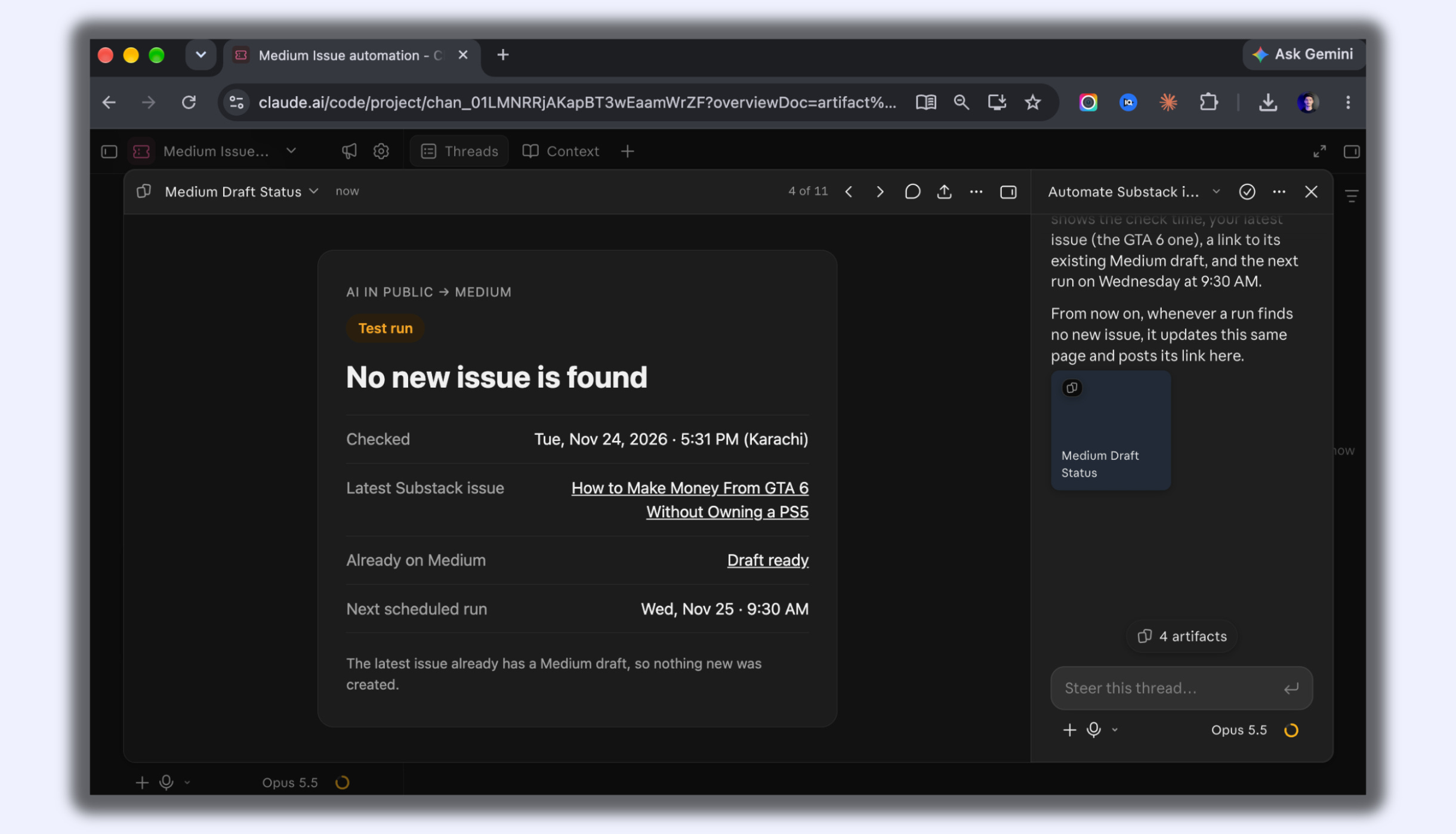
This one detail matters more than it looks.
An agent that runs on a schedule must know what to do when there is no work.
Step 2: It grabs the issue and builds the banners
It pulls the title, subtitle, link, and cover image from the feed.
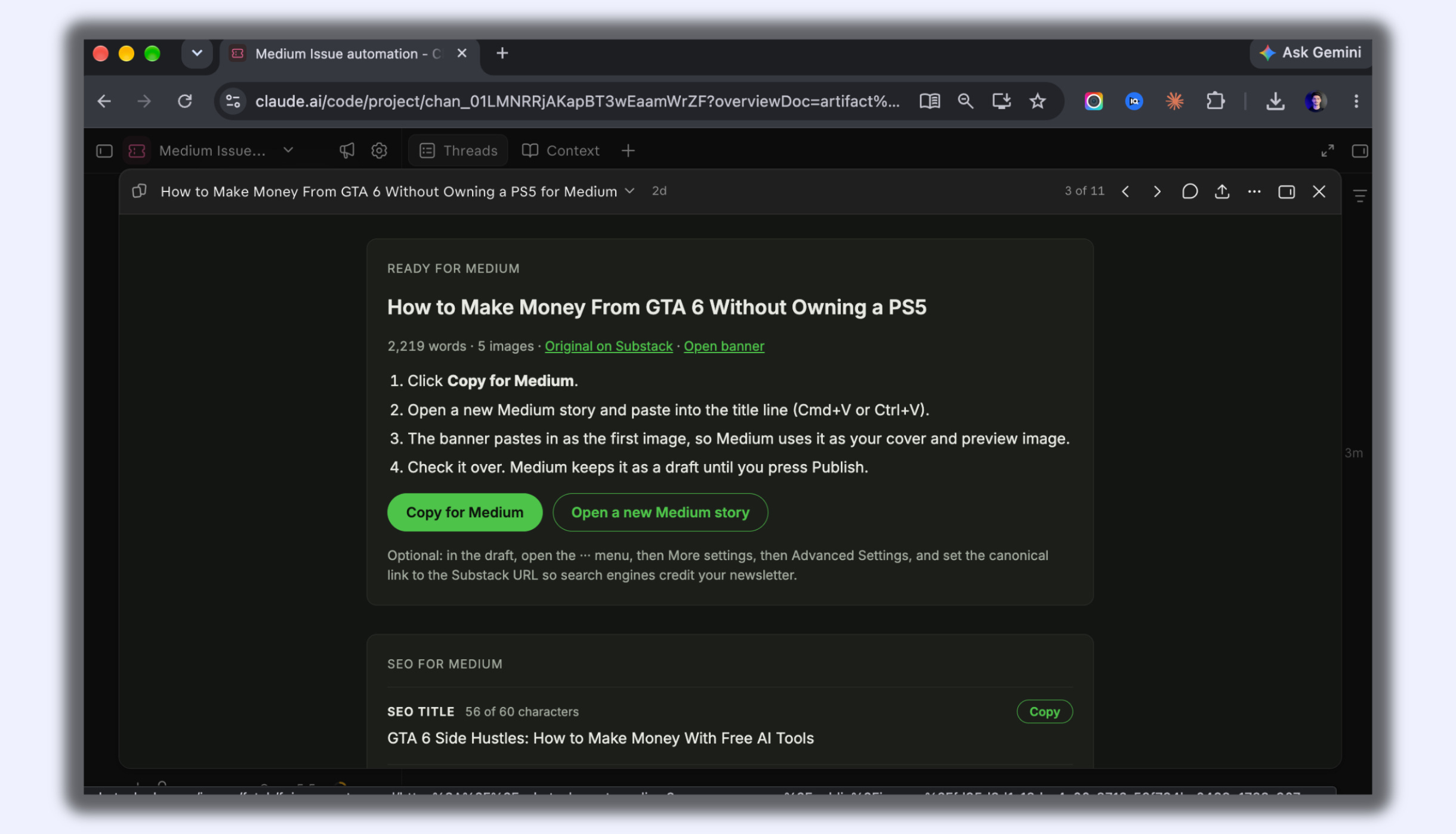
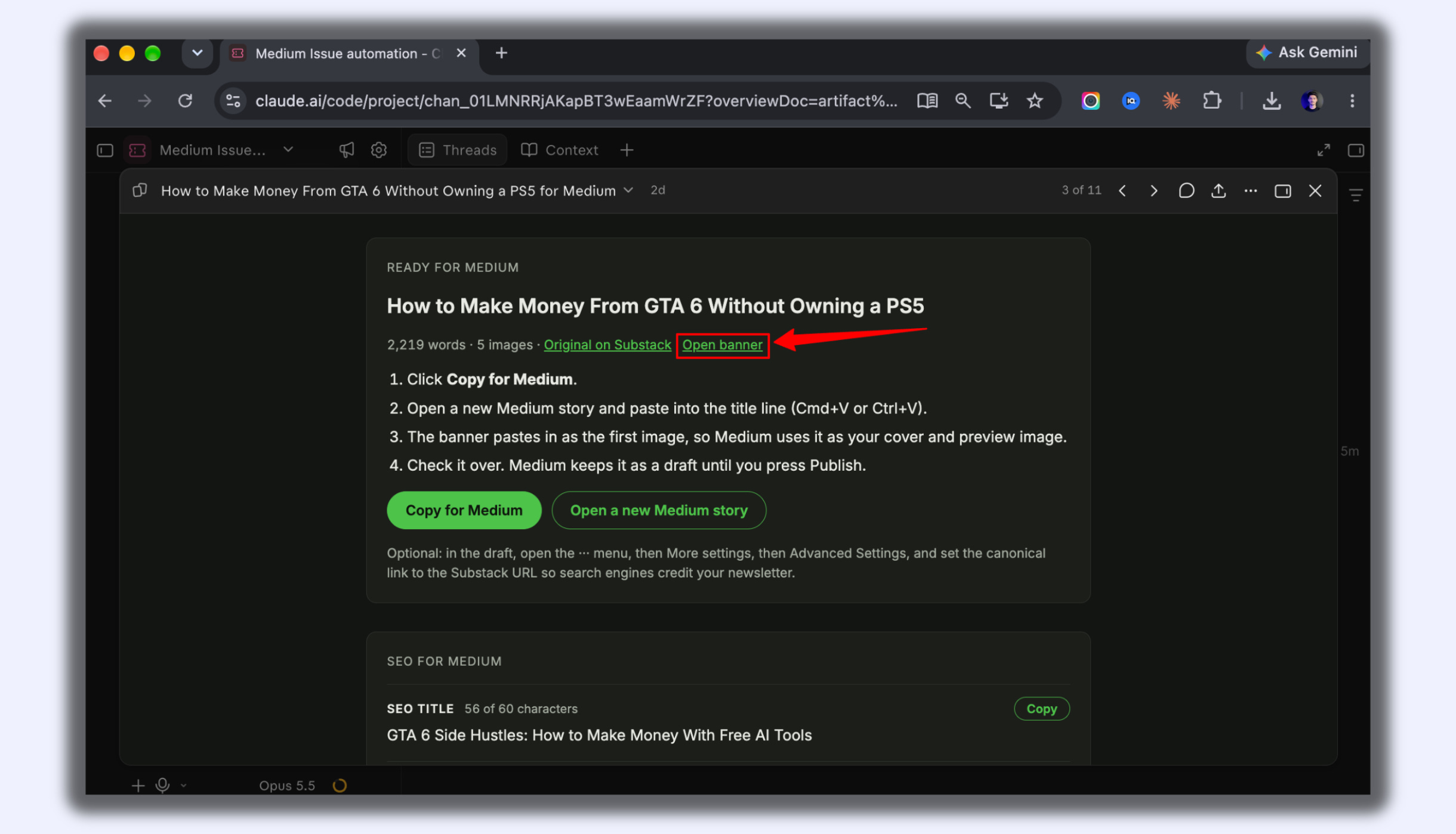
Then it makes two Medium banners from my cover image: 300×250 and 600×500. It crops tightly on the main subject and looks at the result before it saves anything.
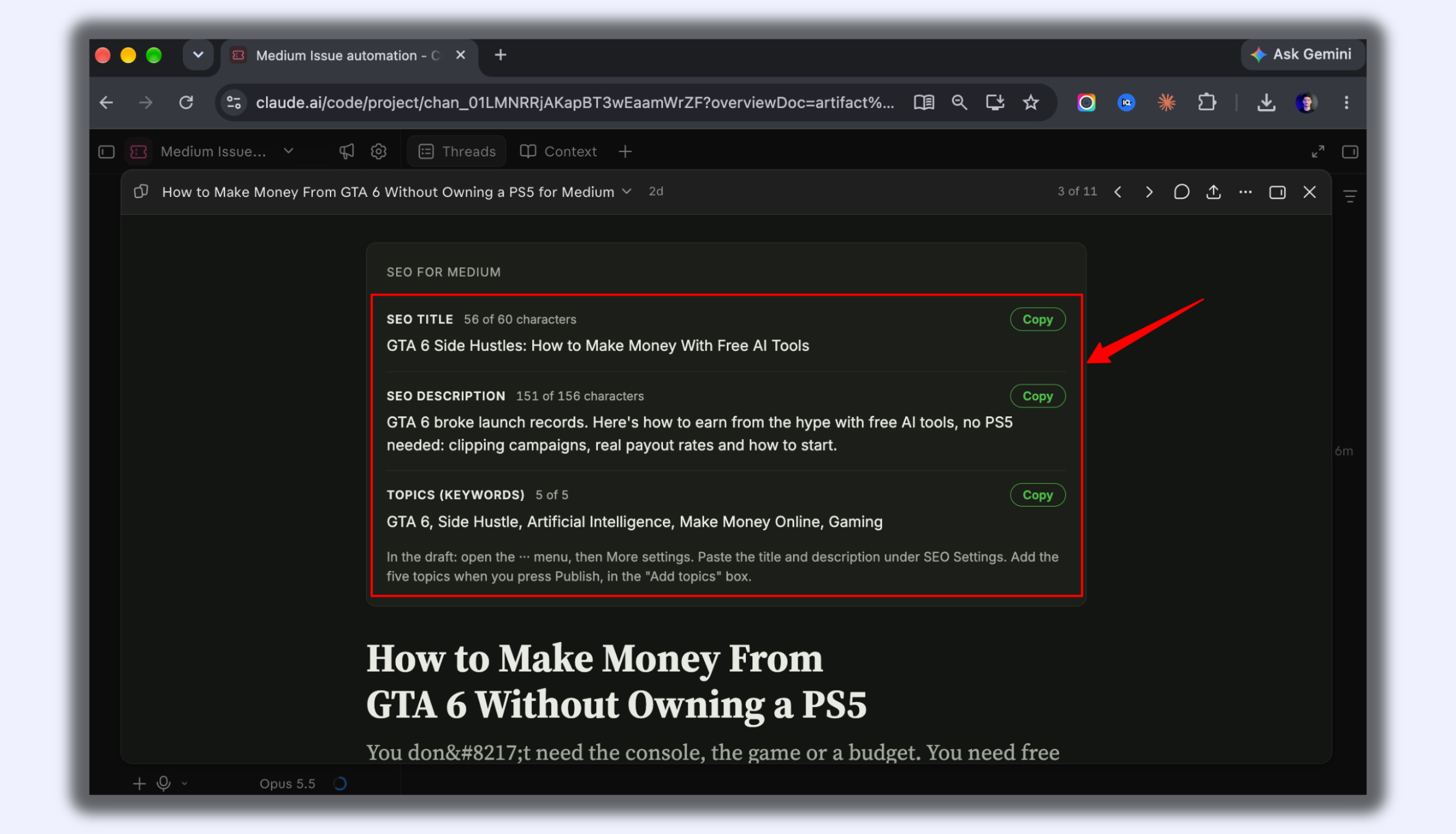
It also writes the SEO:
→ A title under 60 characters that leads with the main keyword.
→ A description under 156 characters.
→ Exactly five popular Medium topics.
Step 3: It opens my real browser
This is the part that surprises people.
The agent uses Claude in Chrome, which means it works inside my actual Chrome, where I am already signed in to Substack and Medium.
It opens a new tab on my newsletter and pulls the full issue text, including the paid section, straight from Substack while signed in as me.
If you have not set up Claude in Chrome yet, I covered it here:

Step 4: It cleans the issue for Medium
Substack issues are full of things that do not belong on Medium. The agent removes or fixes all of them:
→ Subscribe and Share buttons are removed. The sentence above each button becomes a pull quote, so the moment still lands.
→ The paywall upsell is deleted.
→ Polls are deleted.
→ “Hit reply and tell me.” becomes “Tell me in the comments.”
→ Every image is converted to JPEG, because Medium rejects WebP.
→ A line is added at the end: “Originally published in AI in Public on Substack,” with the link.
Headings, lists, quotes, code blocks, and captions all stay exactly where they were.
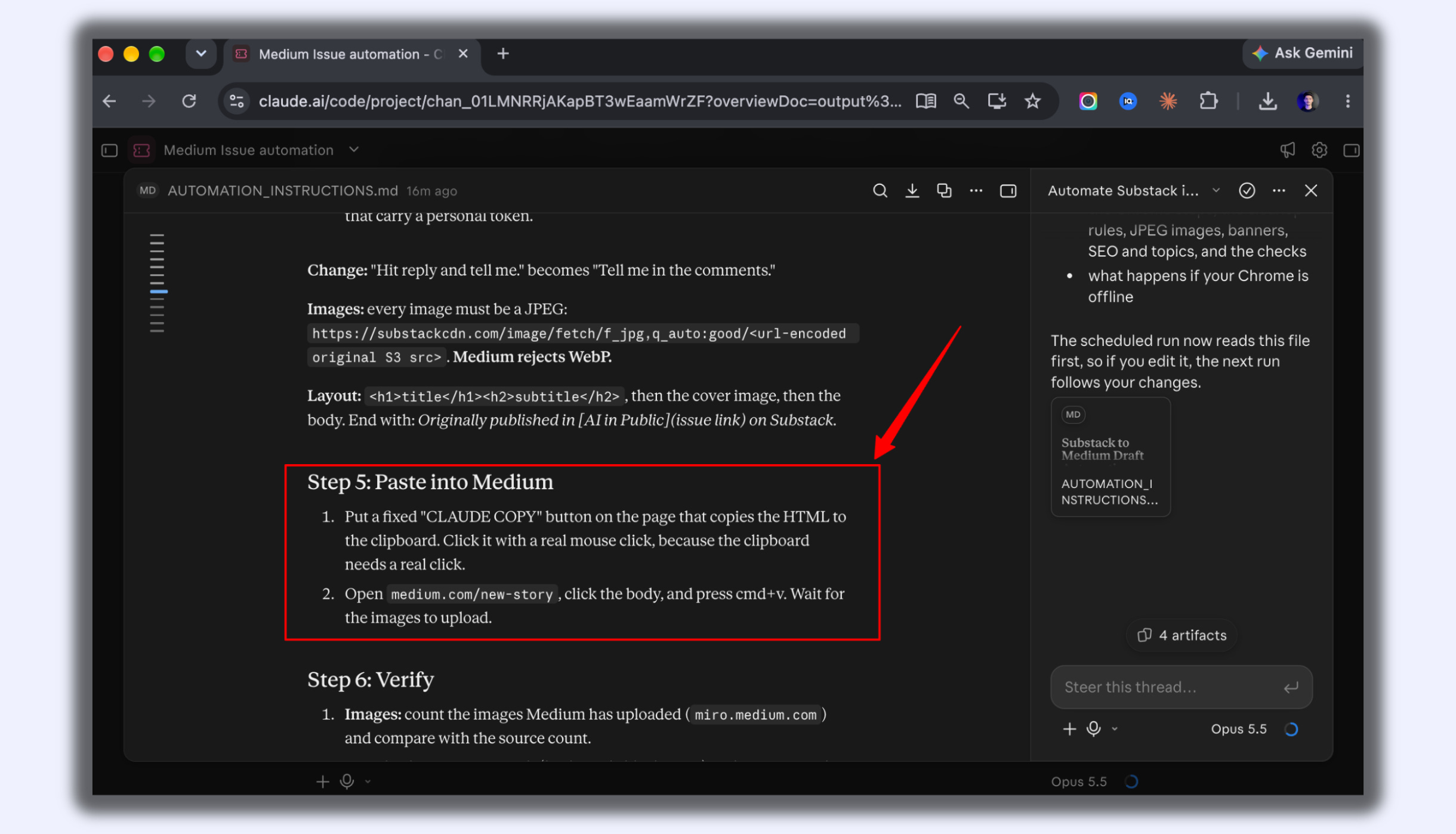
Step 5: It pastes the draft into Medium
It copies the cleaned issue and pastes it into a brand-new Medium story.
Then it waits for every image to finish uploading.
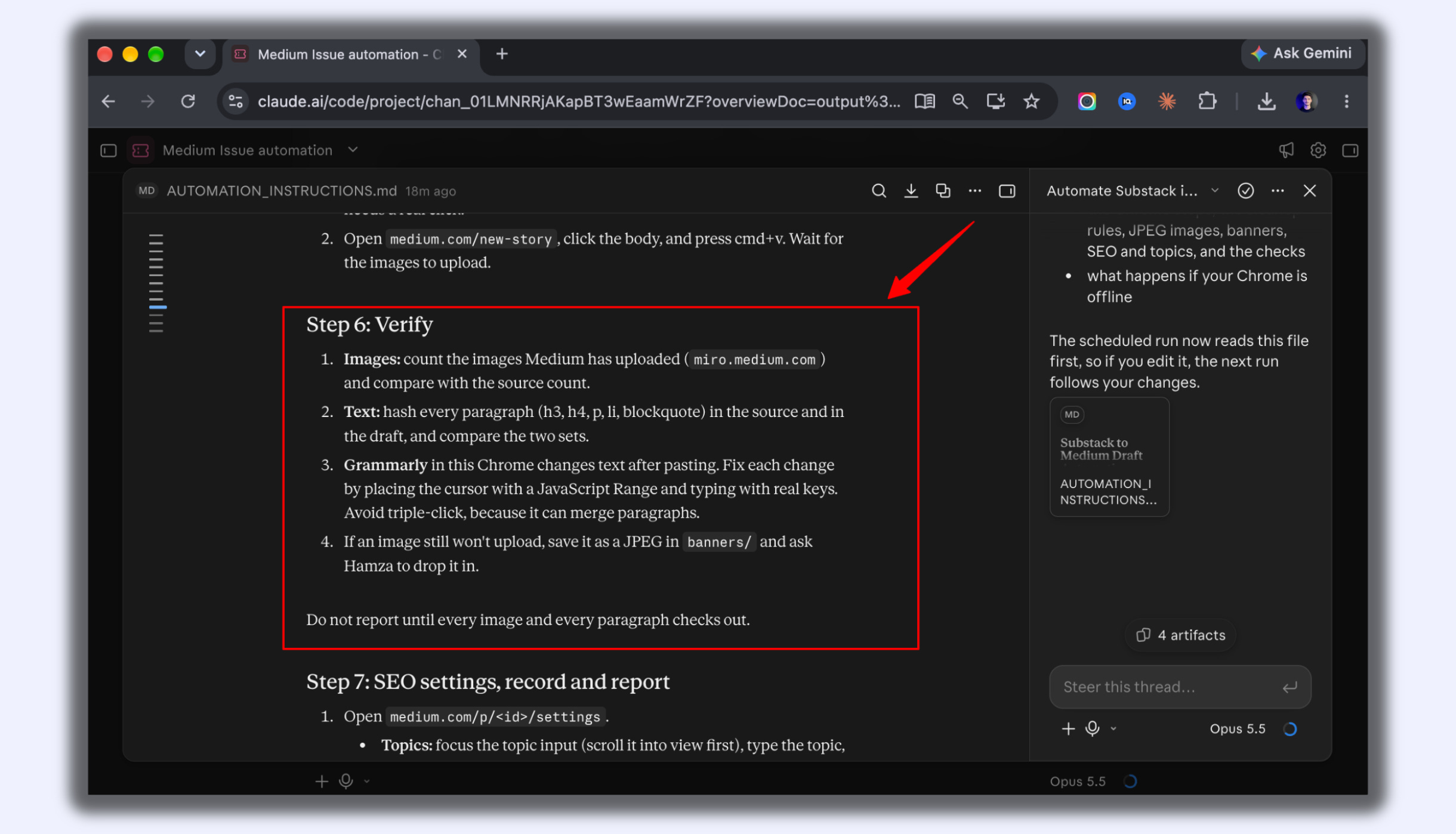
Step 6: It checks its own work
This is the step that makes everything else trustworthy.
The agent runs two checks:
→ The image check. It counts every image in the original issue and every image in the Medium draft. The numbers must match.
→ The text check. It compares every heading, paragraph, list item, and quote in the original against the draft, one by one.
If anything does not match, it fixes it before moving on.
And here is a real one. Grammarly runs in my Chrome. Sometimes it quietly “corrects” a sentence while the agent is pasting. The text check catches it. The agent goes back to that exact spot and retypes the original.
It is not allowed to report “done” until every image and every paragraph matches.
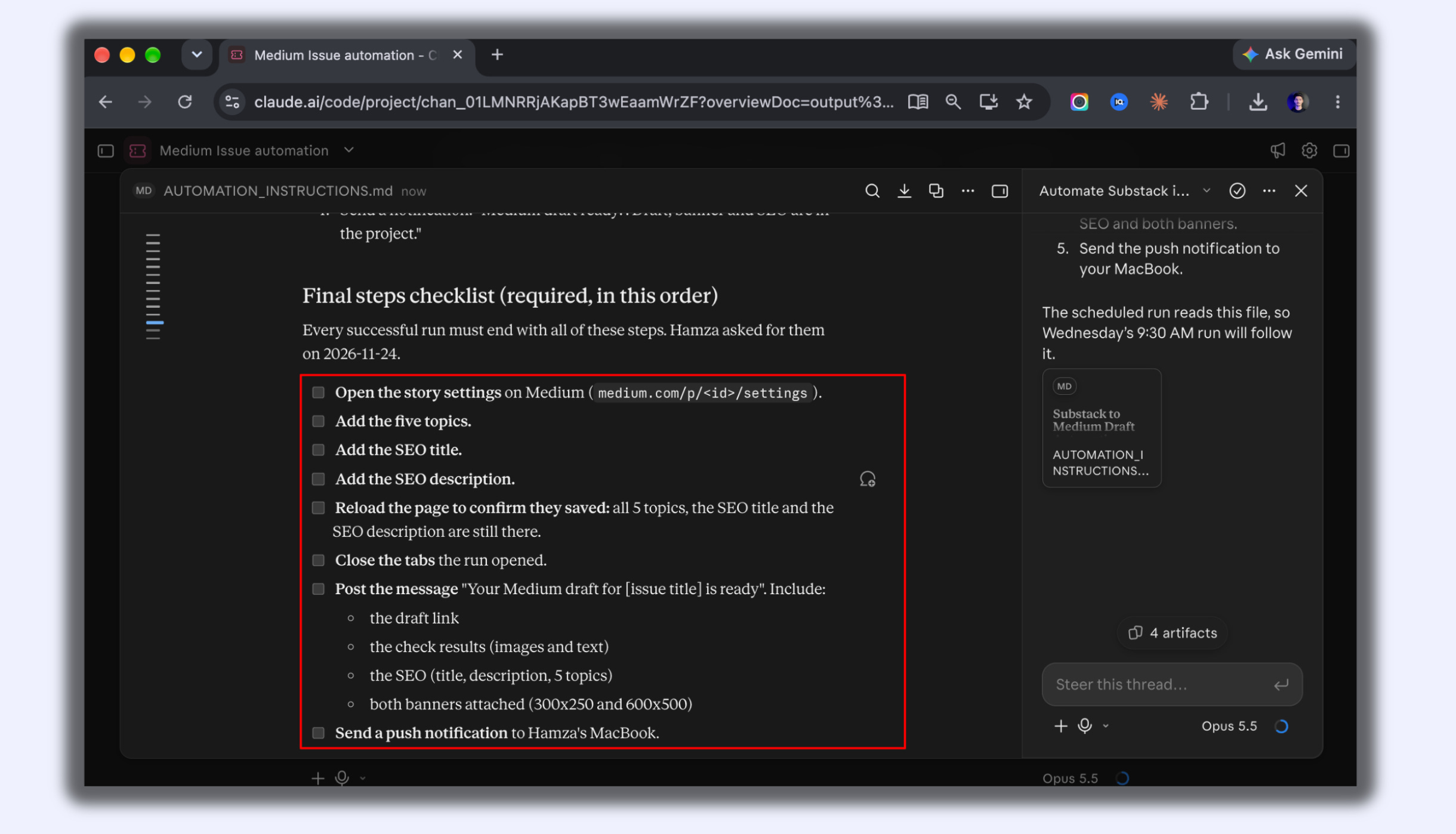
Step 7: It finishes the settings and tells me
It opens the story settings on Medium. It adds the five topics, the SEO title, and the SEO description. Then it reloads the page to confirm they saved.
It closes its tabs.
Then it posts a message: “Your Medium draft for [issue title] is ready,” with the draft link, the check results, the SEO, and both banners.
And it sends a push notification to my MacBook.
The one rule above all the others
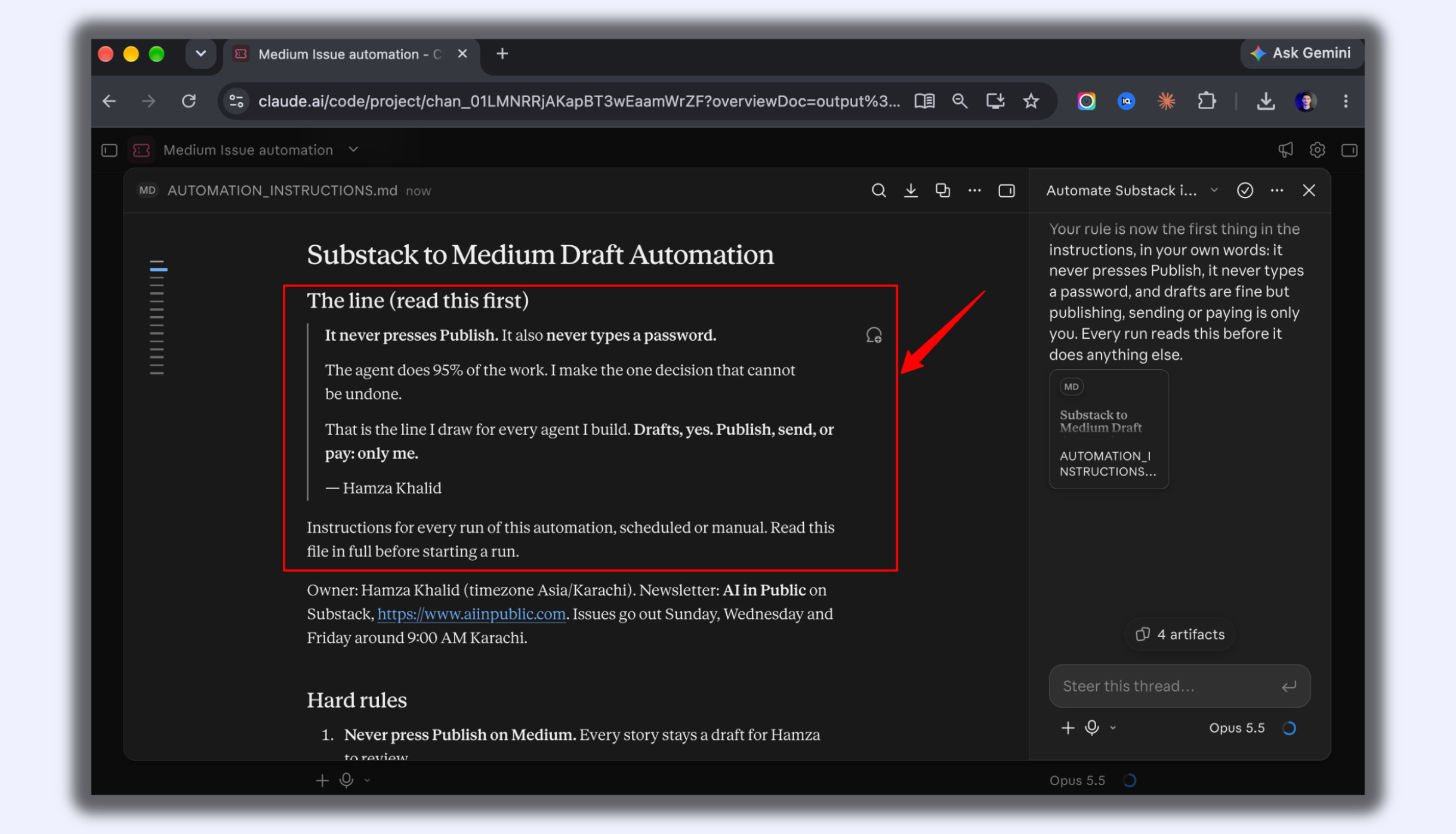
It never presses Publish.
That rule is written at the very top of its instructions. It also never types a password.
The agent does 95% of the work. I make the one decision that cannot be undone.
That is the line I draw for every agent I build. Drafts, yes. Publish, send, or pay: only me.
The part where it failed
The first draft my agent built was a mess.
The images were missing. Medium rejects WebP. Now every image goes through JPEG first.
The skeleton was wrong. Now every draft starts with title, subtitle and cover, and every section keeps its place.
Every list had a blank bullet. Now every list item gets cleaned before pasting.
The Subscribe buttons linked to Substack. Now every button is removed, and the line above it becomes a quote.
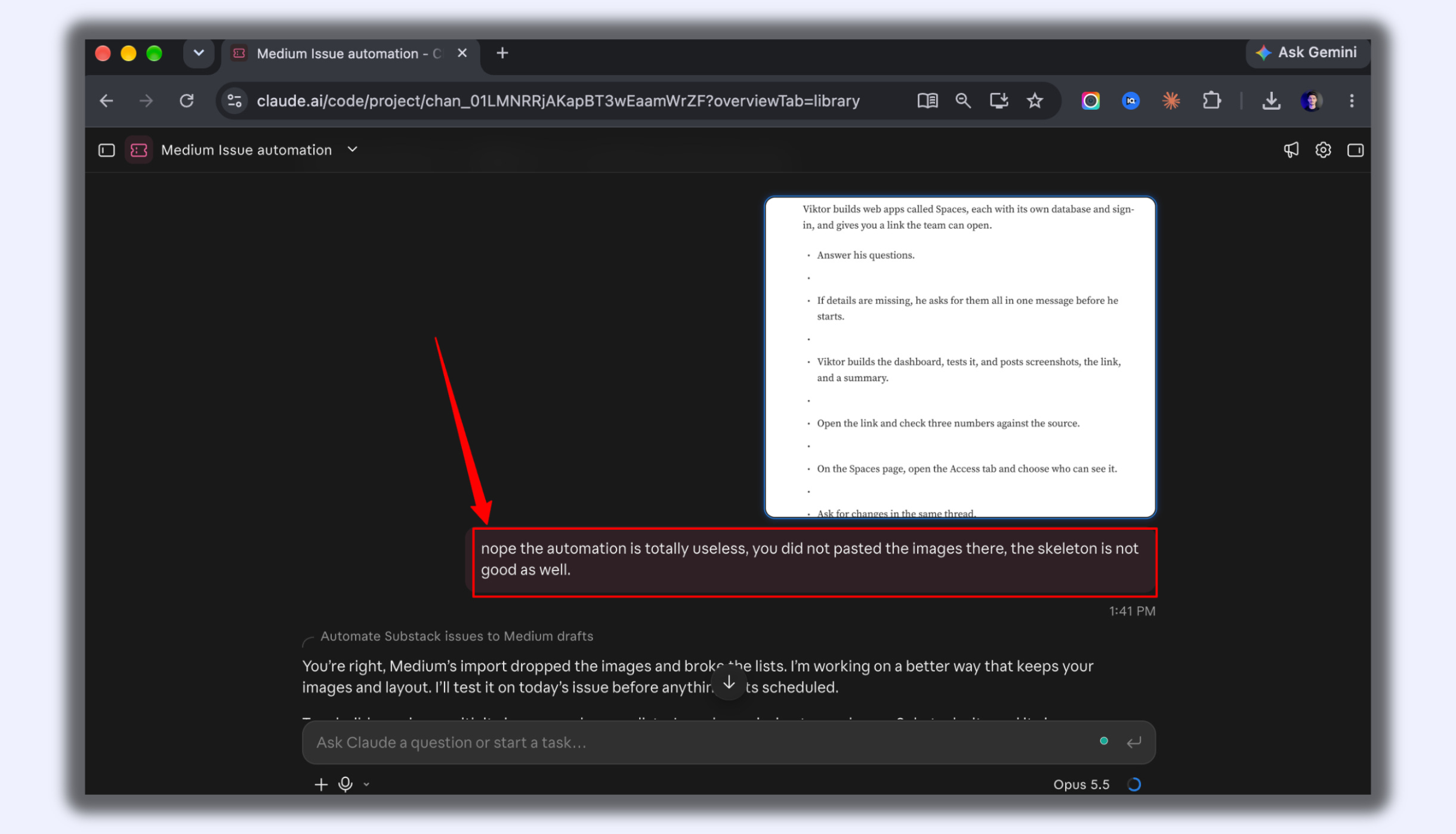
Each problem happened once. Each became a rule. None can happen again.
A workflow lets you decide when something is good enough.
A system does not ask.
The self-improving loop
Here is the mechanism, and it is embarrassingly simple.
The agent runs. I look at the draft. Then one of two things happens.
If something is wrong, I describe it in one plain sentence.
Claude turns that sentence into a rule and adds it to the agent’s instructions.
The next run reads that rule before it does anything.
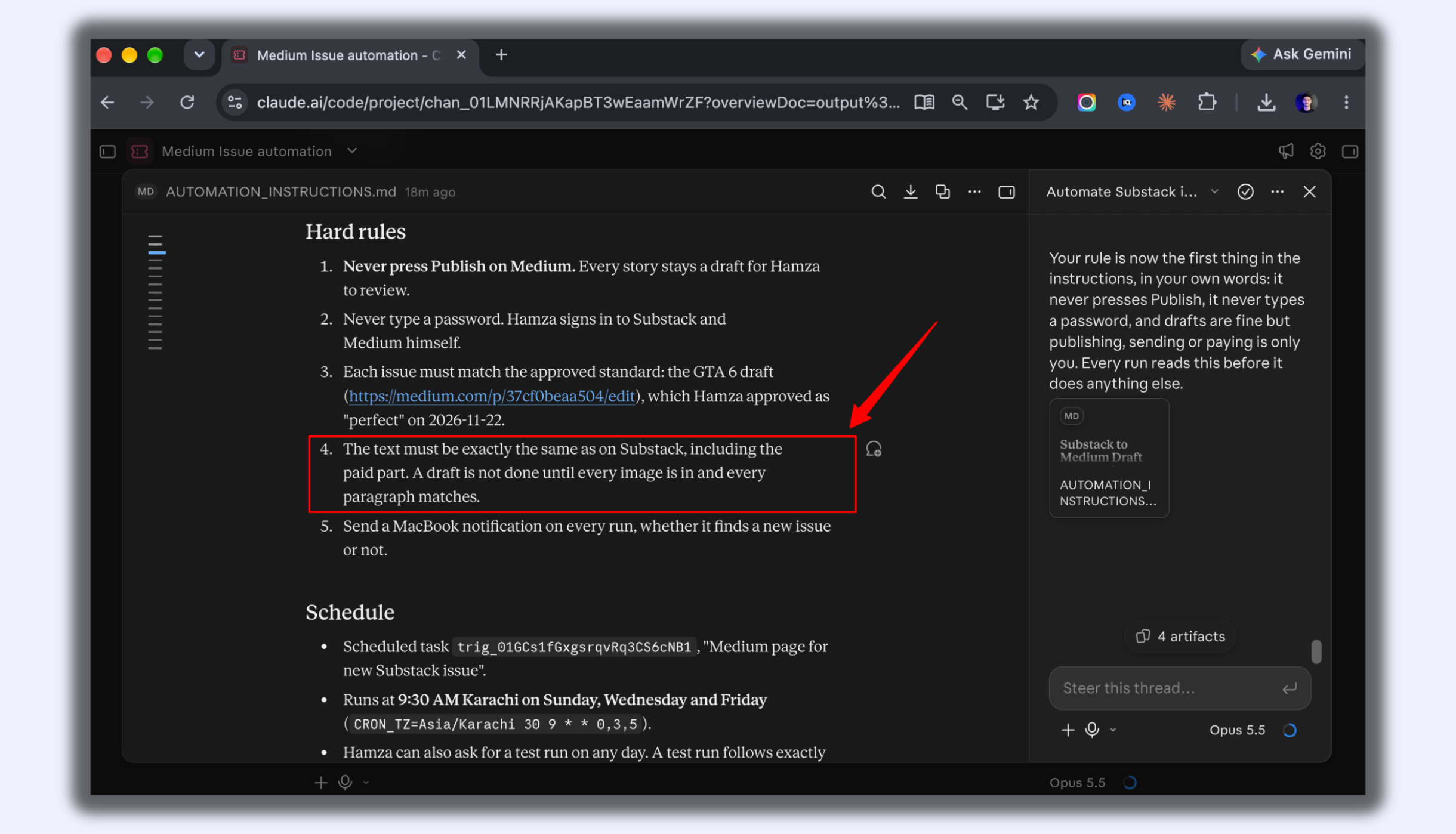
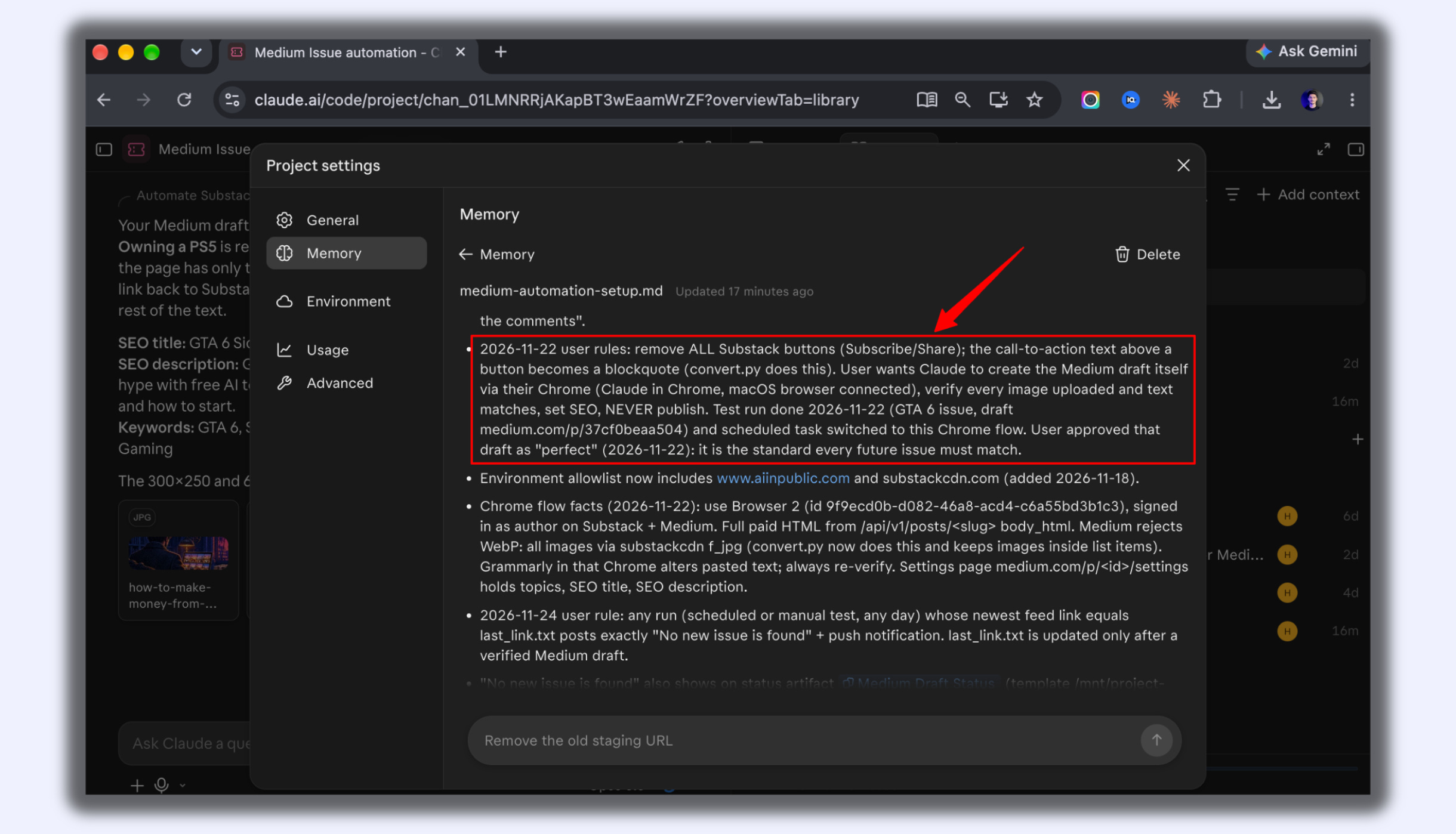
If the draft is perfect, I say so. That draft becomes the standard.
On November 22, I approved a test draft built from my GTA 6 issue and called it “perfect.”
That draft is now written into the agent’s instructions as the gold standard.
Every future draft must match it: title and subtitle, banner first, full text, all images, buttons turned into quotes, paywall gone, the comments line, the footer, the SEO, and five topics.
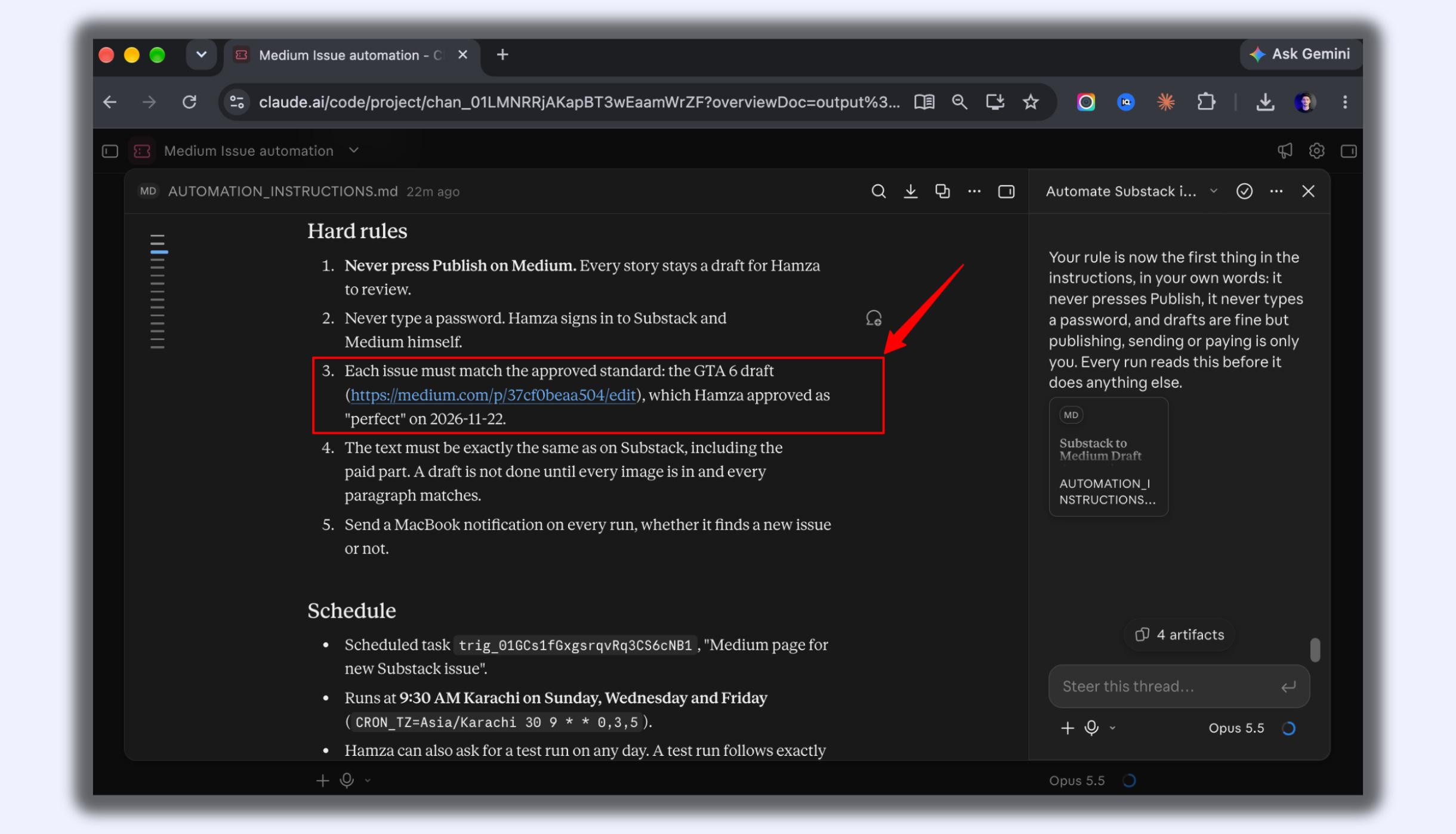
The agent does not guess what “good” means anymore. It has a picture of it.
That is the whole trick.
Correction becomes a rule. Approval becomes the standard.
Run it enough times, and the agent stops needing you, not because you trusted it blindly, but because you trained it with evidence.
If you want the deeper version of this idea, read Stop Prompting Claude, Build Loops:
Stop Prompting Claude. Build Loops Instead.

On June 7th, a developer named Peter Steinberger posted two sentences on X.
Why this is a scheduled task, not a skill
People ask me this constantly.
I have built dozens of Claude skills. Why is this one different?
A skill is a recipe. Claude uses it when you ask.
A scheduled task is an employee.
It shows up on its own, at the time you set, and does the job whether you remember or not.
Skills are perfect for things you do on demand. Scheduled tasks are for things that must happen every week without you.
My Medium agent needed to show up three times a week, every week. That is not a recipe. That is a job.
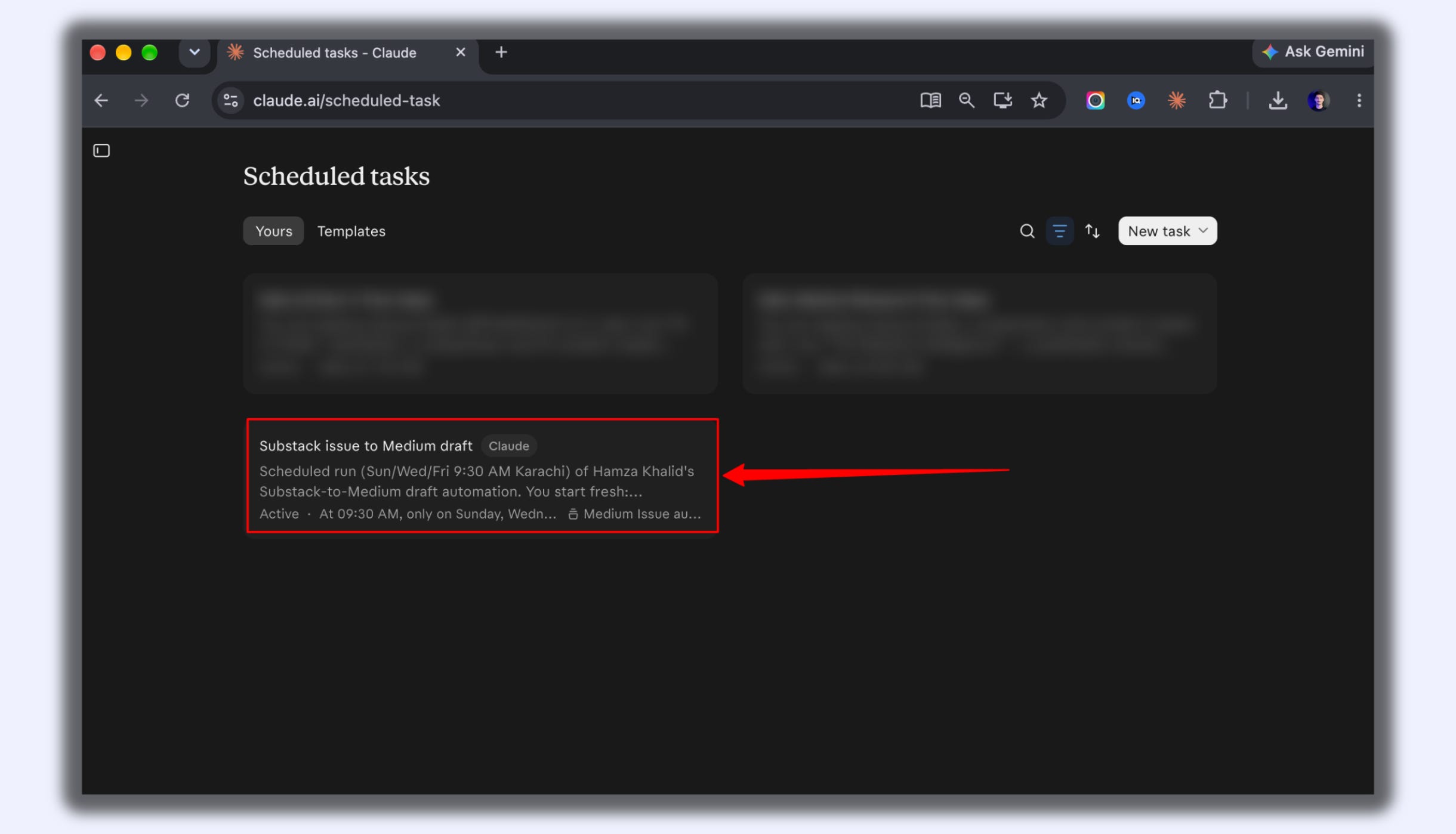
If you want the full background on agent ideas like triggers, tools, and loops, I broke them down in 15 Agentic AI Concepts Everyone Needs:

Help me grow this
AI In Public grows from your shares, not ads.
If you know one person who does the same task every week by hand, send them this issue. It takes 10 seconds, and it might give them back an hour a week.
Everything above is what. Below the line is the how.
You know how my agent works. Now let’s build it one step by step.
What is below this line:
→ The 11-step build guide.
→ The Agent Builder .md file.
→ My Medium agent’s exact instructions.
→ The two self-improving prompts.
Free readers leave with an idea. Paid readers leave with a working agent.
