

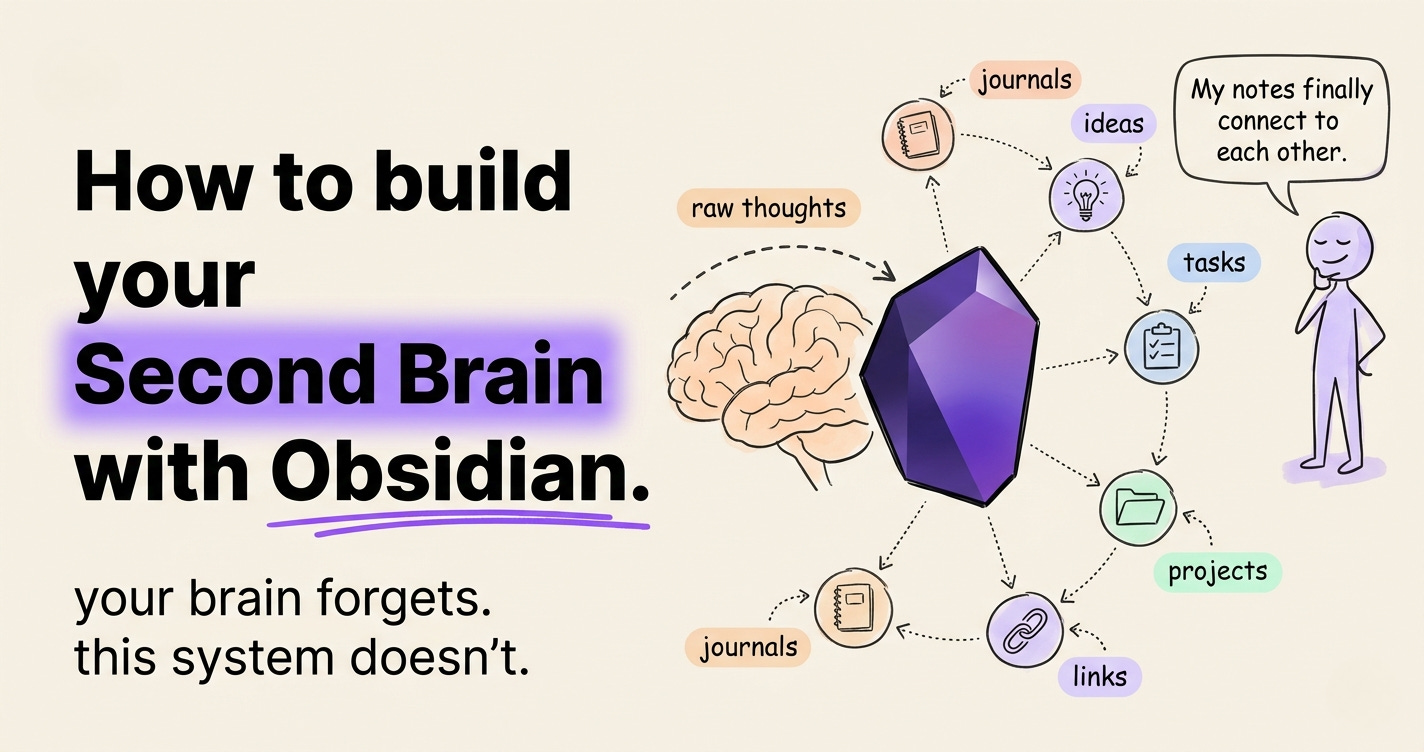
I spent 3 hours rebuilding my note-taking system last year.
Then I found a note from 2022 I had completely forgotten.
It was the exact idea I had just "rebuilt." My system wasn't failing to store ideas.
It was failing to surface them.
You’ve taken notes in 5 different apps.
None of them talks to each other. None of them helps you think.
That’s not a memory problem. That’s a system problem.
Obsidian fixes it.
And by the end of this issue, you’ll get the AI Second Brain Prompt Pack, 6 Claude prompts for your Obsidian vault.
Before WE START, I built a complete Guide on how to write and never forget anything with Claude.
Download the complete Guide here.
Three months ago, I had what I thought was a pretty good system.
I had Notion set up with databases for every category.
I had Apple Notes for things I wanted to keep close.
I had a “Read Later” folder in my browser with 340 articles in it.
I had Google Docs for anything I was actually writing.
Four systems. Zero connection.
I thought the problem was the apps.
So I kept switching. Tried Mem. Tried Roam. Tried Capacities. Still lost.
Then a friend sent me a screenshot of his Obsidian graph - 400 connected notes.
I didn’t see a tool. I saw a mind.
His ideas were talking to each other.
Mine were sitting in separate rooms, never introduced.
I set up Obsidian in one evening.
Two weeks later, I stopped losing ideas. By week four, I was connecting them.
The apps were never the problem. I was building storage. I needed a thinking system.
The worst part?
I was proud of my system.
I had colour-coded folders in Notion.
I had tags. I had templates.
I was organising noise and calling it thinking.
Here’s everything I learned, compressed into one issue.
Before Obsidian: You’re the person who “had a great idea last week” but can’t find it.
After Obsidian: You’re the person in the meeting who says, “I wrote about exactly this three months ago” and actually pulls it up.
That’s not a productivity win.
That’s a reputation shift.
What Obsidian Actually Is
Most note apps store your notes for you.
Obsidian stores your notes as you.
It’s a local-first, plain-text note-taking app built around a simple idea: your notes are Markdown files saved directly on your device.
But the real power isn’t the app. It’s the philosophy behind it.
Obsidian treats your notes like a personal knowledge graph - a web of connected ideas that grows and evolves the more you use it.
Every note can link to another.
Every link builds a map of how you actually think.
The difference from other apps:
Notion → Database thinking (rows, tables, structure first)
Evernote → Filing cabinet thinking (folders, tags, search)
Obsidian → Network thinking (links, connections, emergence)
If Notion is a spreadsheet for your brain and Evernote is a filing cabinet, Obsidian is the whiteboard where ideas actually connect.
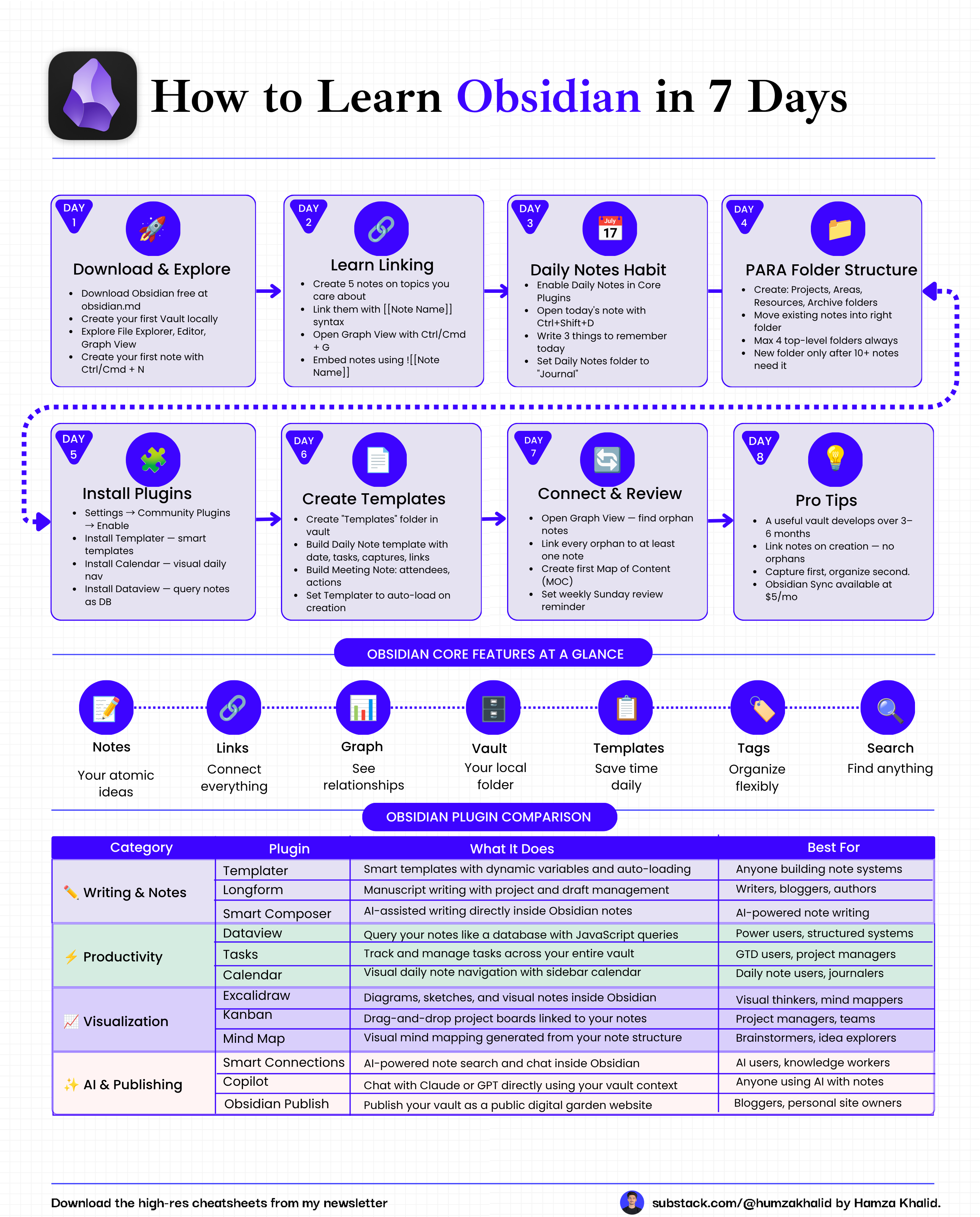
How Obsidian Works
Obsidian runs on three core mechanics. Understand these, and everything else clicks.
1. Vaults: A vault is just a folder on your computer. Every note you create inside it is a .md (Markdown) file. You own it. It never disappears because a company shuts down. You can open it in any text editor. It works offline, always.
2. Internal Links: Type [[note name]] Inside any note, Obsidian creates a live link to that note. This is where the magic starts. One link is nothing. A thousand links become a map of your mind.
3. The Graph View: Every time you link two notes, Obsidian draws a line between them in the Graph View - a live visual of your entire knowledge base. Notes that connect to many others become hubs. Clusters of related ideas reveal themselves. You start to see patterns you didn’t know existed.
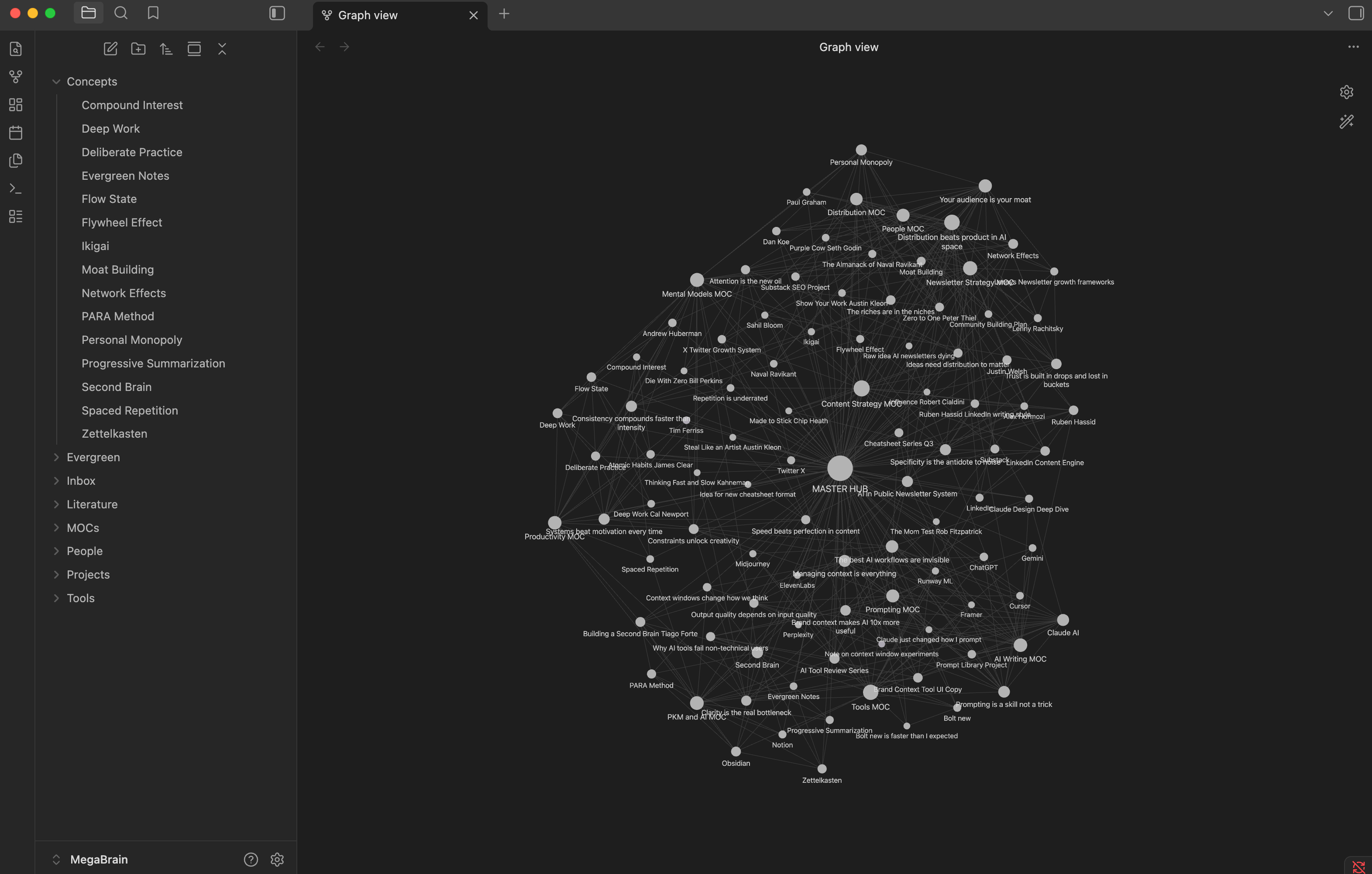
These three mechanics - vault, links, graph - are the engine. Everything else is customization.
If this is useful, share it with one person who still has 11 note-taking apps open at once. It takes 10 seconds.
Step-by-Step: Install and Use Obsidian
Step 1: Download and Install
Obsidian is free. No account required.
Quick setup:
Go to obsidian.md and click Download
Install for your OS
This is the only setup step that requires the internet. Everything after this works offline.
