

You opened ChatGPT or Claude for the first time.
You typed something in.
The answer came back... okay. Maybe even impressive.

So you kept going. You asked it to write something for you. Summarize something. Explain something.
And then, slowly, a quiet frustration started building.
Why does it keep getting things wrong?
Why does it sound so generic?
Why do I spend more time fixing the output than I saved creating it?
Nobody warned you about this part.
By the end of this issue, I’m giving away my Personal AI Context Template - the exact document I use to give Claude everything it needs to think like me before I type a single word. It solves most of what I’m about to describe.
THE AI VAULT IS OPEN
Every guide, kit, template, and prompt library I’ve built - in one place. Organized. Searchable. Growing every week. Here’s how access works:
Paid Members: Get one specific guide related to the newsletter from the Vault every issue. Yours for a week.
Founding Members: Full access to everything inside the Vault. Every guide. Every kit. Every drop. Forever.
We’re 2-3 months away from 10K+ subscribers. The moment we hit that number, we’re launching a private free community - exclusively for AI In Public readers.
The Problem Most Beginners Face
Let me show you what’s actually happening.
When most people start using AI, they hit the same three walls. In order. Every time.
Wall 1: The Generic Output Problem
You ask AI to help you write something - a caption, an email, a bio.
It comes back with something technically correct. Grammatically fine. Completely hollow.
It doesn’t sound like you. It doesn’t know your audience. It’s the average of everything ever written on that topic, compressed into a paragraph.
You edit it heavily. Or delete it and start over. Either way, you wonder: what’s the point?
Here’s what’s actually wrong: AI doesn’t know you. You gave it a one-sentence request and expected it to fill in everything else. It can’t. So it guessed. And the guess was mediocre because it had nothing to go on.
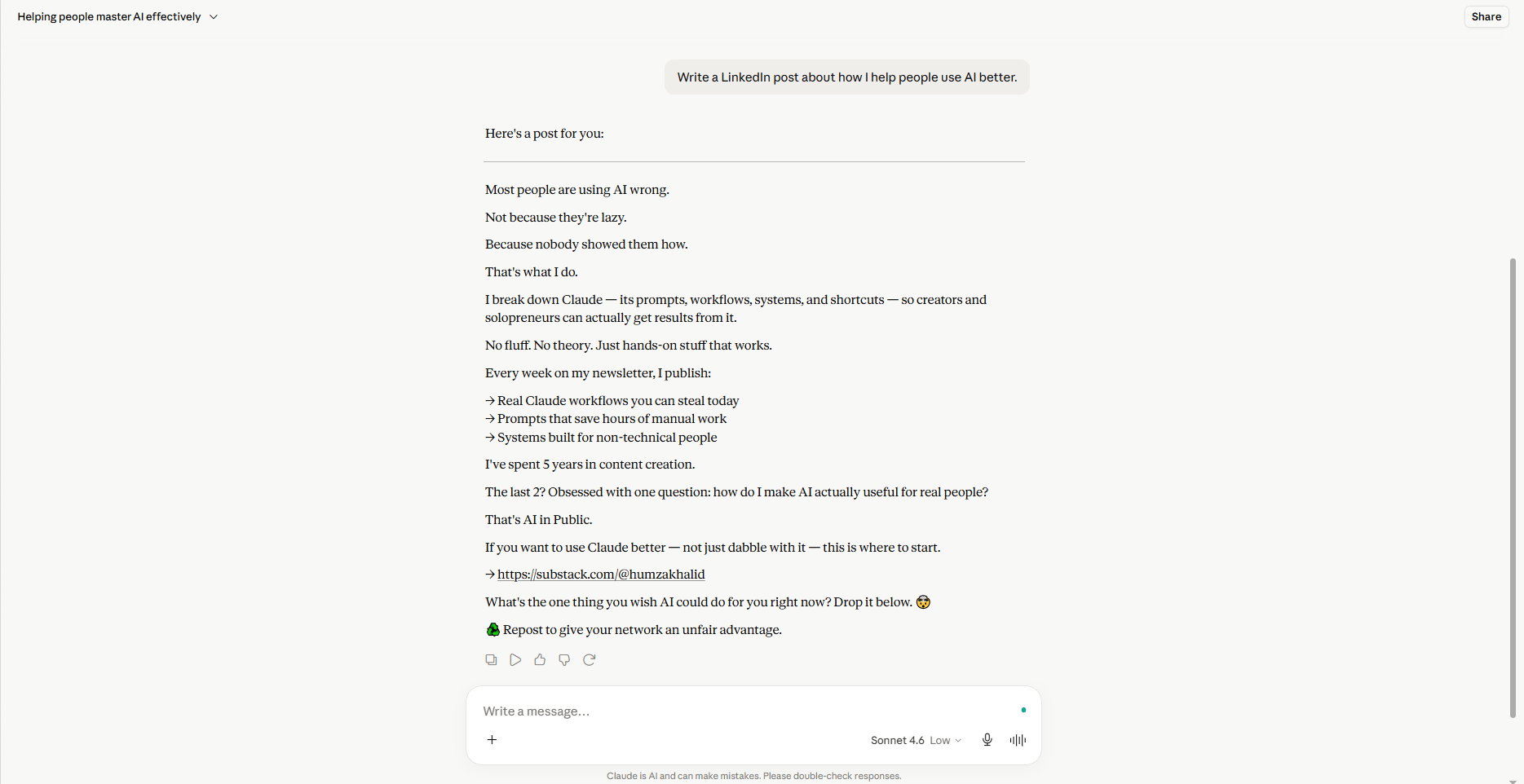
Wall 2: The Inconsistency Problem
Some days, AI gives you something brilliant. You don’t know why. You can’t replicate it.
Other days, you get garbage. You don’t know why that happens either.
So you treat AI like a slot machine. Pull the lever and hope.
This isn’t an AI problem. It’s a system problem. You haven’t built anything consistent, so you can’t get consistent results. Every chat is a fresh start with a stranger who knows nothing about you or what good looks like.
Wall 3: The Starting-From-Scratch Problem
Three weeks in, you’ve written some genuinely good prompts.
You can’t remember what they were.
Because you never saved them. Every session starts blank. Every prompt is rebuilt from nothing. You’re not getting better at using AI - you’re just getting slightly faster at making the same mistakes.
The good news: all three walls have the same fix.
You don’t need better prompts.
You need a system.
What will you be after reading this
By the end of this issue, those three walls collapse.
You’ll know exactly how to give AI the context it needs to stop guessing.
You’ll have a prompt library, so you never have to start from scratch again.
And you’ll have a weekly habit that makes your system smarter over time.
Not theory. A system you can build today.
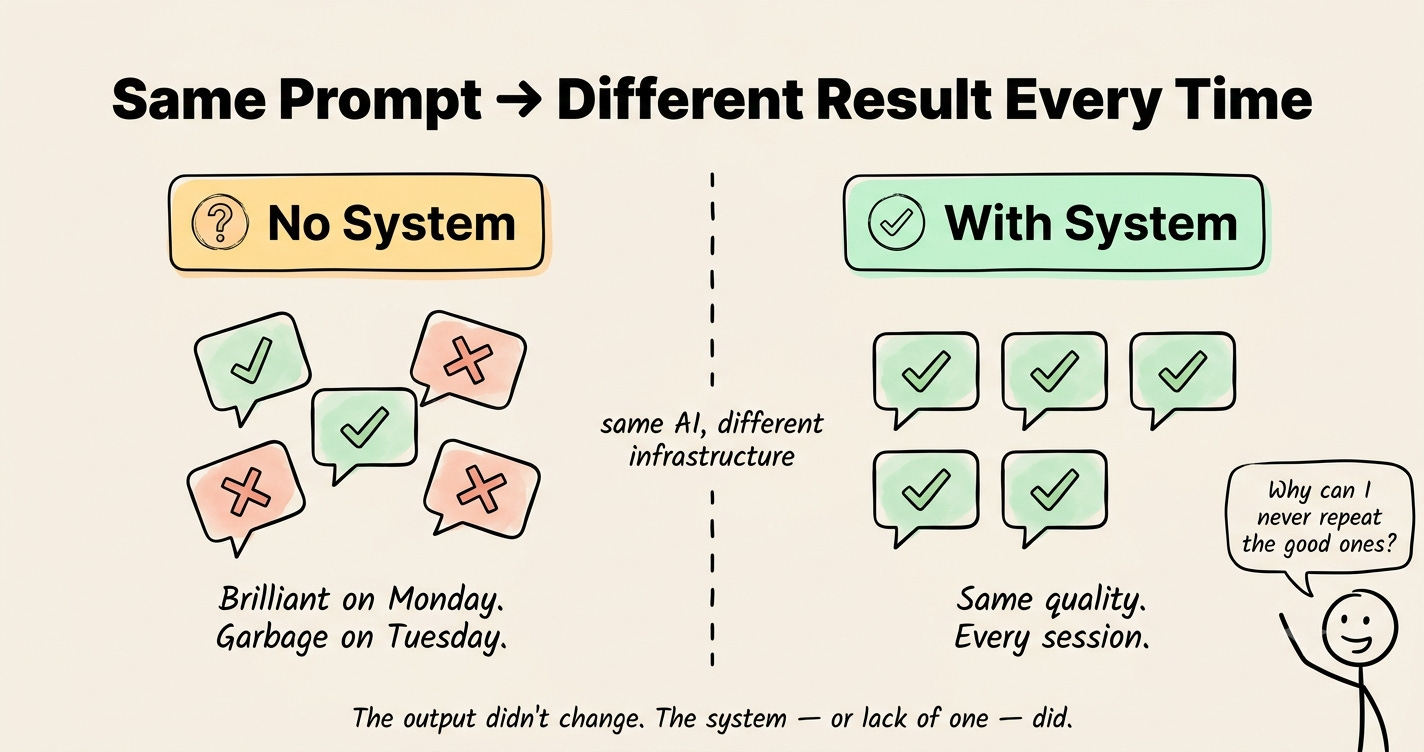
Old Way vs New Way
Old way: Open AI. Type a vague question. Get generic output. Spend 30 minutes fixing it. Feel like AI is overrated.
New way: Load your context. Call a saved prompt. Get a first draft that knows you. Refine once. Ship.
Old way: Build a great prompt by accident. Lose it. Never find it again.
New way: Save every prompt that works. Build a library. Compound it over months.
Old way: AI as a search engine you occasionally query.
New way: AI as a system layer you run your whole workflow through.
The outputs don’t change. The infrastructure does.
Step-by-Step Walkthrough
Here’s the three-part system. Set it up today. Compound it for years.
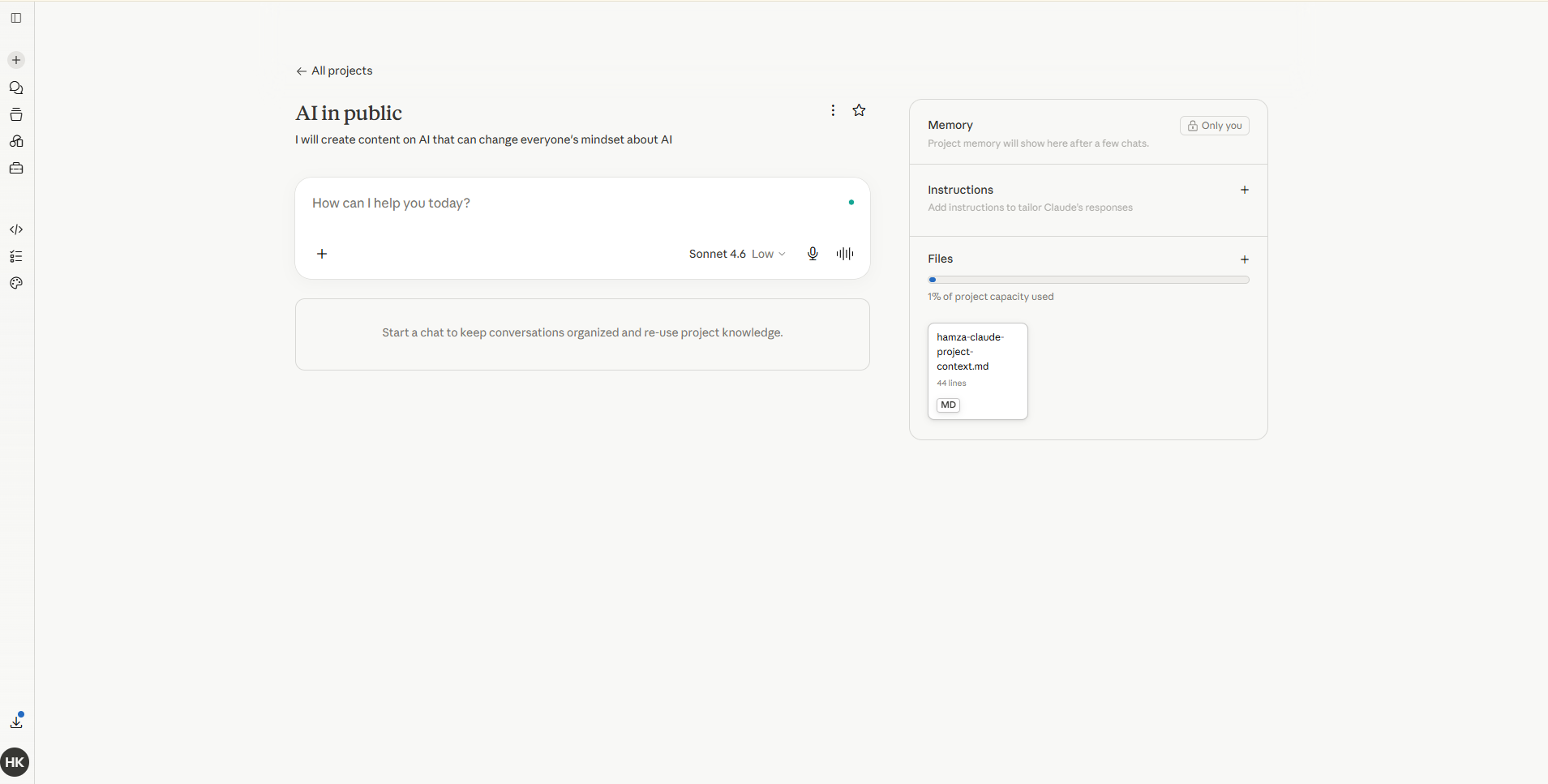
Step 1: Build Your Context Document
This is the highest-leverage move in AI - and almost nobody does it.
Your context document is a one-time file that tells AI everything about you before you ask it anything:
Who you are and what you’re building
Who your audience is and what they struggle with
Your tone and communication style
Your products or offers
Your constraints - what you never say, topics you avoid
Your current 90-day goal
You paste this at the start of any serious session. Or load it into a Claude Project so it’s always there automatically.
The AI stops guessing. It starts serving.
This single document fixes Wall 1 - the generic output problem - permanently.
Step 2: Build a Prompt Library
Here’s the move that fixes Wall 2 and Wall 3 at the same time.
Every time you get a great output, find out why. What did you say? What context was loaded? What structure did the prompt follow?
Write that down. Save it. That’s your first prompt.
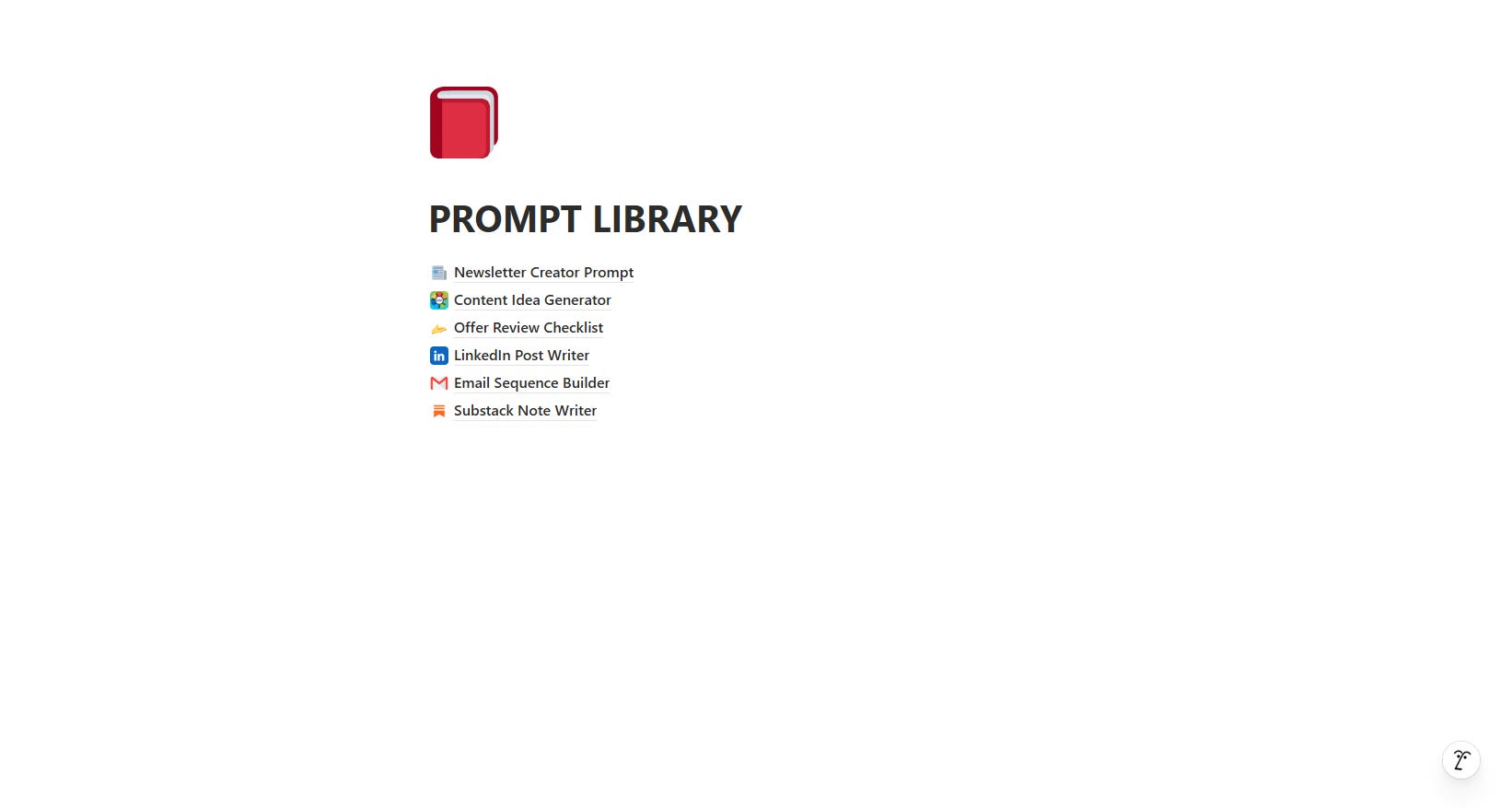
A prompt library is just a collection of your best processes - bottled. Your newsletter structure. Your content ideation method. Your offer review checklist. Your email tone.
Each one is a reusable skill you can call on any time.
Build one prompt a week. In two months, you will have eight skills you will never have to rebuild. In six months, you have an AI system that compounds like a business asset.
Step 3: Build a Feedback Loop
A system without refinement is just a habit that never improves.
Once a week, spend 15 minutes on this: pick your three most-used prompts. Look at the outputs they produced. Note what was off. Make one edit to each.
That’s the whole practice.
Over time, your prompts get sharper. Your outputs get closer to what you actually want. Your system gets smarter - because you made it smarter.
This is the move 99% of people never make. They use AI. They don’t improve how they use AI.
Share this and get rewarded
Go to AI In Public → scroll to the Leaderboard section → copy your referral link → share it with anyone.
Every signup through your link moves you up the board and unlocks real rewards.
At the end of every month, we check the leaderboard.
The top 3 get our best guide - DMed directly, no opt-in required.
Best Practices / Use Cases
Start here - not everywhere:
Don’t build the whole library on day one. Pick the one task you do most. Build the context document for that. Build one prompt. Use it five times. Refine it. Then add the next one.
Week 1: Context document
Week 2: First saved prompt
Week 3: First refinement session
Week 4: Second prompt
Four weeks. A functioning personal AI system. Built in 20-minute blocks.
This works especially well for:
Founders creating content while running operations
Creators who need to maintain their voice at speed
Operators running repeatable client processes
Beginners who feel like they’re constantly starting over
If you use Claude Code, these systems are already built for you.
ClaudeKit is a suite of slash commands and skills - pre-built, battle-tested - so you can call your context, your prompts, and your workflows in one keystroke. No rebuilding. No starting from scratch.
Real-World Examples
Here’s what this looks like in practice.
The content creator: Built a context document with her brand voice, audience pain points, and content pillars. Built one prompt for ideation. Now generates a week of content ideas in 12 minutes on Monday morning. Before: 2 hours of staring at a blank page.
The founder: Built a prompt for proposal writing that interviews him about the client before writing anything. Proposals went from 2 hours to 25 minutes. The quality went up because the AI now asks him the right questions before it writes a word.
The operator: Built a library of eight client-facing prompts - emails, status updates, scope summaries. Every client communication now starts from a strong base instead of a blank screen.
None of them found magic prompts. They built systems.
Pause here for a second.
You’re going to read this and think: “I’ll do this over the weekend.”
That’s where good intentions go.
The context document takes 20 minutes. Right now. Today. Not a project - a single conversation with AI.
Open Claude when you finish this issue. Paste Prompt 1. Answer the questions. Save what it gives you.
That’s it. That’s the whole first move.
The gap between someone who uses AI occasionally and someone who gets real leverage from it isn’t talent. It’s not the model they use. It’s that they did the 20-minute thing, and everyone else didn’t.
Recap Checklist
✅ Understand three walls: generic output, inconsistency, and starting from scratch
✅ Build your Personal Context Document (Prompt 1 - 20 minutes)
✅ Load it into a Claude Project as background knowledge
✅ Identify the one task you repeat most in your work
✅ Use Prompt 2 to bottle it into a saved prompt
✅ Run Prompt 3 on it after using it five times
✅ Add one new prompt per week
Upgrade to keep reading
The free version of this newsletter gets you the what.
Paid members get the how, in detail.
Every issue comes with a resource that took me hours to build and takes you 10 minutes to use.
Paid Members: One hand-picked AI Vault guide every issue, chosen for what we covered today.
Founding Members: Full AI Vault access. Every guide. Every kit. Forever. Plus, first access to the private community at 10K subscribers.
Everything above is free. What’s below is for paid subscribers.
