

Watch this first. Sound on.
Every frame is code.
Every sound is code.
I did not open After Effects.
And here's the best part.
You don't need to be a designer.
You need one picture of your brand, or the URL where you sell your product. And one prompt.
That's it.
Here's what you'll walk away with today:
A motion studio on your own laptop.
A brand film with music, voiceover, and your logo.
A setup you reuse for every video after this one.
And a skill clients already pay for.
A year ago, Tony Dinh paid over $1,000 for a launch video.
Last week, he made one with Claude in under 30 minutes.
That’s the shift.
On September 22, Anthropic shipped Opus 5.5.
Within hours, my timeline was full of showreels, launch videos, and music videos.
All made in code.
The captions said “one prompt.”
Thariq from the Claude Code team said it best: the post says one-shot, but the prompt is 10k characters with skills, examples, and API keys.


So I decided to try this prompt and got these results:
It’s good, but it can be better, as the head looks like it's floating because there is no neck or body, and the color of the text is hard to read.
Then I found the catch.
The prompt is 10%.
The setup is 90%.
So I built the setup. The film at the top is what came out.
What you get at the end as a bonus
Ready-to-install repos.
The exact prompt I pasted into Claude Code to make this film.
All you bring is one picture or URL of your brand, and one prompt.
Copy it. Swap in your brand. Render your own.
If this is useful, share it with one founder still paying agencies for videos. Takes 10 seconds.
Step 1: I created my brand folder
The following are the steps you can follow to do the same for yourself.
This folder is your studio.
Open Claude Code.
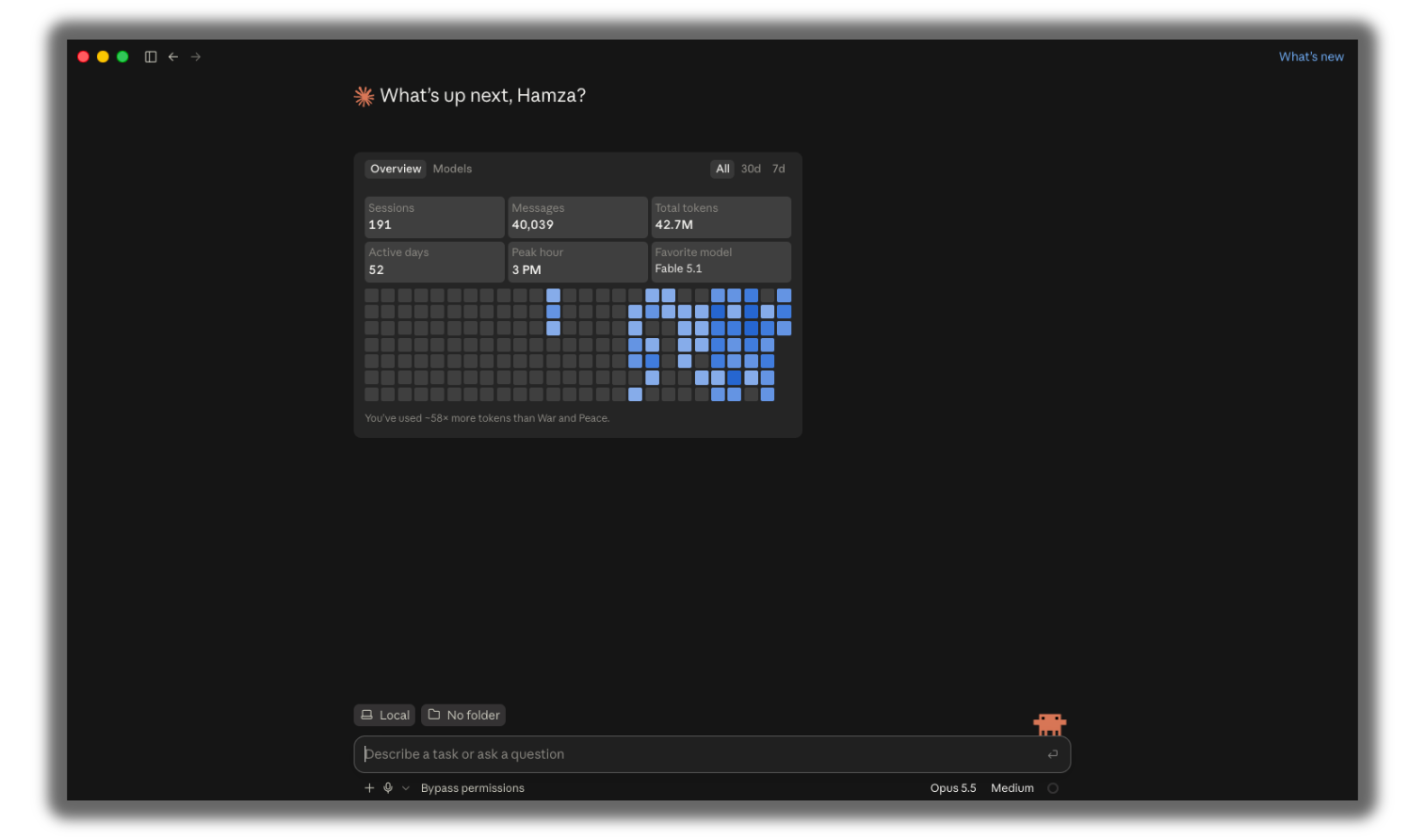
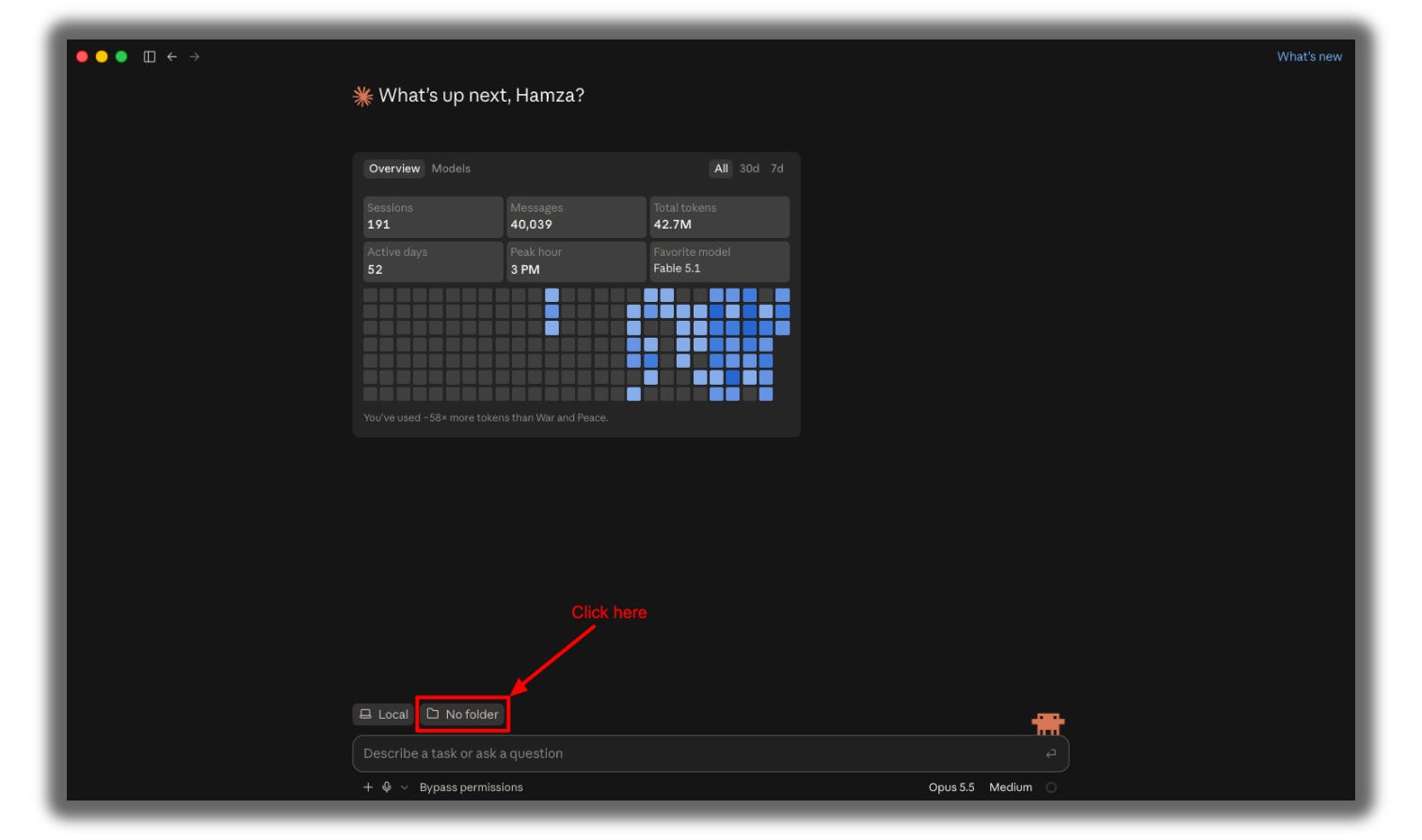
Click on No Folder (or it will show the name of the folder you already selected).
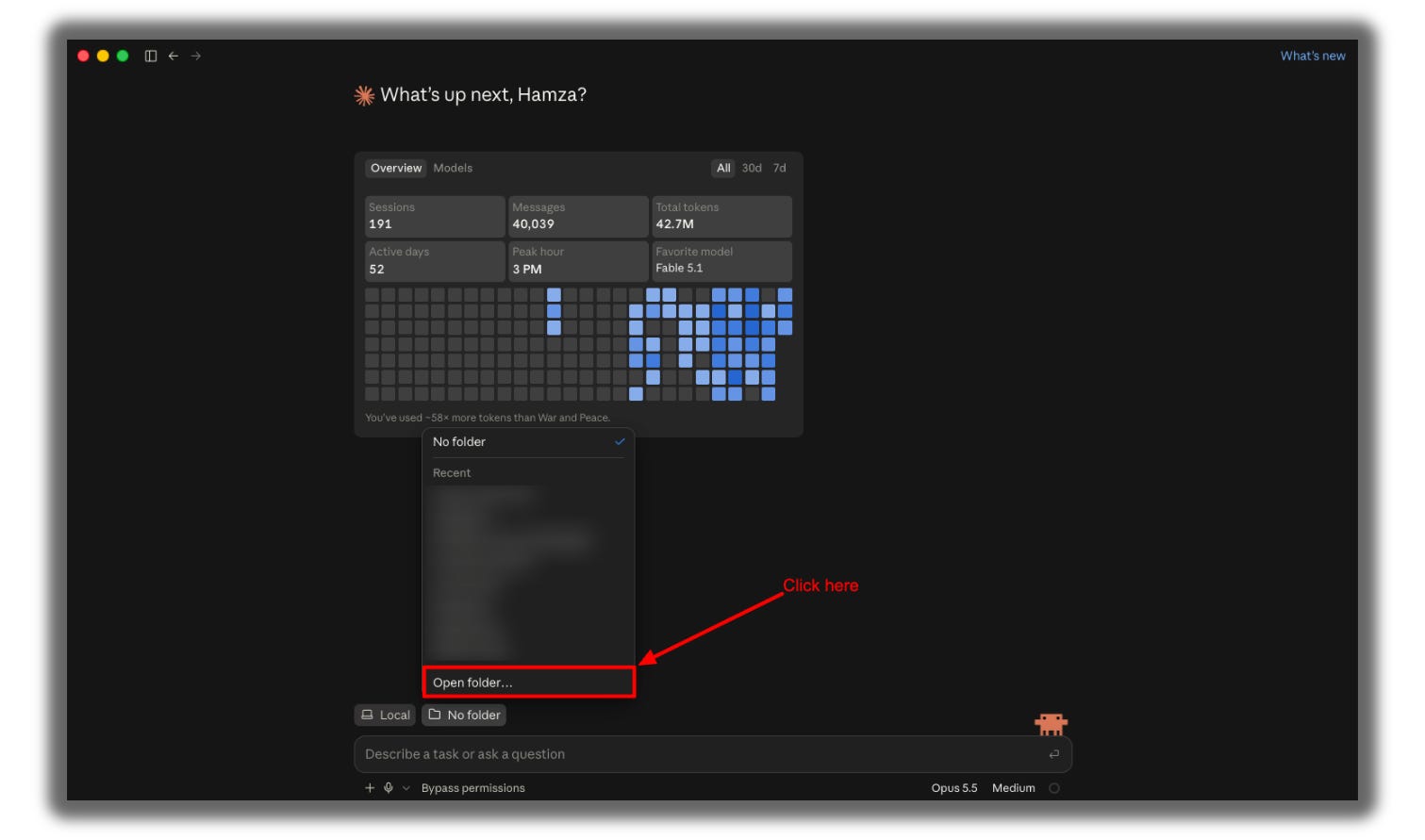
Create an Open folder.
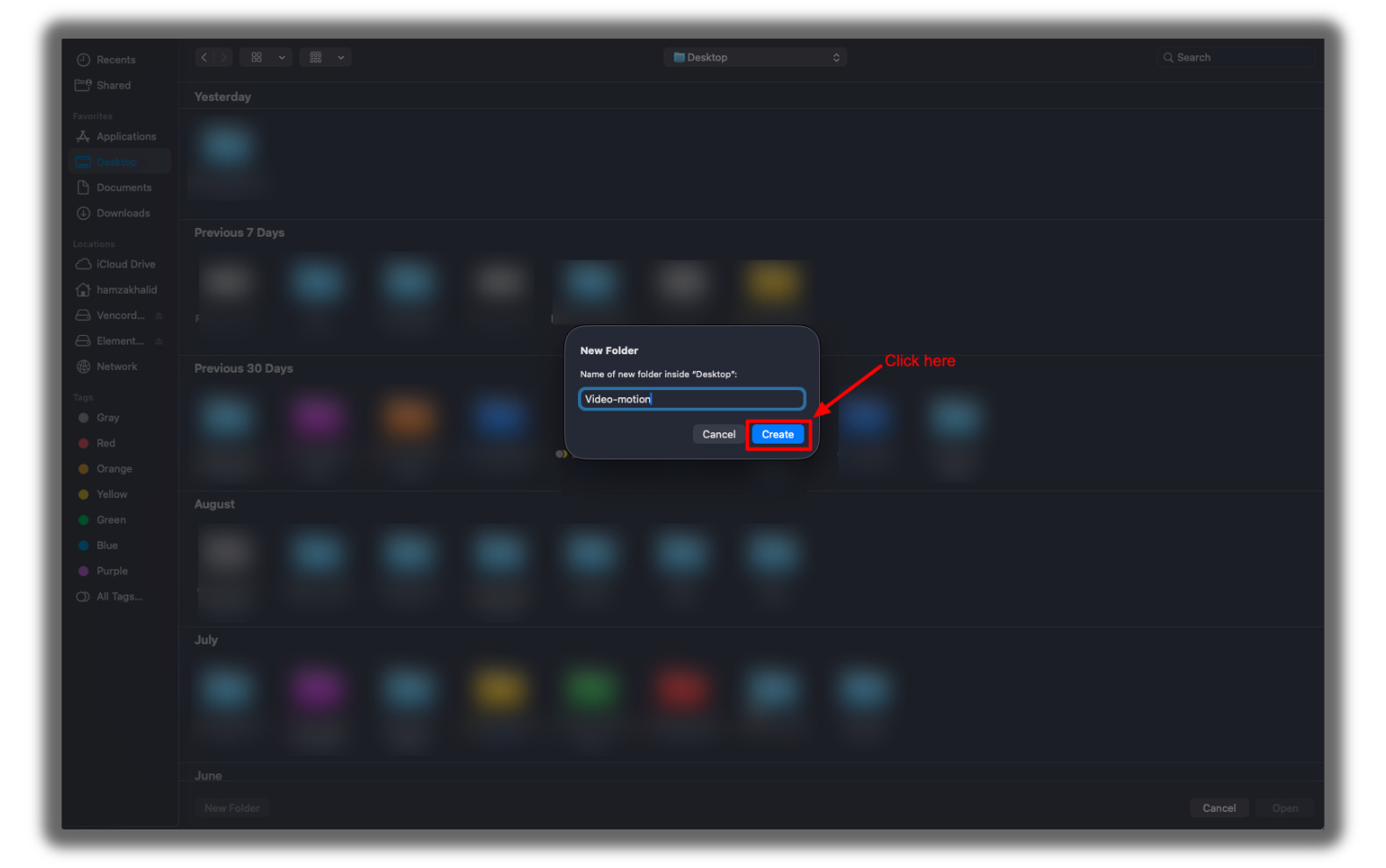
Click on New Folder.
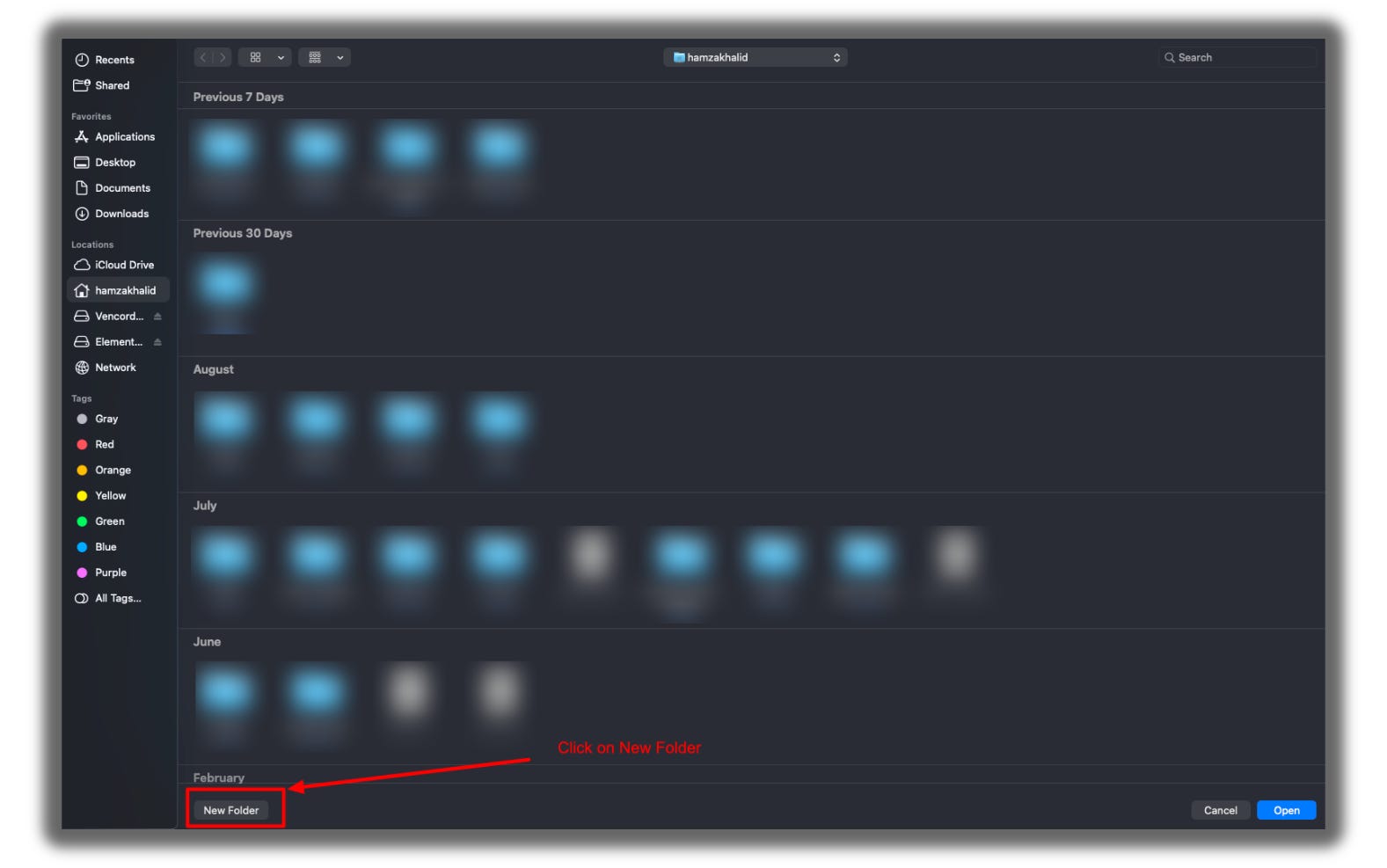
Name it: {Your Brand Name}; mine is video-motion-lab.
Click on Create.
Your folder is selected in Claude Code.
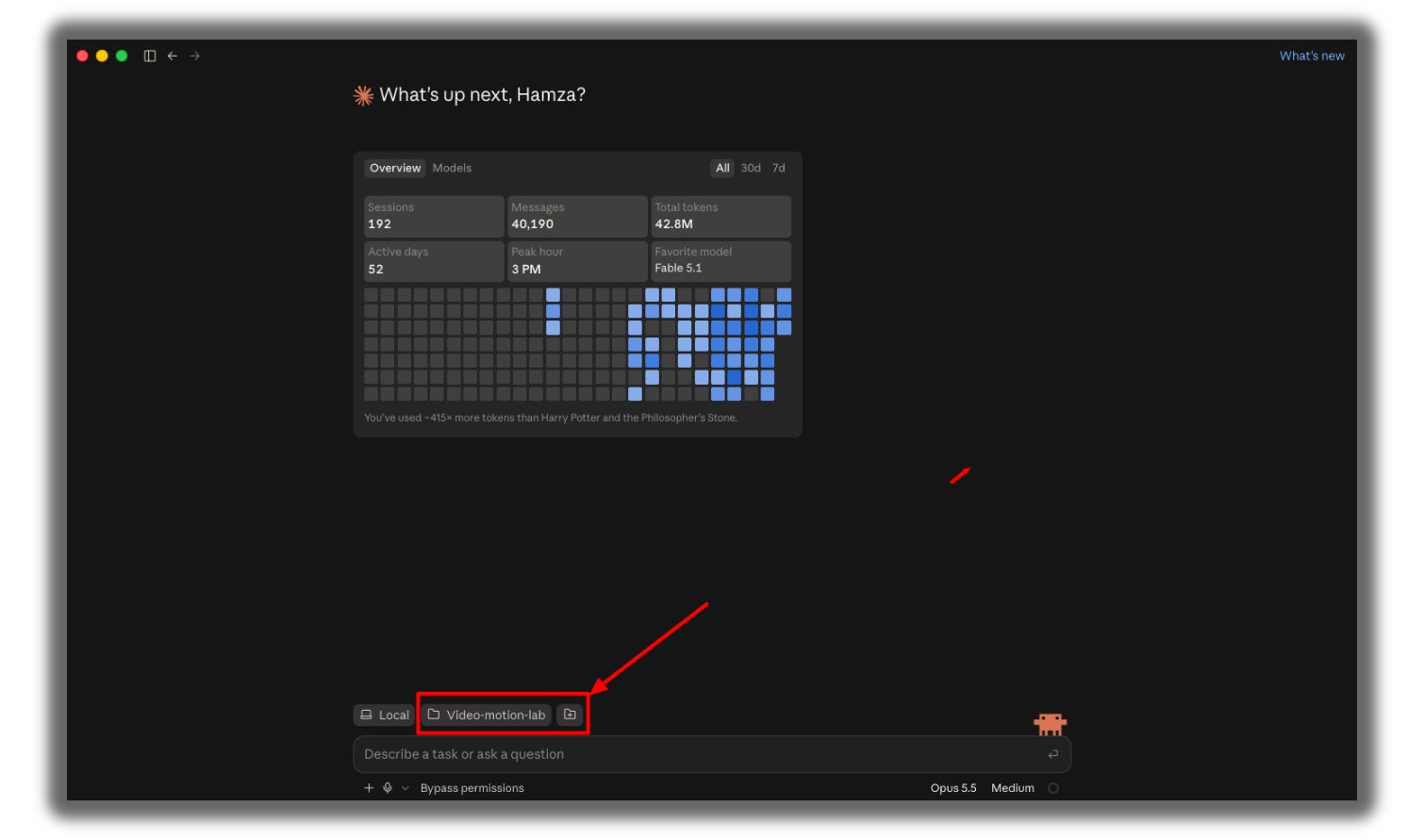
Every future video starts here.
