

You’ve scrolled past this post before.
Maybe you stopped on it: the one from Replit’s CEO, the one that said all software is about to become open-source.
This one:

Also this one:


We’re going to pull this whole thing apart, piece by piece.
You probably assumed it was hype.
For a long time, you’d have been right.
Not anymore (I’ll show you my own test as well).
Here’s what my tool bill looked like:
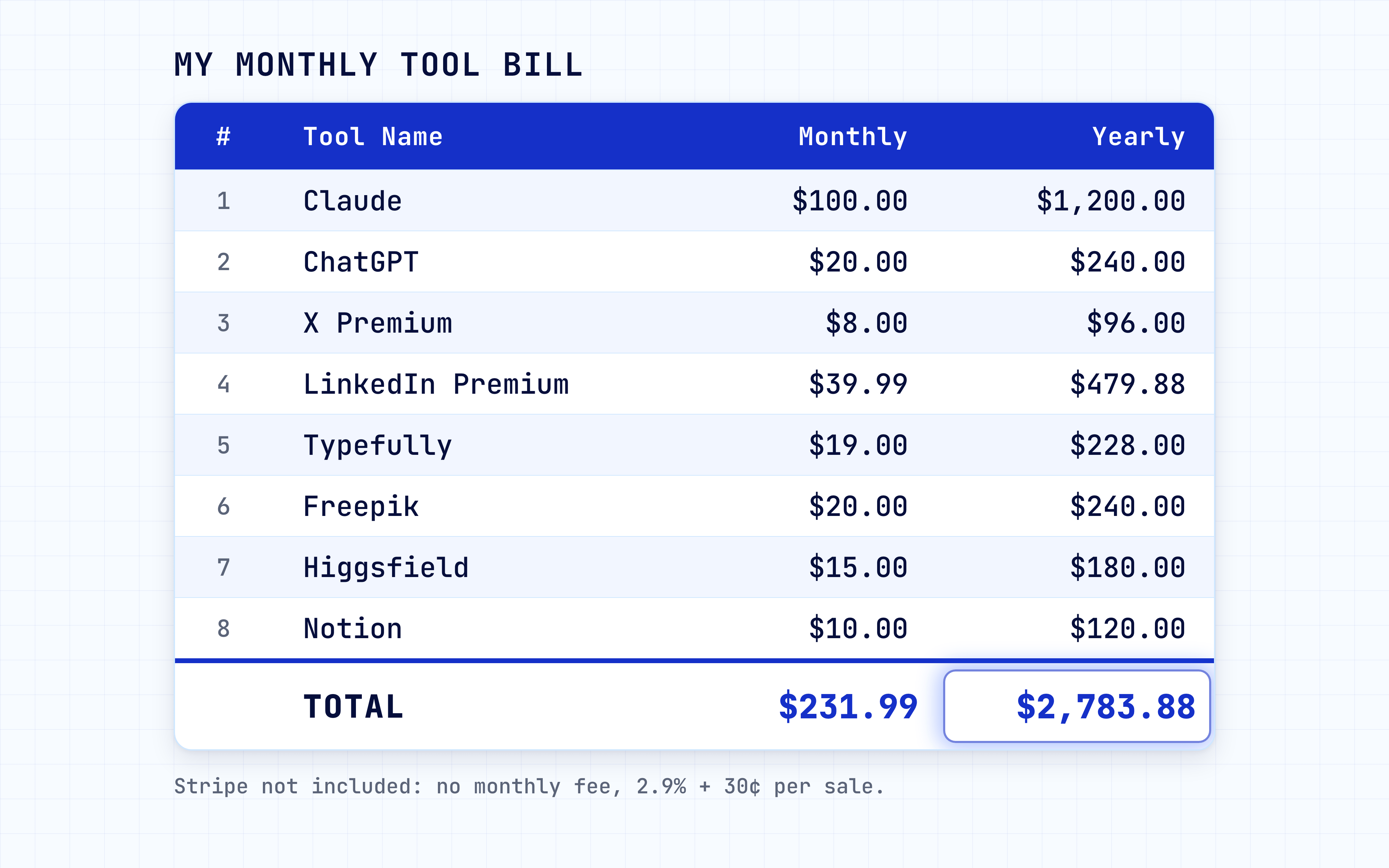
It wasn’t huge. It just never stopped. Every month, the same charges for tools I used one button of.
Now I paste one prompt and let Claude do the rest.
Thirty minutes later, I had my own version of one of those tools, open in my browser, doing the exact job I was paying for.
I never wrote a line of code.
I never opened the paid app’s insides.
I never hired anyone.
FREE GIFT: By the end of this issue, you get The Rebuild Kit in Notion: the 6 copy-paste prompts, 10 ready-made blueprints for the tools creators pay for most, and the clean-room checklist. Everything you need to rebuild your first tool tonight.
Let me show you how it works.
Here’s what the viral posts didn’t tell you.
REA works by opening an app and reading its insides.
That’s fine for apps you own.
But most paid tools, like Canva or your scheduler, forbid it in their terms.
Even the developer who rebuilt Adobe’s apps refuses to decompile commercial software for exactly this reason.
So I split this issue into two paths.
Watch From Outside is for the tools you pay for: you study what a feature does and rebuild it, with no REA and no risk.
Look Inside is for apps you own, and that’s where REA shines.
Most guides skip this and leave you exposed.
I’d rather show you the version you can actually use without worrying about it.
Go check the repo first
Stop for a second and go check.
Open github.com/morluto/rea.
Look at the star count.
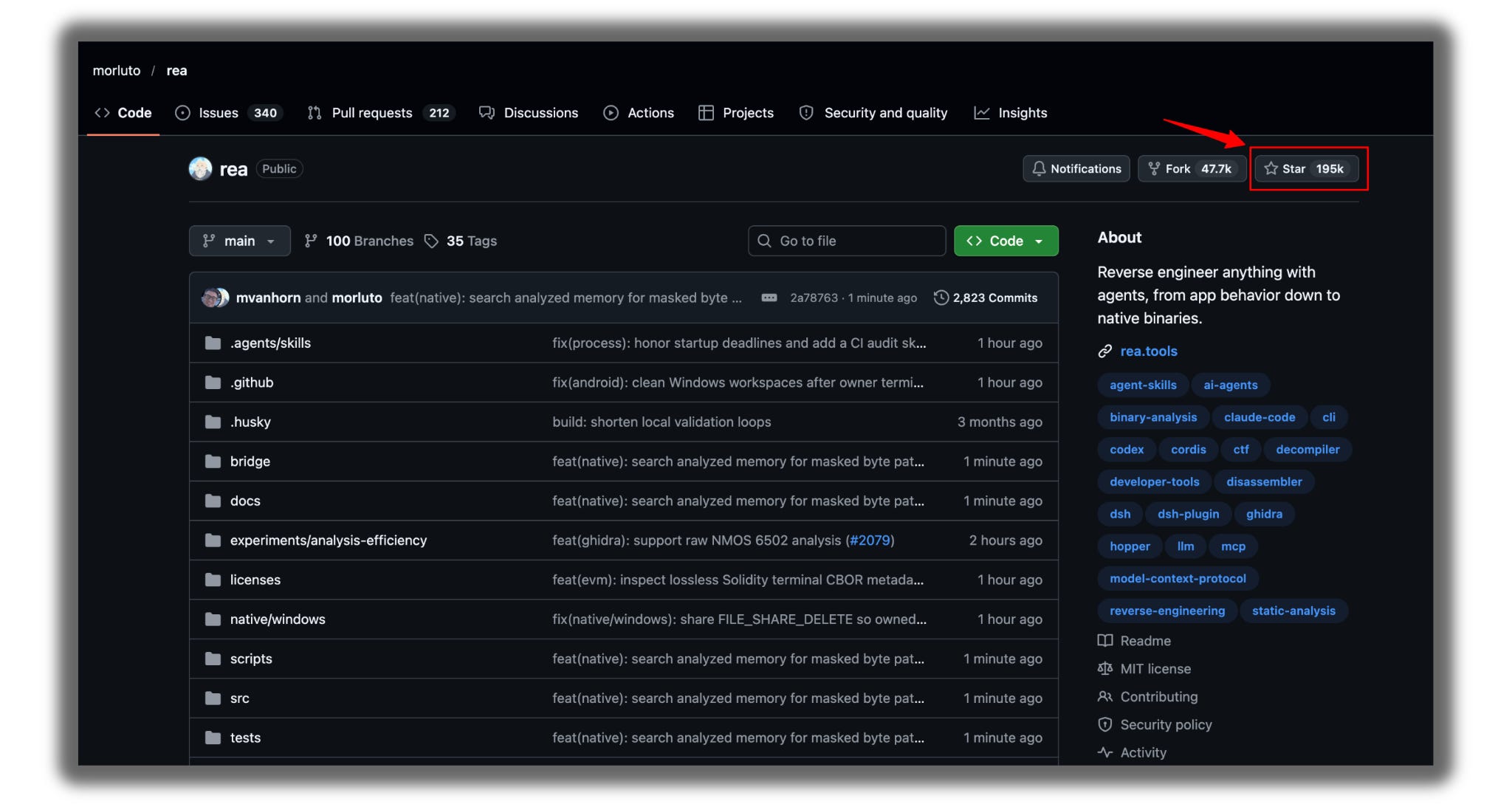
Over 195K stars when I checked.
Open the showcase at rea.tools/showcase/dx-ball/.
REA traced one sound effect in an old 1990s game, DX-Ball, down to the logic behind it, then rebuilt it.
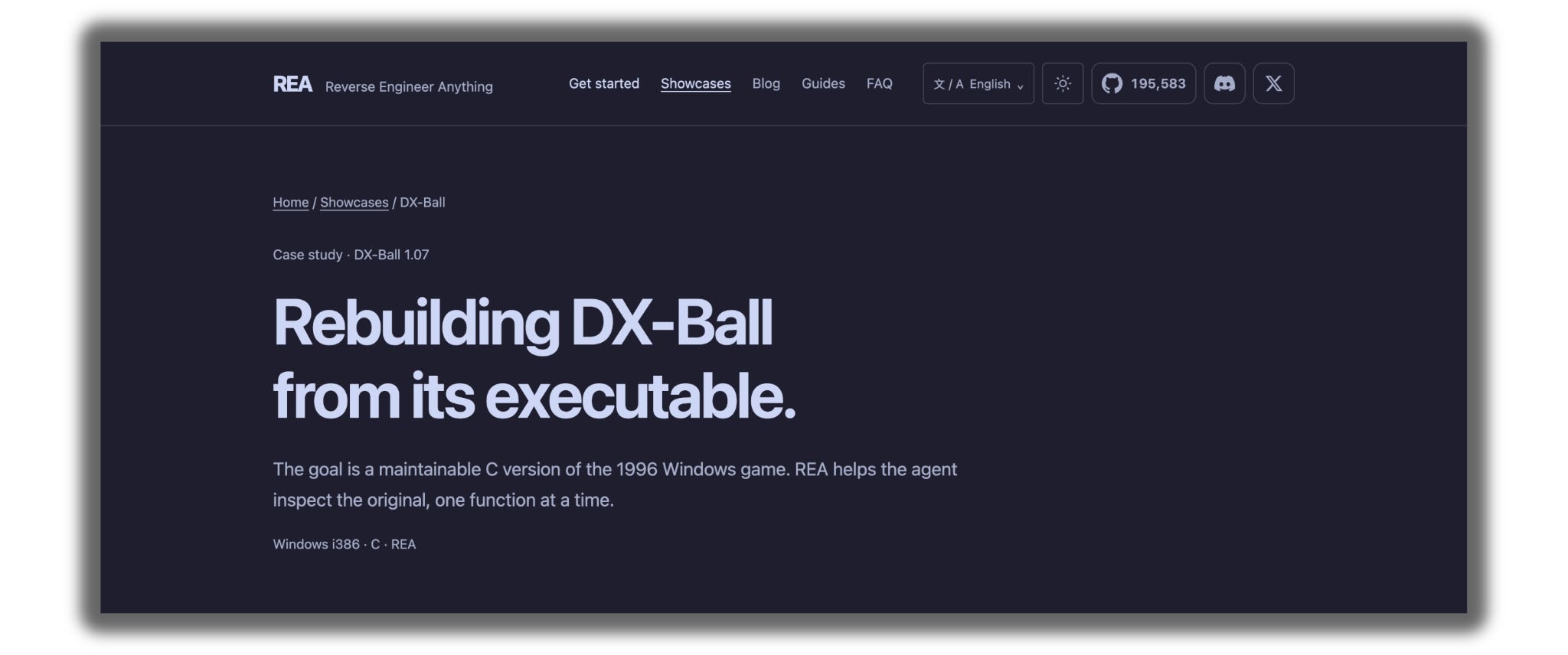
The rebuild passed all 3,205 of the original’s test cases.
That’s not a demo video. That’s a receipt.
None of this is hidden. The repo is public. Go and check.
Before we start
Not getting our issues in your inbox? Gmail is probably filing them under Promotions or Sp*m.
Two seconds fixes it forever:
→ Open this email in Gmail
→ Drag it into your Primary tab
→ Click Yes when Gmail asks if you want to do this every time.
If it landed in Spam, hit Not spam first, then drag.
Every future issue goes stra
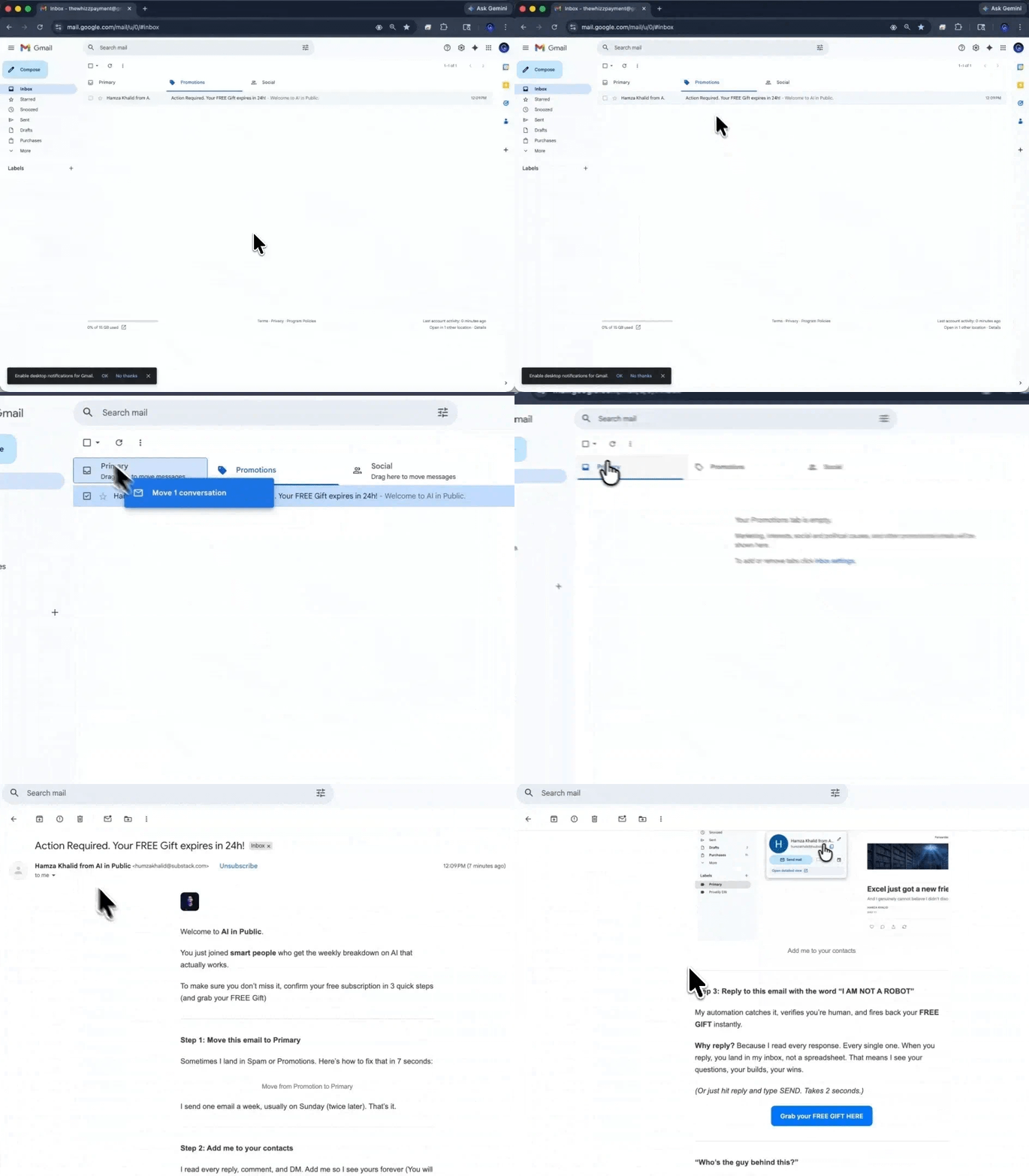
ight to Primary.
Old way. New way.
Old way: need a feature, find a tool, pay monthly, accept every price hike, lose it the day you cancel.
New way: need a feature, watch how a tool does it, describe it, let Claude build your own, keep it forever.
If this is useful, send it to one person who’s drowning in subscriptions. Takes ten seconds.
Now let me show you how this whole rebuild system actually works.
Part 1: The tools
Here’s everything involved.
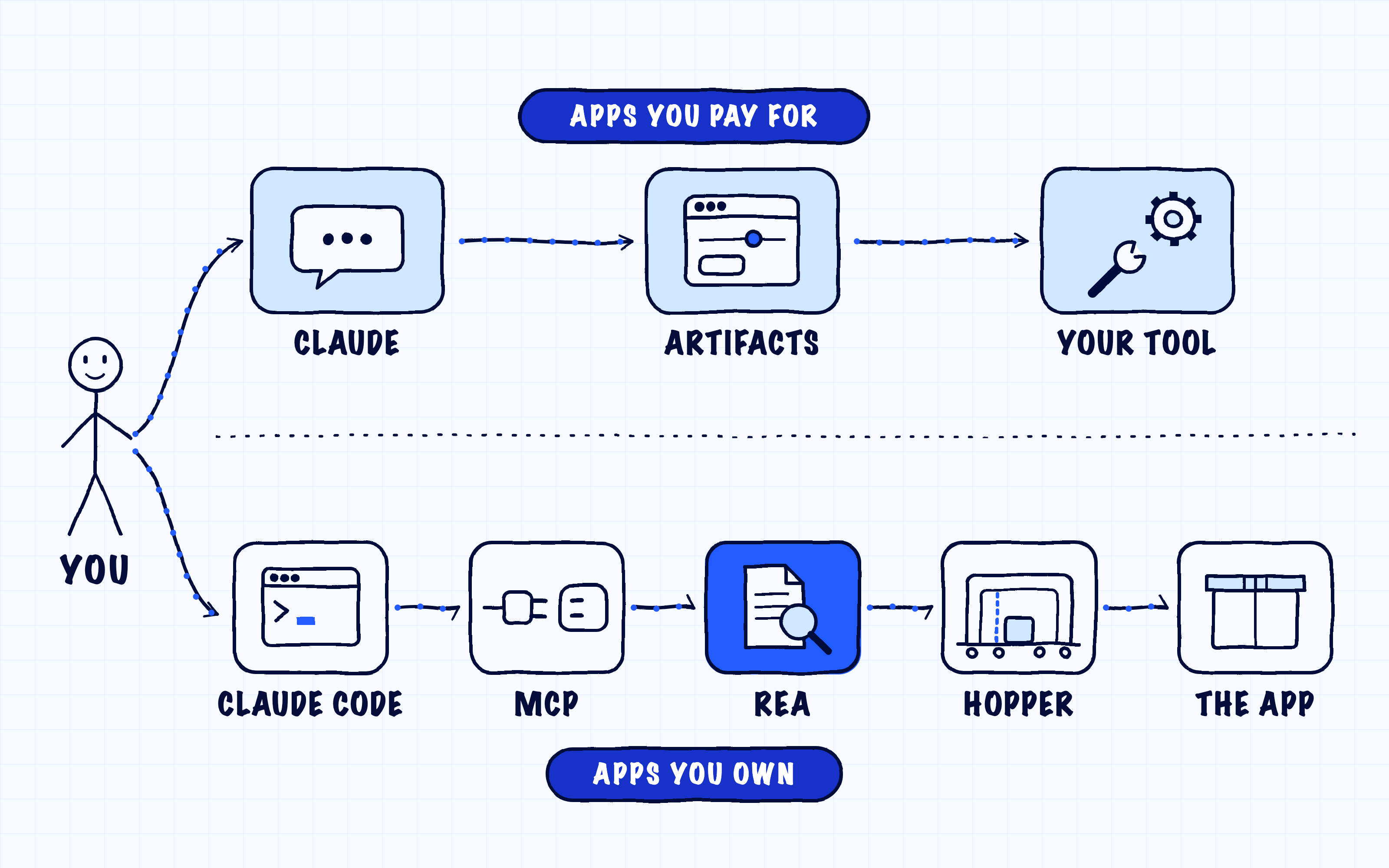
Before you panic at that list, read this.
You only need three to start. Claude, Opus 5.5, Artifacts.
The rest are for one specific job: looking inside apps you own. You may never need them.
Read all of them. Use three.
Here’s what each one does.
Claude (claude.ai): It reads your screenshots, writes the spec, and builds your tool.
Opus 5.5: The model you select in Claude; medium or high effort is enough.
Artifacts: Turns Claude’s code into a working mini-app you can bookmark.
REA: Opens an app and hands Claude readable clues about how it works.
Claude Code: Claude running on your computer so that it can use REA.
MCP: Connects Claude Code to REA, and setup does it for you.
Hopper, Ghidra, or IDA: Reads sealed app files; apps like Notion and Slack don’t need one.
Node.js: A free program REA needs to run.
CLAUDE.md: A text file that keeps Claude on apps you own, ready to paste from the Kit.
Part 2: The two doors
Two doors. Each has a job.
Watch From Outside is for every app you only pay for. Your scheduler, your design tool, your editor.
You never open the app. You watch what the feature does, describe it, and build your own from that description.
Look Inside is for apps you own. The tool a freelancer built for you. An open-source app you want to learn from.
Here, REA opens the app, and Claude explains how it works.
(I’m not a lawyer. If you plan to sell what you build, read the original tool’s terms first.)
Part 5: The parity test
I mentioned the test.
Here’s how it works.
You can’t compare code you never saw.
So you compare behavior.
→ Same 3 inputs through the original and your rebuild.
→ Each result is marked Match, Small difference, or Broken.
→ The top 3 fixes come back written as instructions you paste straight into the build chat.
Three things worth knowing.
Every spec includes 10 test cases from the start. “Input, expected output.” Claude writes them for you.
Broken blocks you from using the tool. A small difference is your call.
And you test as you go, not at the end. A mistake found early takes one line to fix. A mistake found after three more features takes an afternoon.
This is exactly how REA proved its DX-Ball rebuild: 3,205 test cases, all passed.
Yours will be 10.
That’s enough.
This newsletter grows from your shares. If you got value from this, pass it on.
The four steps I actually run
Everything above is the machine. Here is how I drive it.
Step 1: Watch the feature
Pick one feature.
Write it in one sentence.
Mine was Canva’s Magic Switch, the paid Pro feature that resizes one design for every platform. I only rebuilt the resizing part.
My sentence:
It takes one image and resizes it for Instagram, Stories, a YouTube thumbnail,
X, and LinkedIn, so I can download every size in one click.
I clicked Resize in Canva, and it asked me to upgrade.
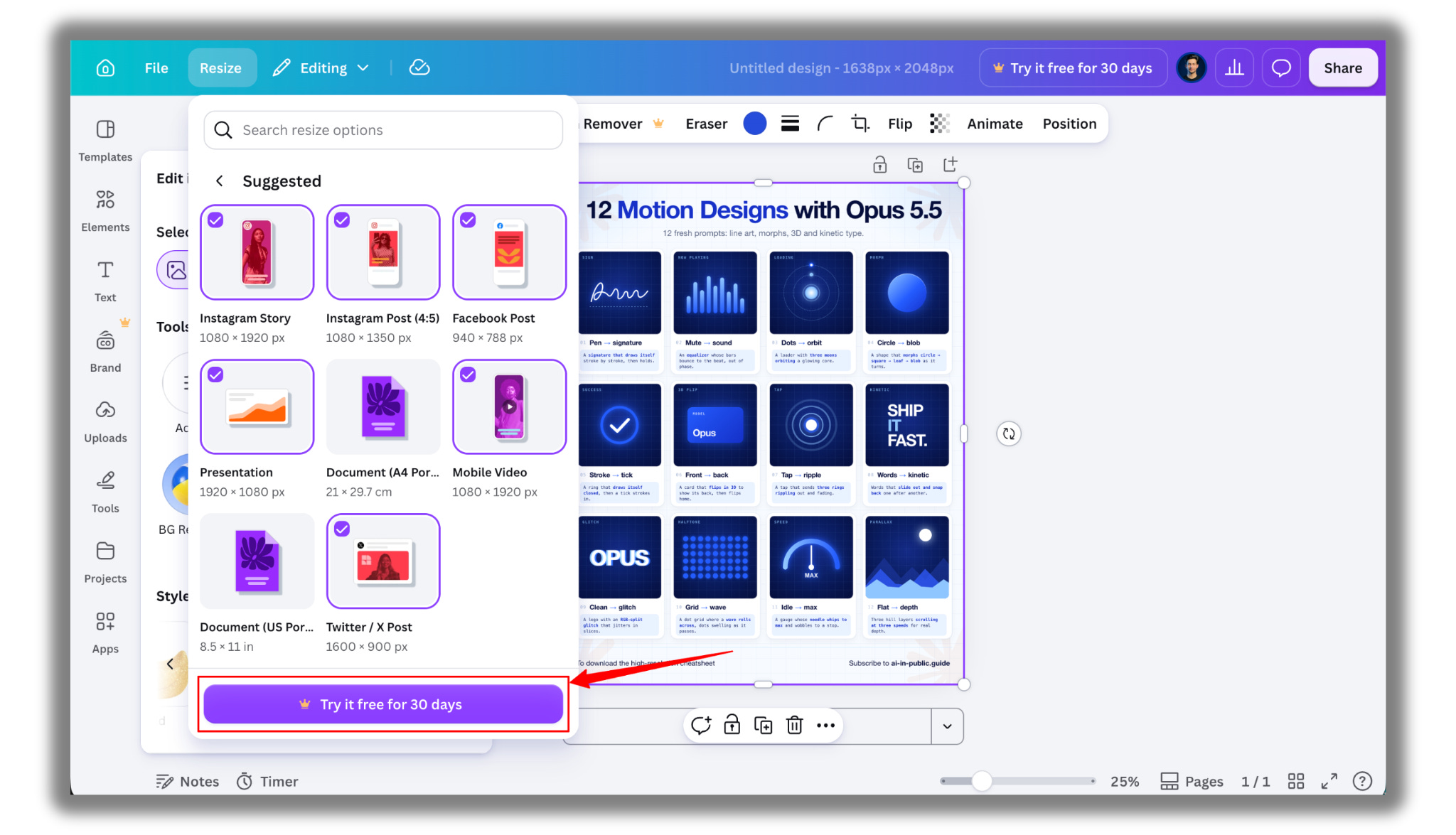
So I didn’t pay.
I described what the feature does in plain English, and that description is all Claude needs to build it.
Step 2: Write the spec
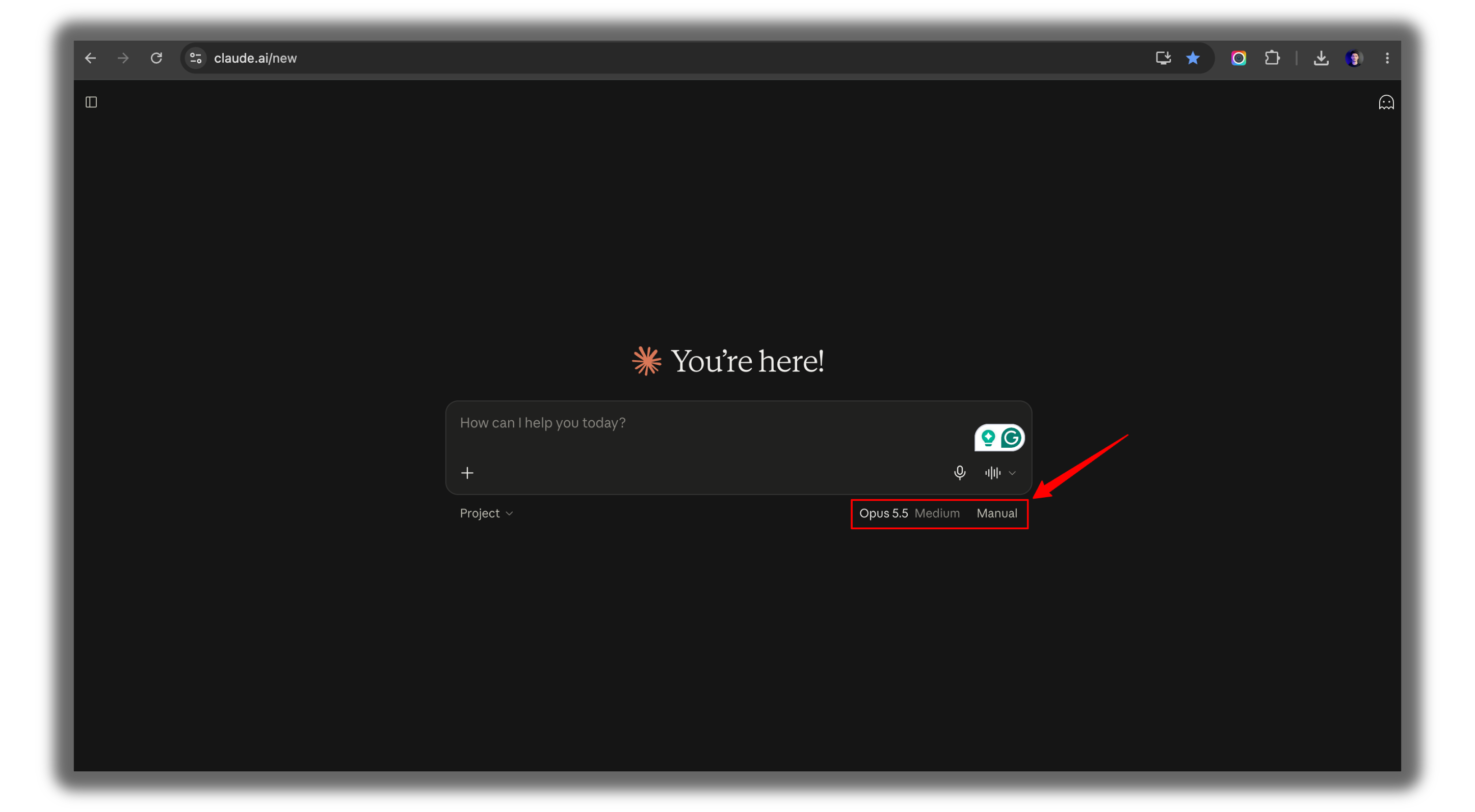
Open claude.ai.
Select Opus 5.5.
Paste Prompt 1 from the Rebuild Kit, with your sentence.
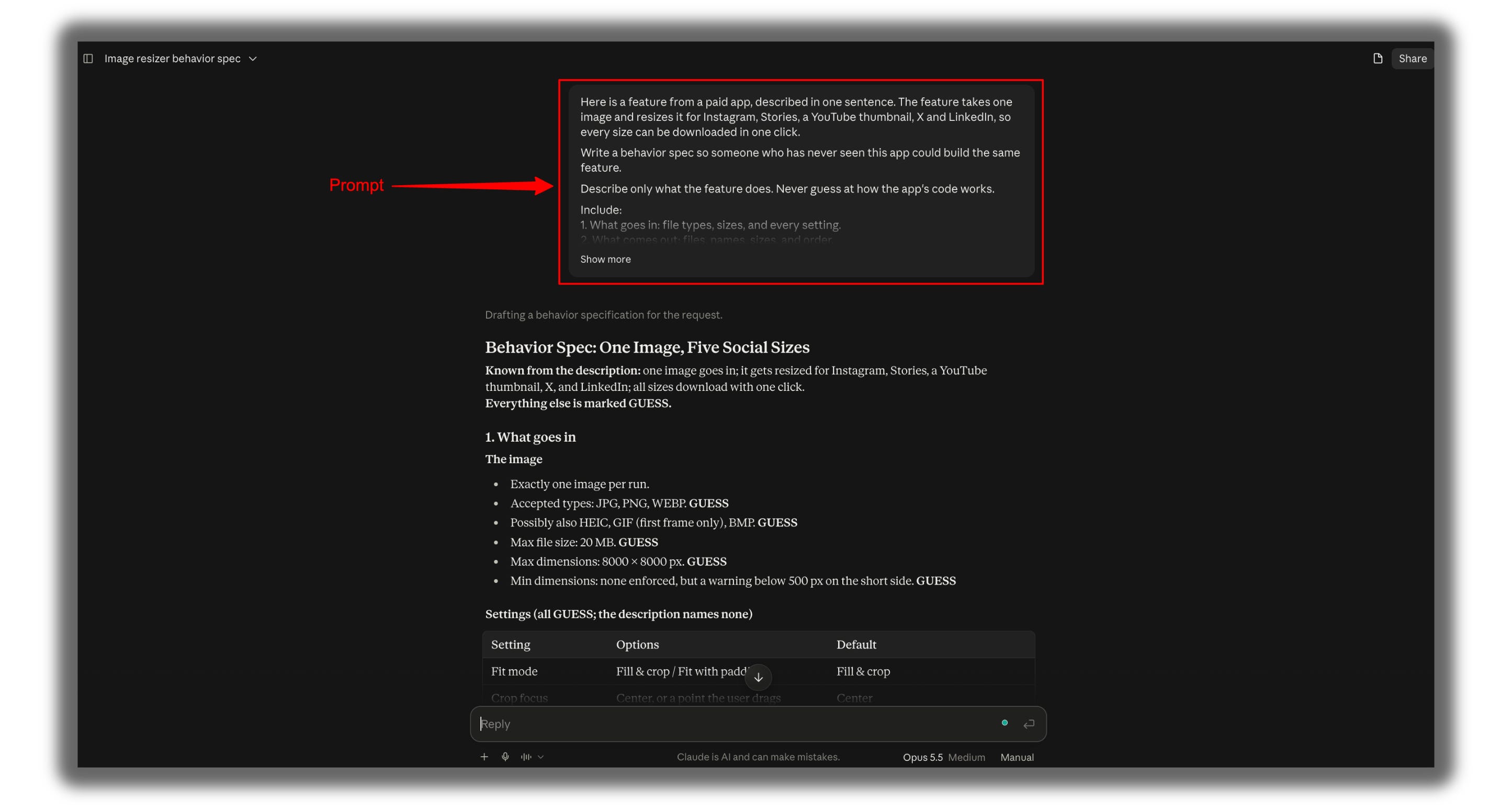
Claude writes a plain-English description of the feature, plus 10 test cases.
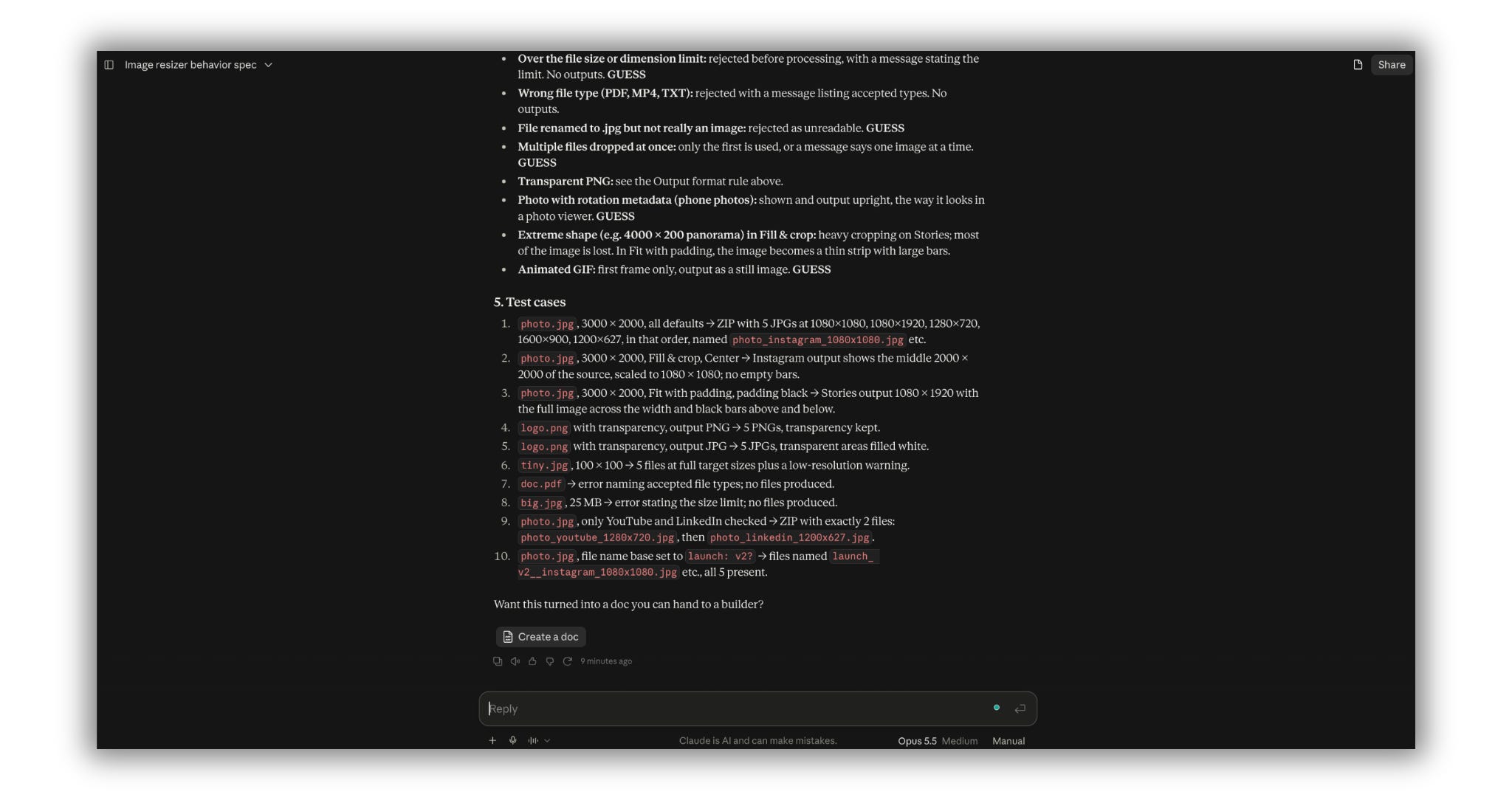
Read it like a customer, not an engineer. Fix anything wrong. Copy it.
Not sure what to rebuild first? The Kit has 10 finished specs. Pick one and skip straight to Step 3.
Step 3: Open a fresh chat and build
Open a new chat.
Paste Prompt 2.
Paste your spec underneath.
Then wait. A few minutes.
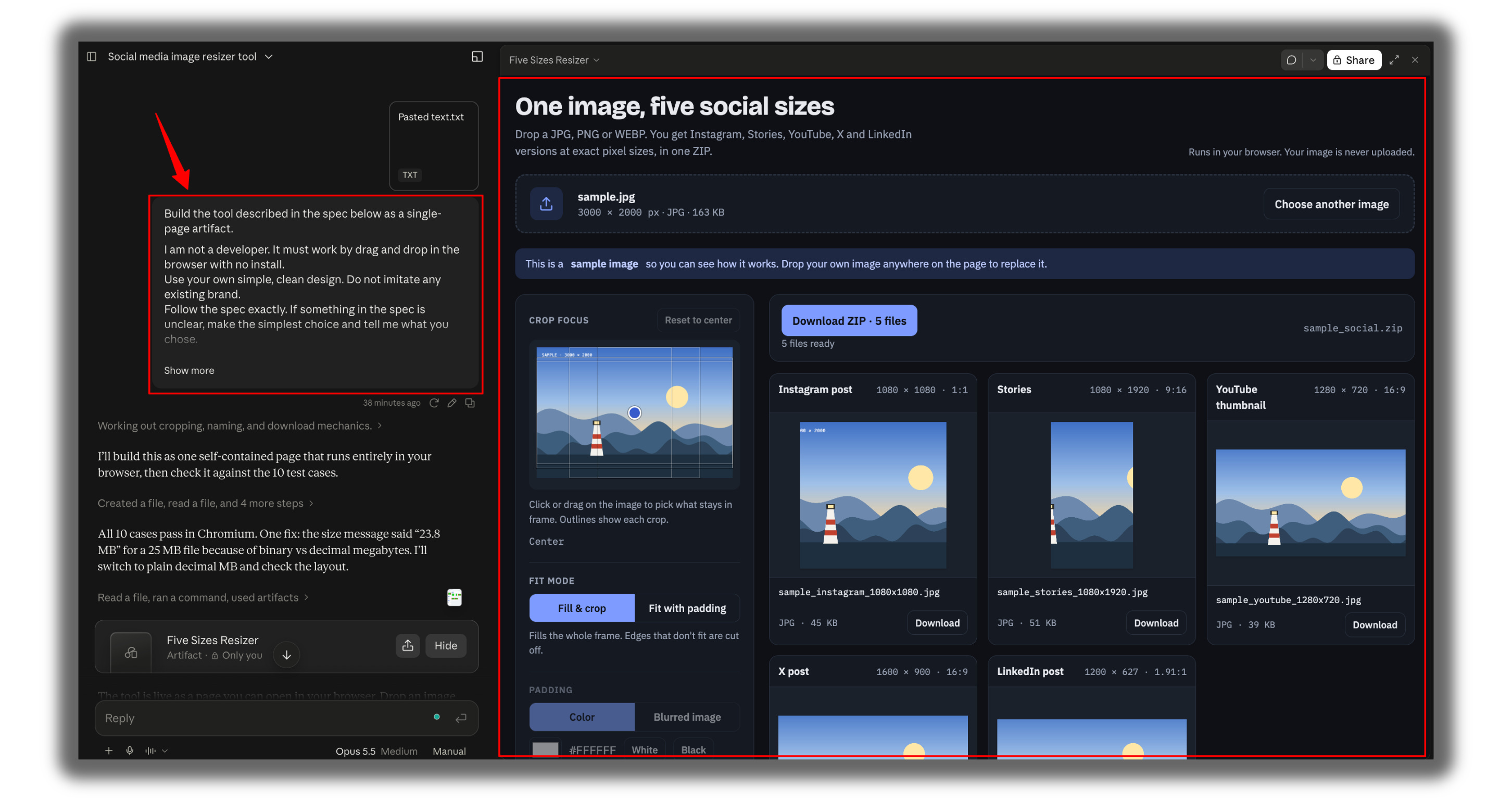
Come back, and it’s done. A working tool in your browser.
Yes. It’s that boring. Boring is the goal.
Looking inside an app you own?
Same four steps, with REA doing the watching.
Go to nodejs.org.
Download the LTS version (macOS Installer).
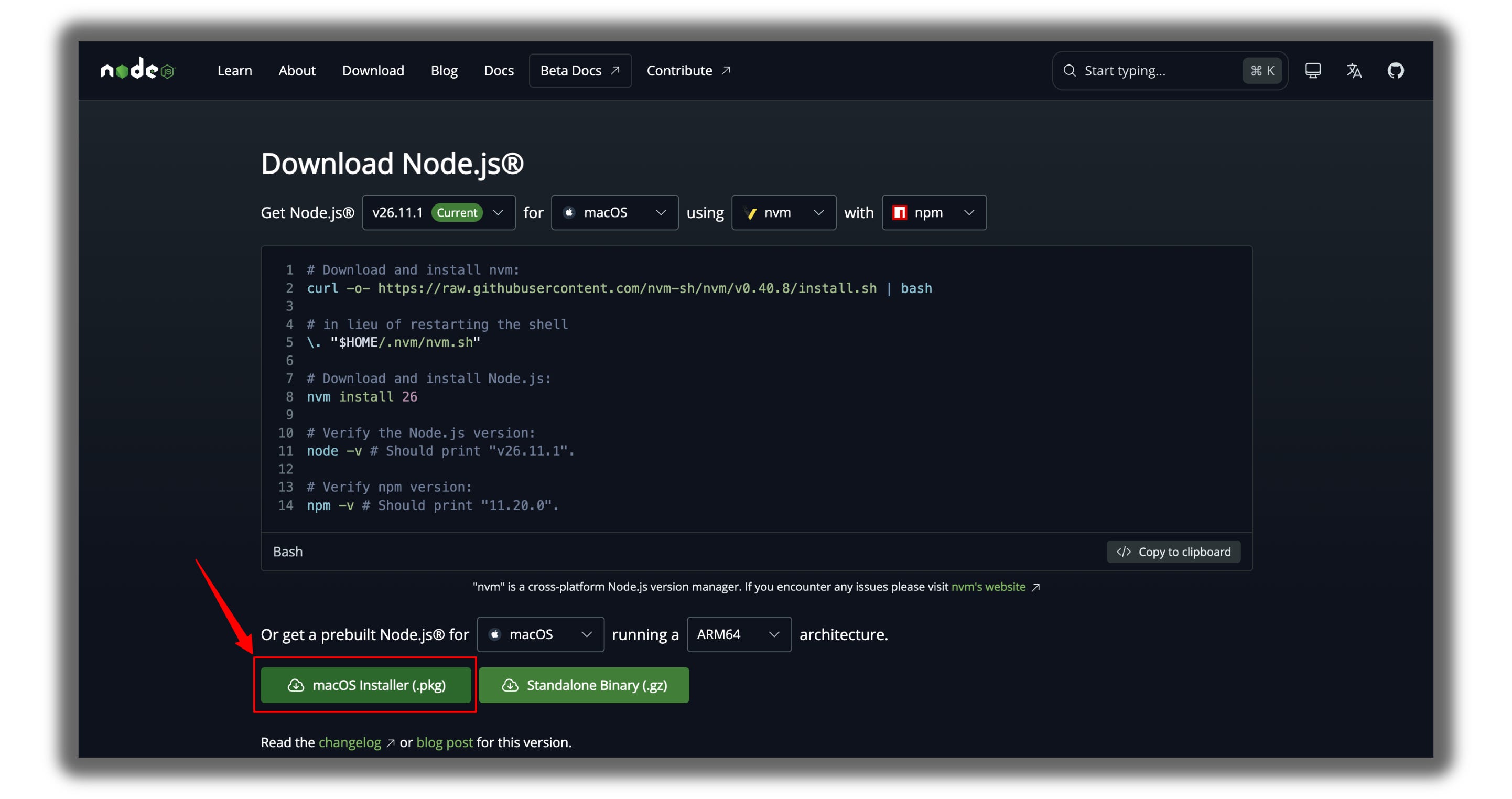
Open the file and click through the installer.
Open Terminal (Cmd + Space, type Terminal, press Enter).
Type
node -vand press Enter. If you see a version number, it worked.

Type one line:
npx rea-agents setupApprove the changes. Say yes to Hopper.
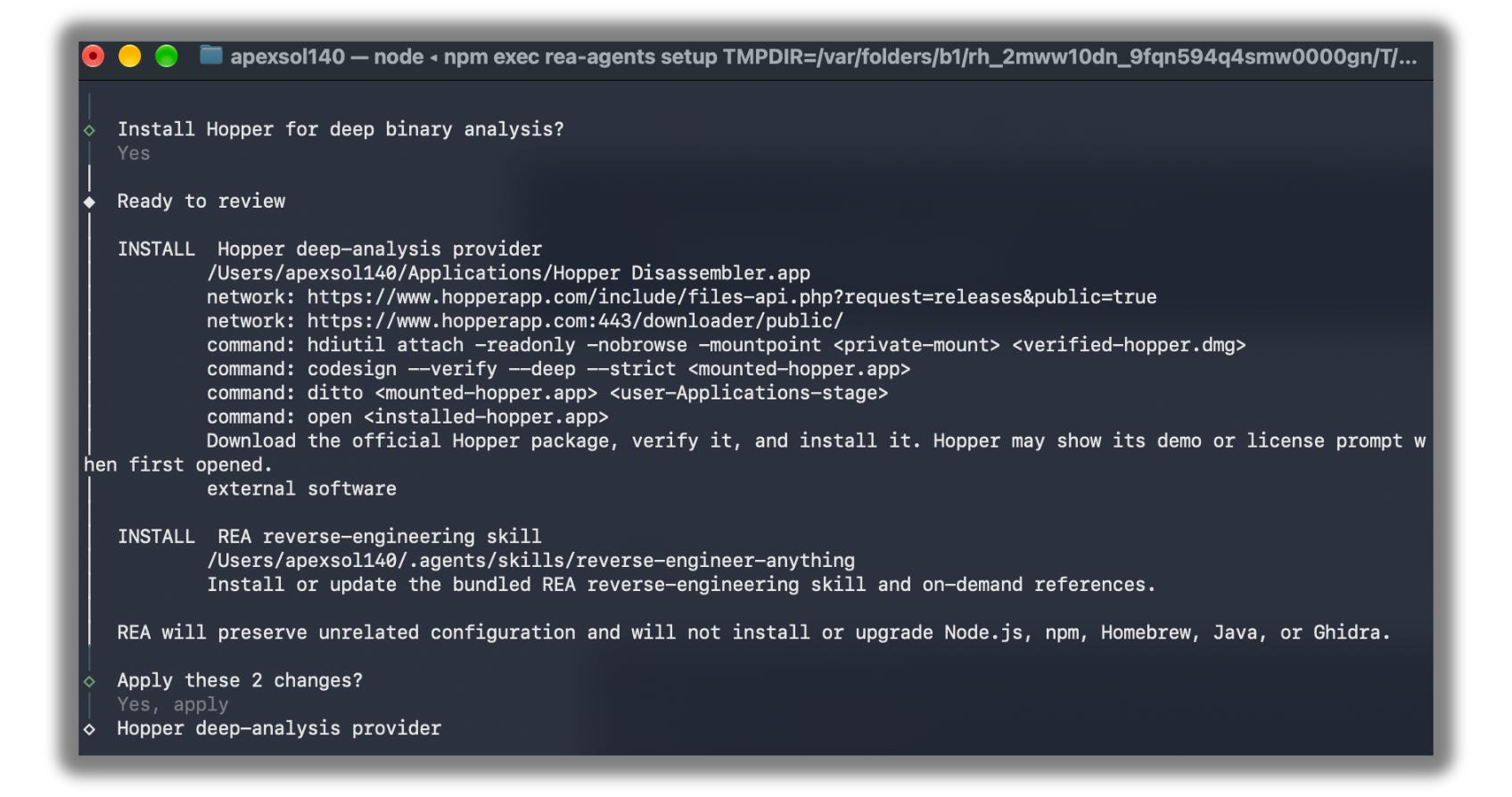
Now set up your workspace:
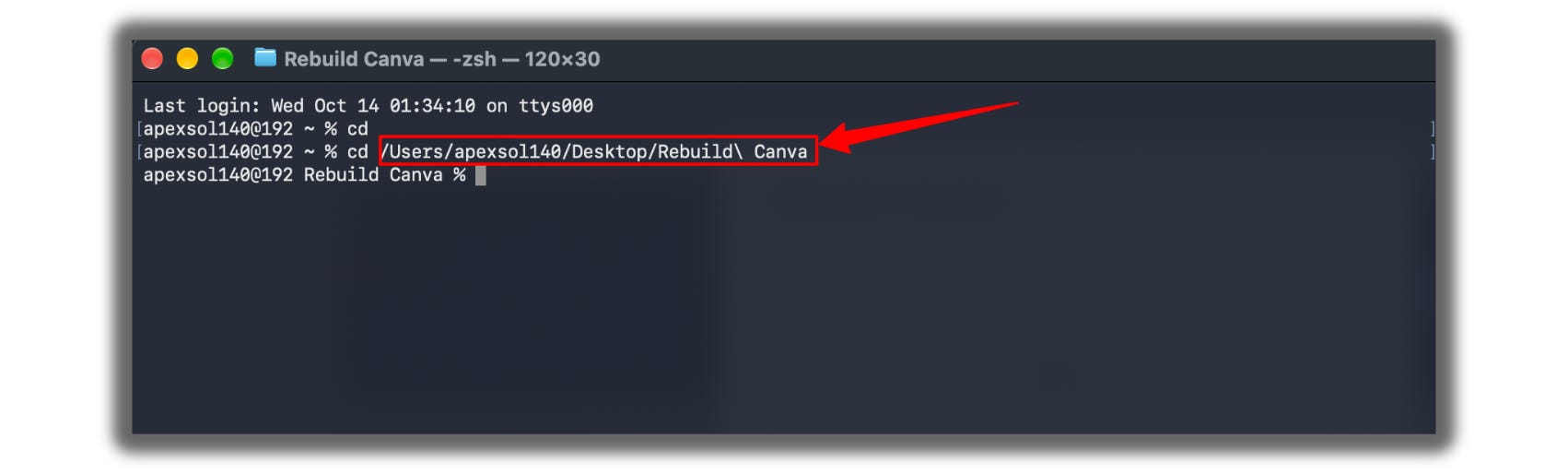
Create a folder on your Desktop, and name it something according to your project; I called it
rebuild-Canva.In Terminal, type
cdand a space, drag the folder into the Terminal window, then press Enter.
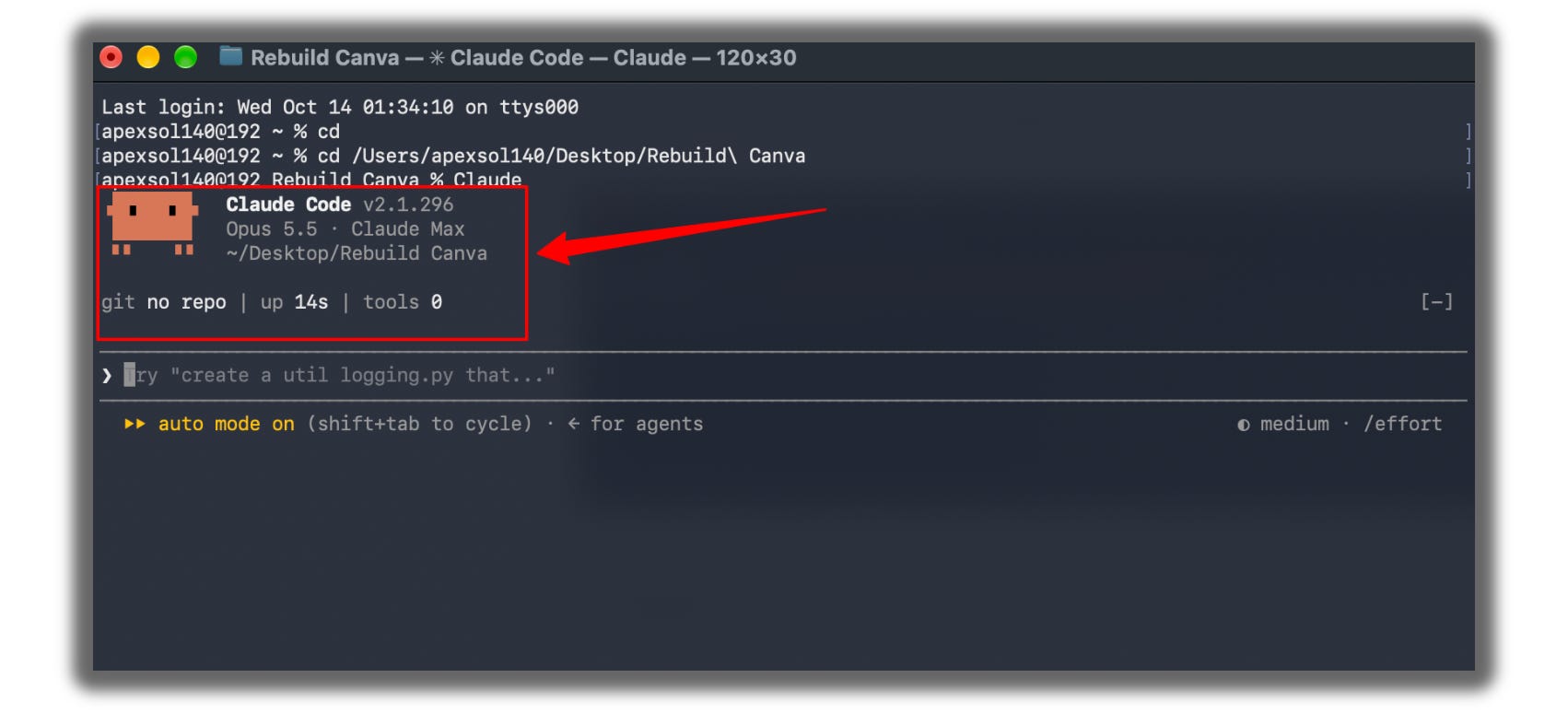
Type
claudeand press Enter. Claude Code opens inside that folder.
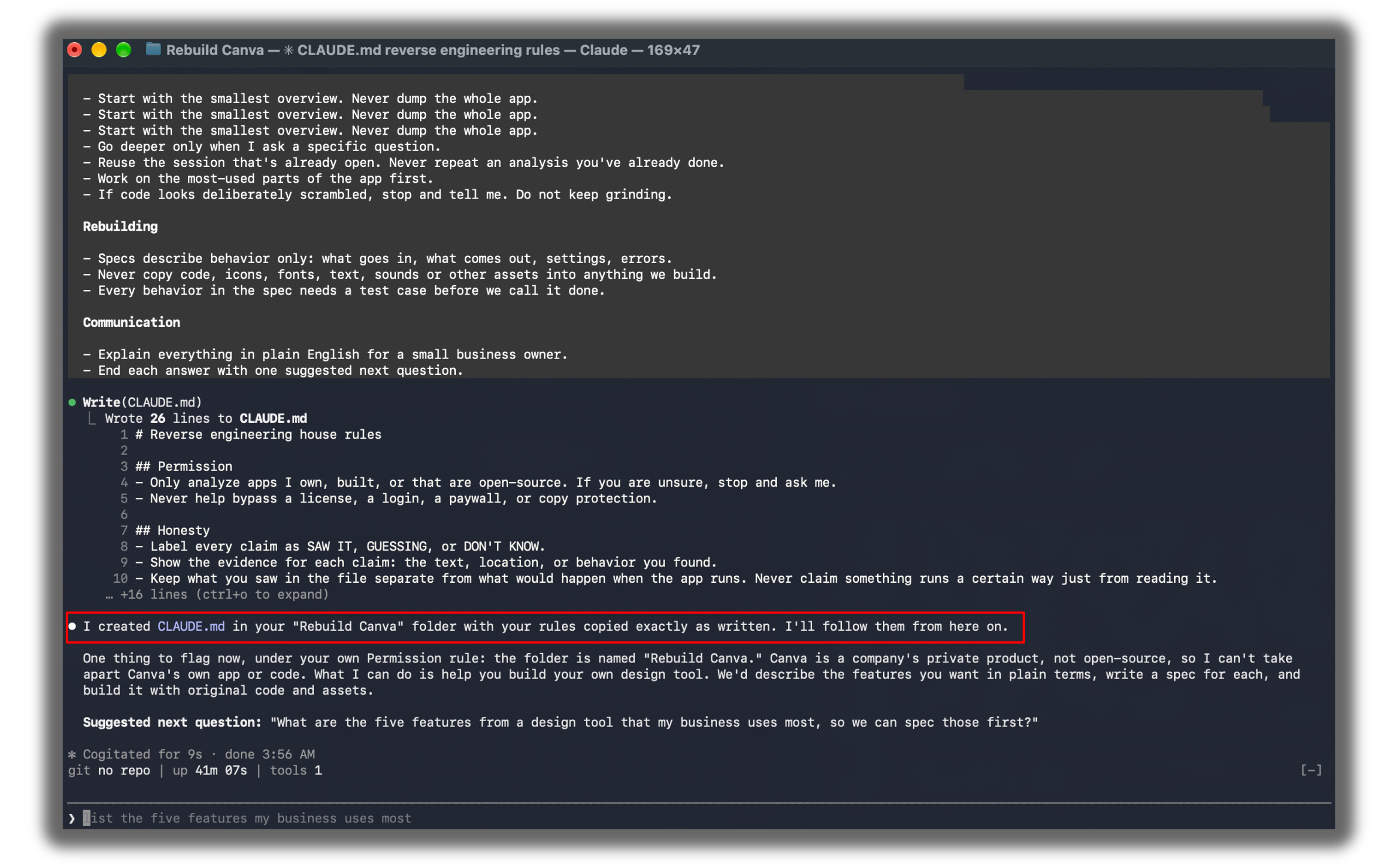
Paste this: “Create a file called CLAUDE.md in this folder with these rules:” then paste the house rules from the Rebuild Kit underneath, and press Enter.
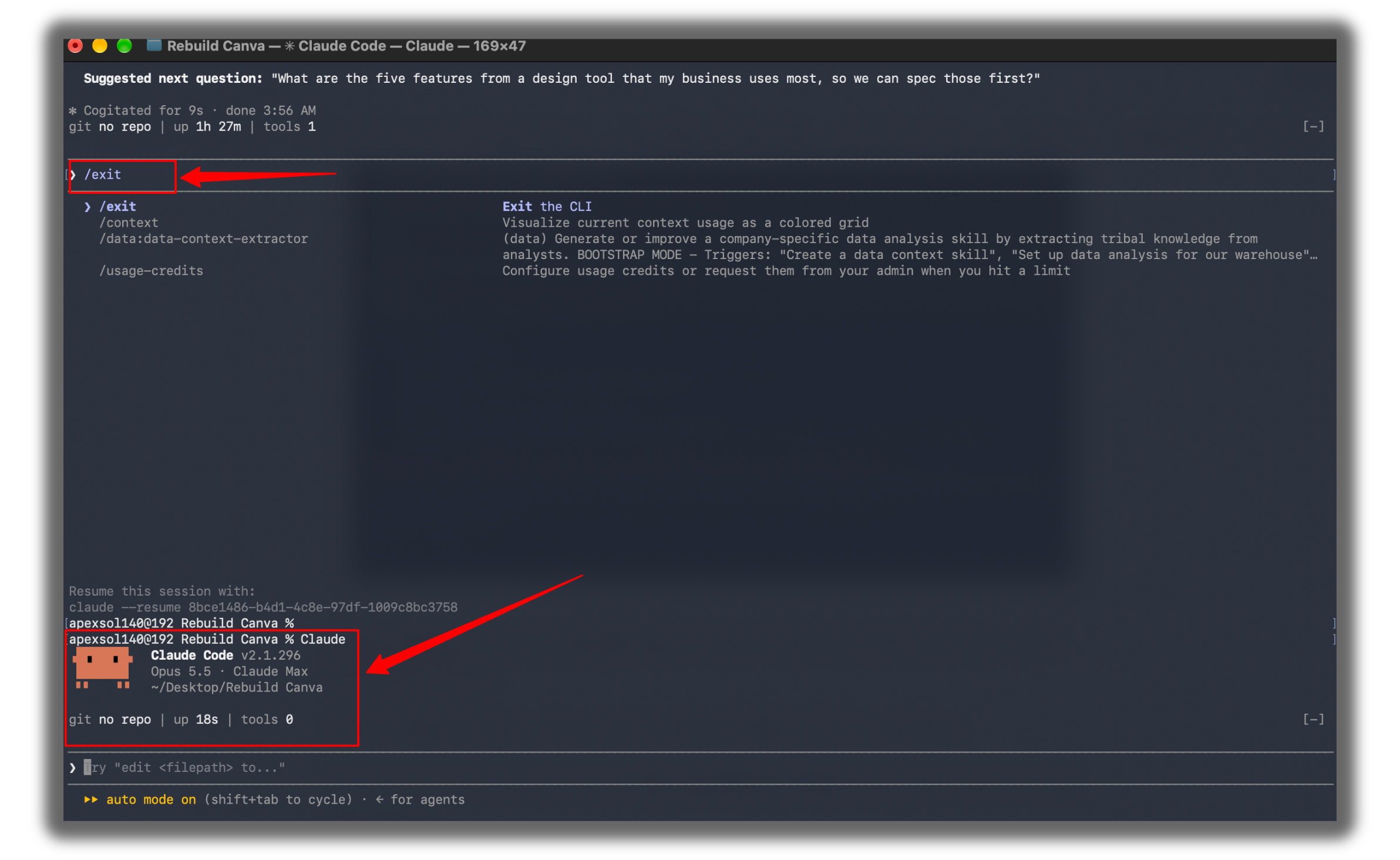
Type
/exit, then typeclaudeagain. Claude Code now reads your house rules every time it starts.
Type
/mcpand press Enter. You should seerealisted as connected.
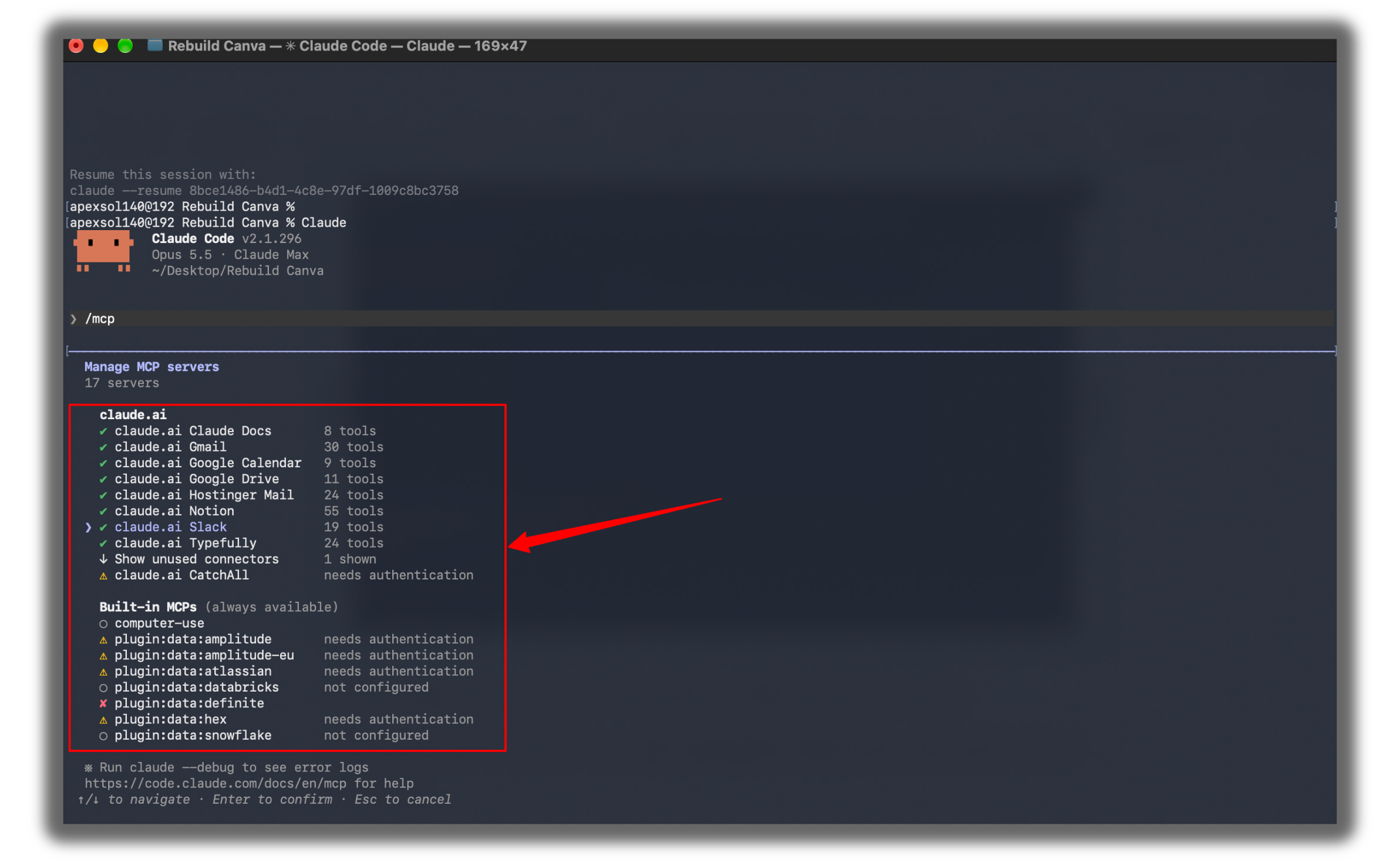
Not there? Close Terminal, run
npx rea-agents setupagain, and repeat the last three steps.
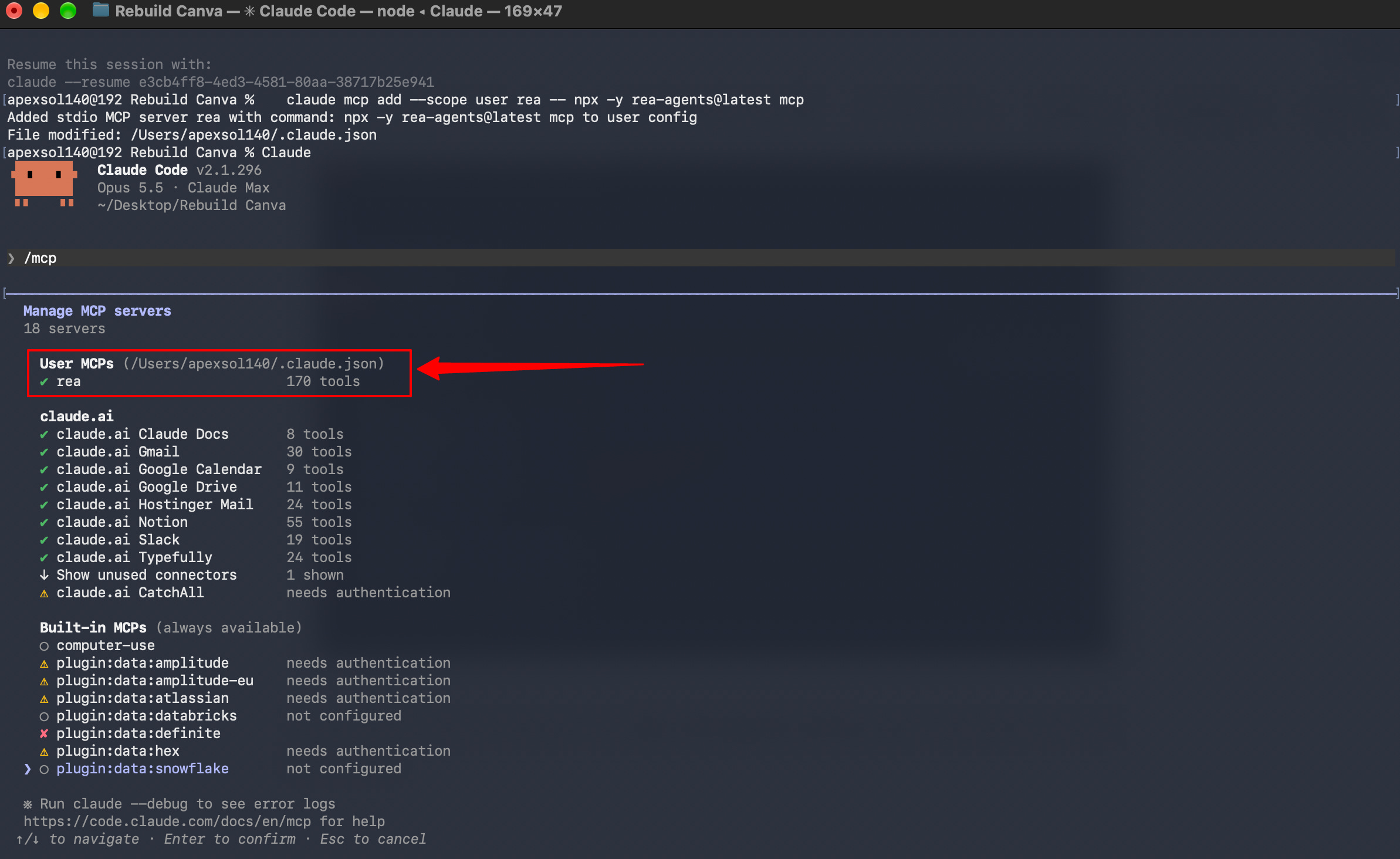
(If it again shows an error, then exit the terminal using the command
/exit, then paste thisclaude mcp add --scope user rea -- npx -y rea-agents@latest mcpand then again type Claude.)Now use Prompts 4, 5, and 6 from the Kit given below, one after another, in the same Claude Code window:
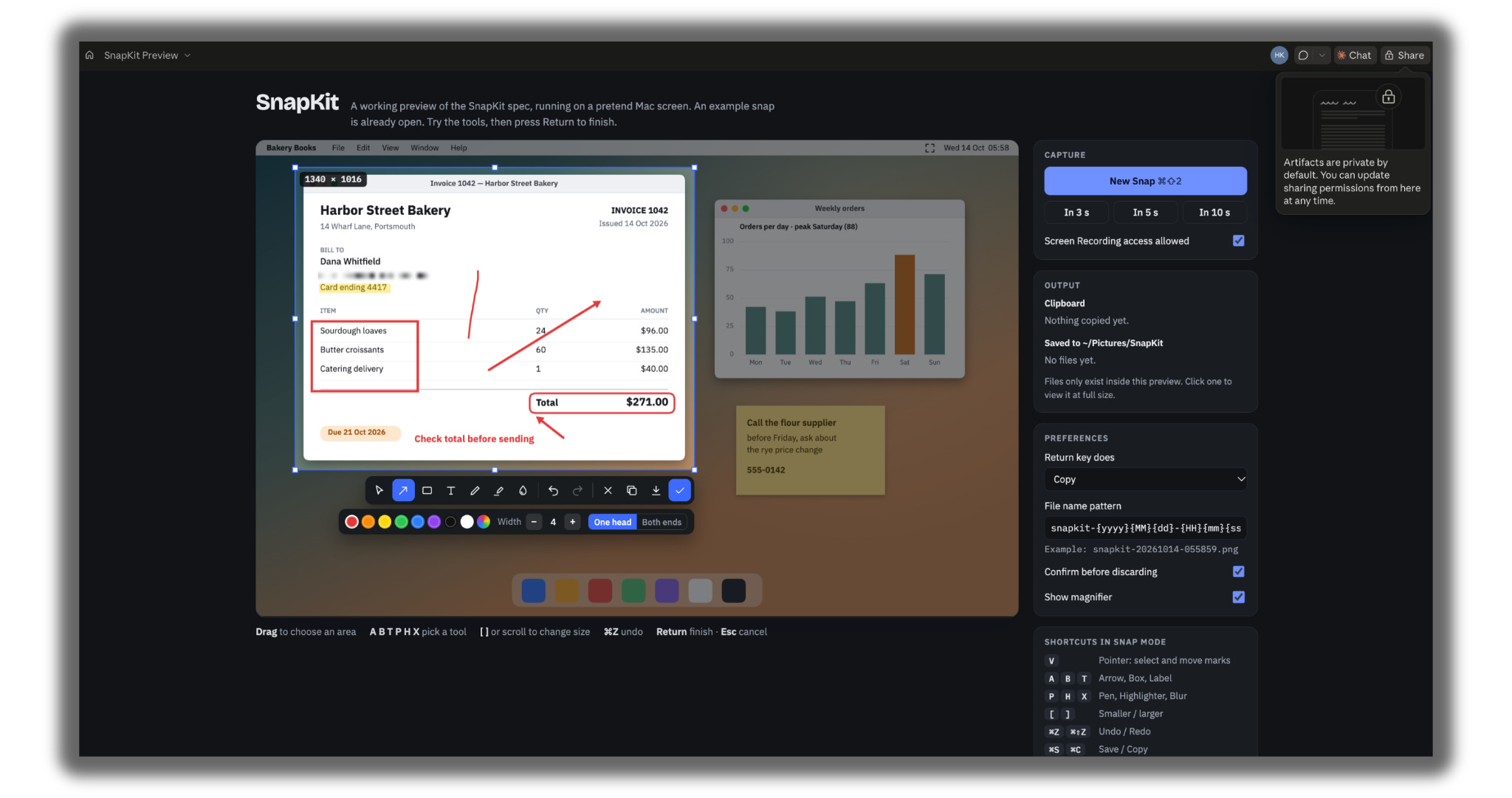
Important
These three prompts only work in Claude Code on your computer, with rea connected. They won’t work in a regular chat at claude.ai, because that chat can’t see the apps on your computer.
Open Finder, go to Applications, and find the app you own. Drag it into the Claude Code window. Its full path appears. Copy it.
Paste Prompt 4. Replace the example feature with yours, and the example path (
/Applications/flameshot.app) with the path you copied. Press Enter. Claude tells you what kind of app it is and where to look.Paste Prompt 5 and press Enter. Claude explains how the feature works in plain English, with the evidence it found.
Paste Prompt 6 and press Enter. Claude turns everything into a clean spec. Copy it.
Open a fresh chat at claude.ai and go to Step 3 with that spec.
REA runs on Mac and Linux. Windows isn’t in its official requirements yet.
Still stuck? Reply to this email. I will walk you through it personally.
What it still cannot do
I’d be lying if I stopped there.
It can’t rebuild a whole app in an afternoon.
“Software is over” is a great headline.
But Brandon Thomas’s own roadmap puts his Photoshop rebuild at roughly 25 to 35% of what a professional needs.
One feature takes an afternoon.
A whole pro app takes months.
Slow down here
Pause before the next section.
You’ve just read the whole system. It took me a week of testing and a lot of wrong turns to get it this simple.
Don’t try to replace every tool this weekend.
Pick one feature. Write one spec. Build it once. Run the test.
That’s week one. Everything else grows from that one tool.
Reading about rebuilds won’t save you a cent. Building your first one will.
Want me to build yours?
Tell me in the comments which tool you want gone.
My team and I will rebuild it around your workflow, your branding, your formats.
You keep the tool. You cancel the subscription.
In 60 seconds
→ Pick one feature you pay for. Write it in one sentence.
→ Screenshot it working. Paste Prompt 1. Get the spec.
→ Open a fresh chat. Paste Prompt 2 and the spec. Claude builds it.
→ Run the parity test with Prompt 3. Fix what’s off.
→ Publish it. Bookmark it. Cancel the subscription.
Save this. Screenshot it. Come back to it.
Your gift, as promised
The Rebuild Kit.
Everything you need to rebuild your first tool, ready to paste.
The 6 prompts
10 rebuild blueprints
The house rules and the Clean-Room Checklist
Plus the Agent Team prompts for bigger apps you own.
