

Running a company used to take about ten people.
Someone managed the projects.
Someone handled sales, someone ran marketing, someone wrote the content, and someone bought the ads.
Someone chased invoices, someone answered customers, and a couple more people kept operations from falling apart.
Then the software improved, and the same company needed four people.
A founder, a marketer, an operator, and someone in finance.
Now one person can run the whole thing.
I’m close to that: a small team, a laptop, and more open tabs than I’d like to admit.
This isn’t a guess.
Kodak peaked at 145,300 people.
Instagram had 13 when it sold for $1B.
Base44 sold for $80M with a founder and 8 staff.
The line keeps falling.

A short team can manage short tasks, though.
So we made our first AI hire.
His name is Viktor.
He’s an AI employee; he joined my Slack three weeks ago, and he’s capable of handling most of the work in my business on his own.
He posts my numbers in Slack every morning, briefs me on what’s trending in my niche, researches and drafts my content, finds sponsors worth pitching, and builds the dashboard I now check before anything else.
He keeps working after I log off.
I still make every decision that matters.
He does the work, brings it to me, and waits for my yes before anything goes out.
This issue covers everything I learned from hiring him: how to set him up, the tools and skills he runs on, a step-by-step guide for each of his five jobs, and the rules that keep him useful and the bill predictable.
Know a founder still doing every job alone? Send this to them.
I Didn’t Expect Much
When I first heard “AI employee,” I rolled my eyes.
I’ve tested a lot of AI products for this newsletter, and most of them need me to sit next to them the whole time.
So before I started, I made myself a promise.
I’d give Viktor real work from my real business.
So I gave him a real job on day one: research a question I’d normally lose an hour to and report back.
I expected a vague summary sometime that afternoon.
Two minutes later, he posted the answer in Slack, with the sources he’d found on the web.
That was the day I stopped thinking of him as software and started managing him like a new hire.
Meet Viktor
Viktor joins your Slack or Microsoft Teams as a member of the workspace.
You message him the way you’d message anyone else on the team.
He connects to 9,800+ tools: your CRM, Google Drive, Notion, Stripe, HubSpot, your calendar.
Once a tool is connected, he works inside it.
Ask him for a report, and he pulls the numbers, builds it, and posts it in the channel.
He takes recurring jobs.
“Every Monday at 9:00, post last week’s numbers” is one message, and he keeps doing it every Monday after that.
He remembers how your business works.
Your clients, your voice, the way you like things done.
By week three, I stopped re-explaining my business at the start of every task.
He runs on the best model available each month, so I don’t rebuild anything when a new model comes out.
Every action that matters waits for my yes.
He drafts the sponsor email, and I decide whether it gets sent.
More than 70,000 teams have hired him so far.
Viktor reached a $50M annualized revenue run rate about seven months after launch.
I test a new AI tool every week and only write about the ones that earn a place in my business.
The Hire I Couldn’t Have Made
Think about who you’d need to hire to cover a business like mine.
Someone who knows SEO, writes marketing copy, researches markets, does sales outreach, and can build a small internal tool when I need one.
That person is hard to find.
When you do find them, they’re good enough to ask for a package a one-person business can’t pay, and they’d be right to ask.
Viktor covers all of those jobs from the same Slack.
He researches keywords and drafts SEO briefs, writes marketing copy in my voice, finds and qualifies prospects, and writes and runs code on his own cloud computer when a job needs an app, a page, or a dashboard.
He’s usage-based, so I pay in credits for the work he does, and I can see what each job costs.
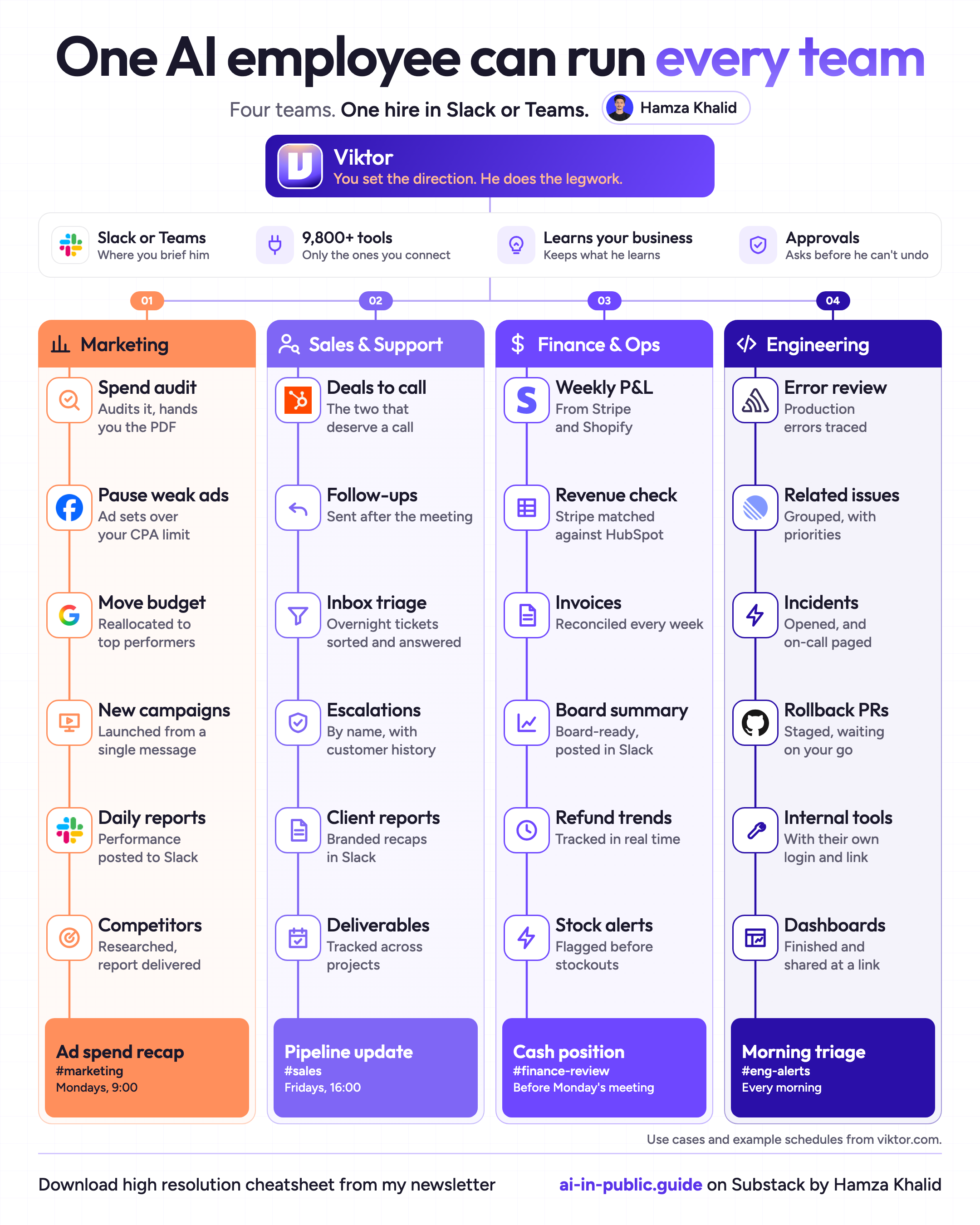
Here’s what that looks like across a whole company.
One hire, four teams, and he still asks before anything he can’t undo.
How to Hire Viktor (Step by Step)
Here’s the whole path on one page.
Save it, then follow the detailed steps below.
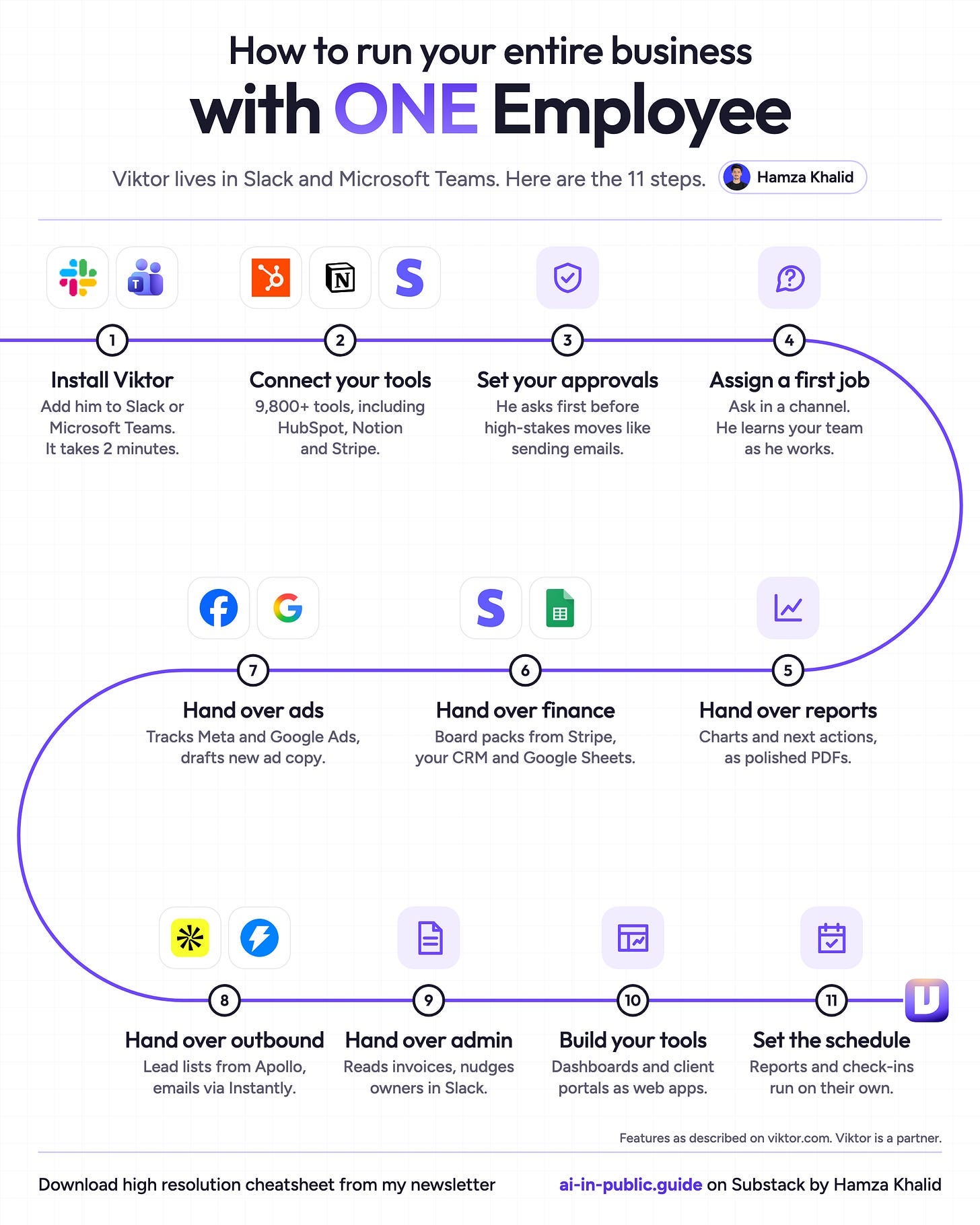
It took me 10 minutes from sign-up to his first message.
Step 1: Create your account
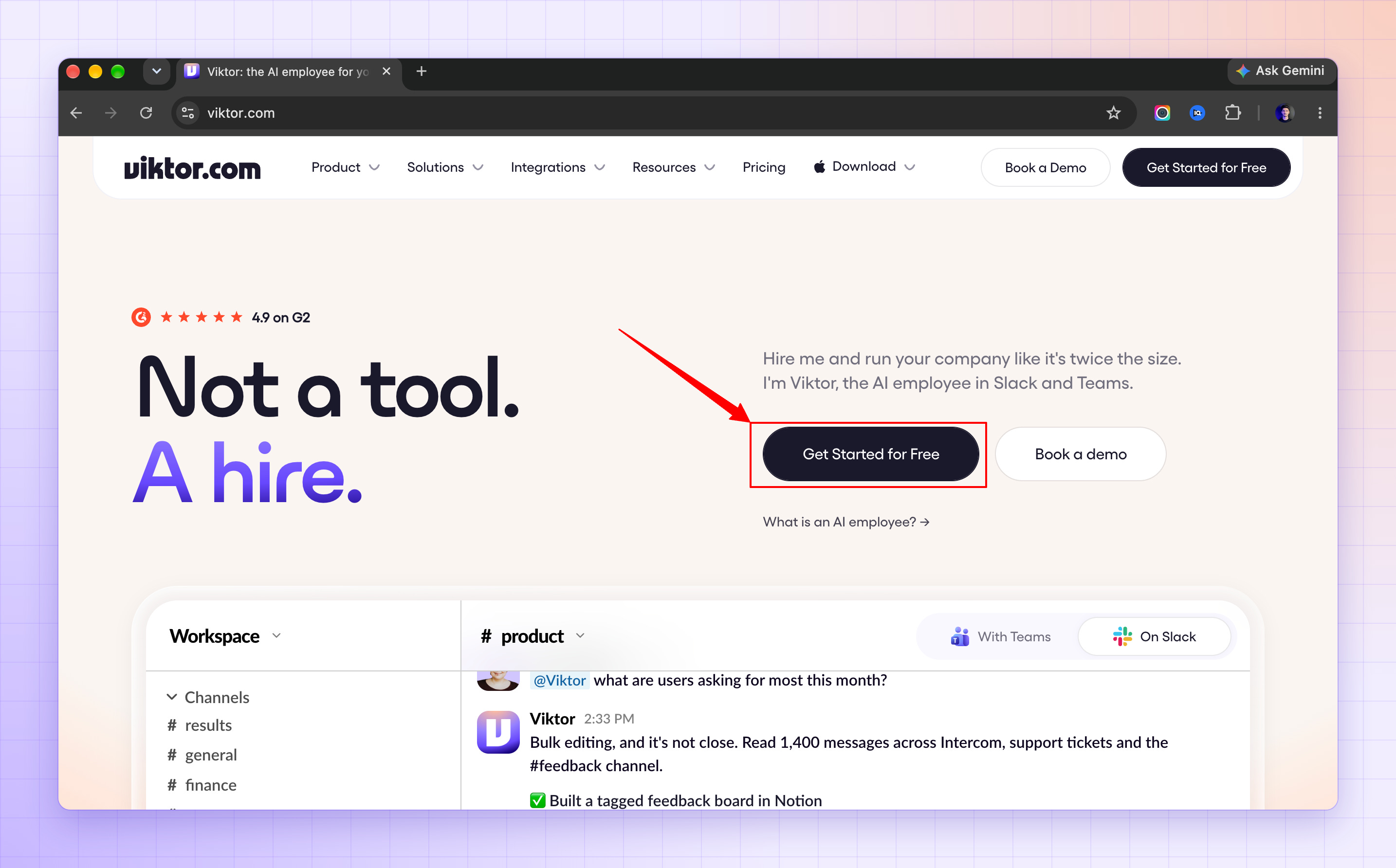
Go to viktor.com.
Click Start free.
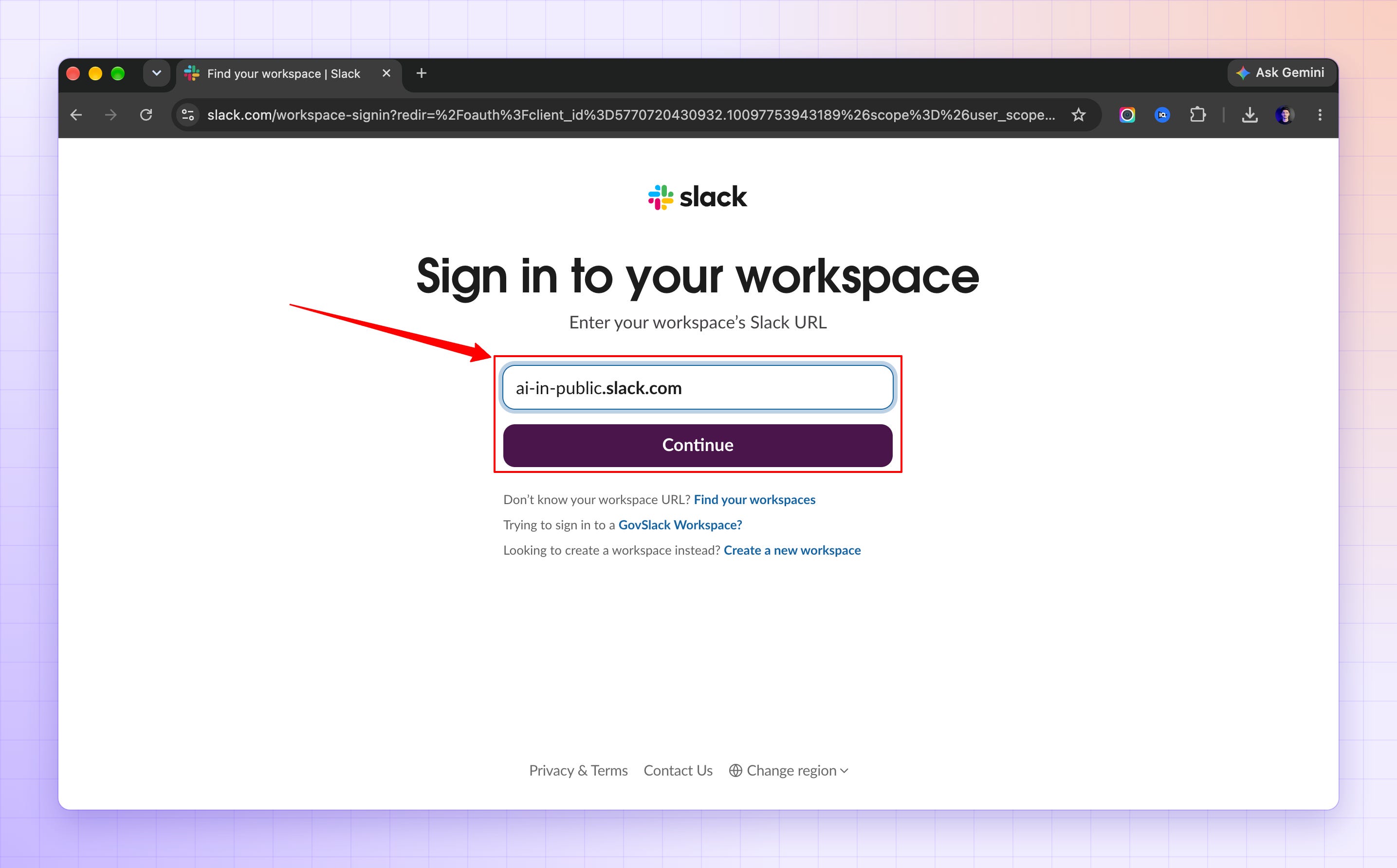
Choose Continue with Slack or Continue with Microsoft Teams.
Sign in to your workspace and approve Viktor.
Use your real work email, because disposable emails don’t get starter credits.
Sign-up may ask for a card. It’s a quick check, not a charge, and it’s how you get your free credits.
Step 2: Add him to your workspace
In the setup wizard, click Add to Slack (or Add to Teams).
Approve the permission screen.
If your workspace needs app approval, your Workspace Owner approves first.
Only workspace admins can install him.
Everyone else joins through an invite link.
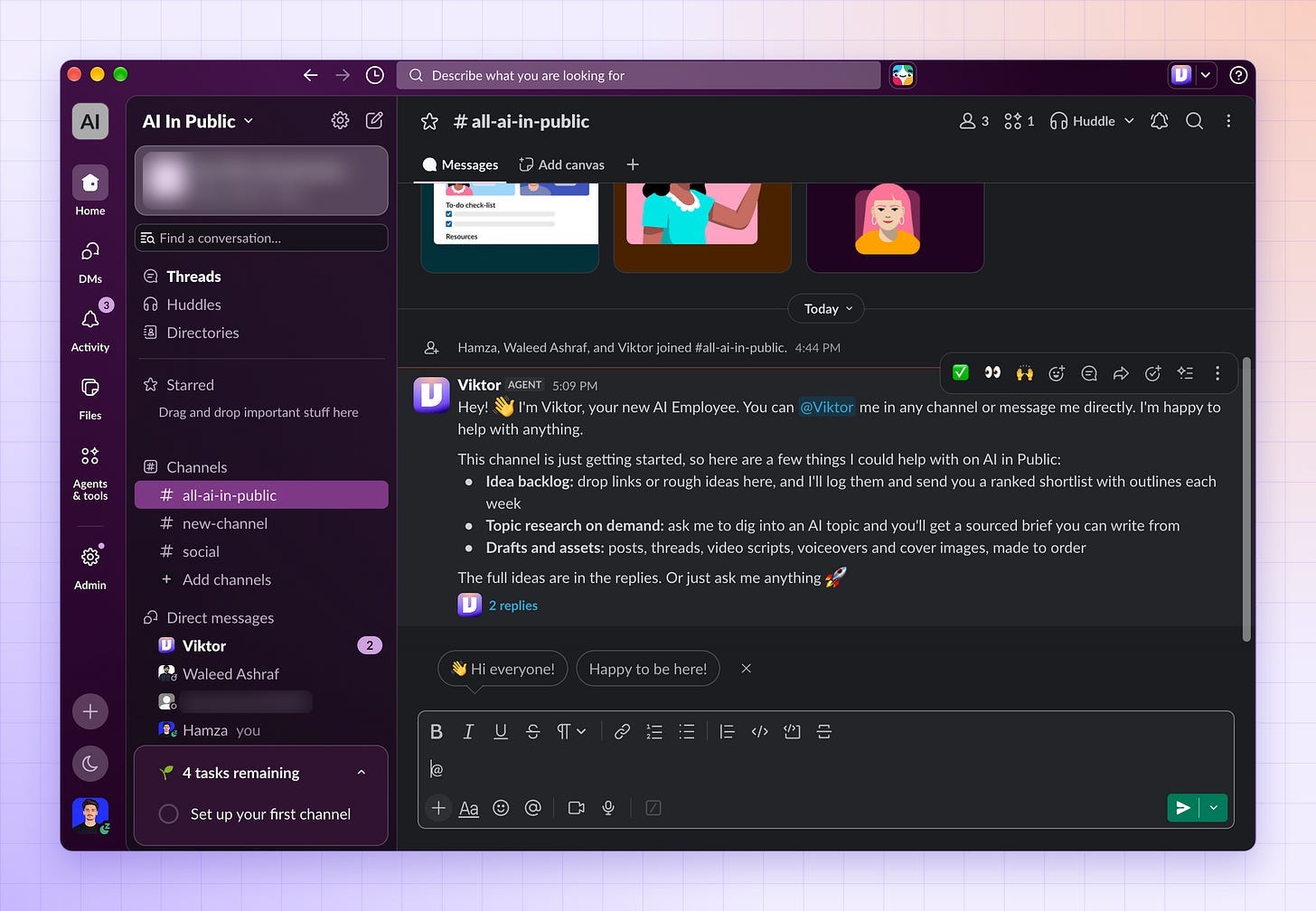
Step 3: Choose his channels
On Slack, pick the public channels he should join.
Start with one or two.
Pick channels where you already know what good work looks like.
On Teams, this step doesn’t appear.
You add him to channels after setup.
Step 4: Connect his first tool
Once Viktor is installed, you add tools from the Integrations page.
Go to app.viktor.com/integrations.
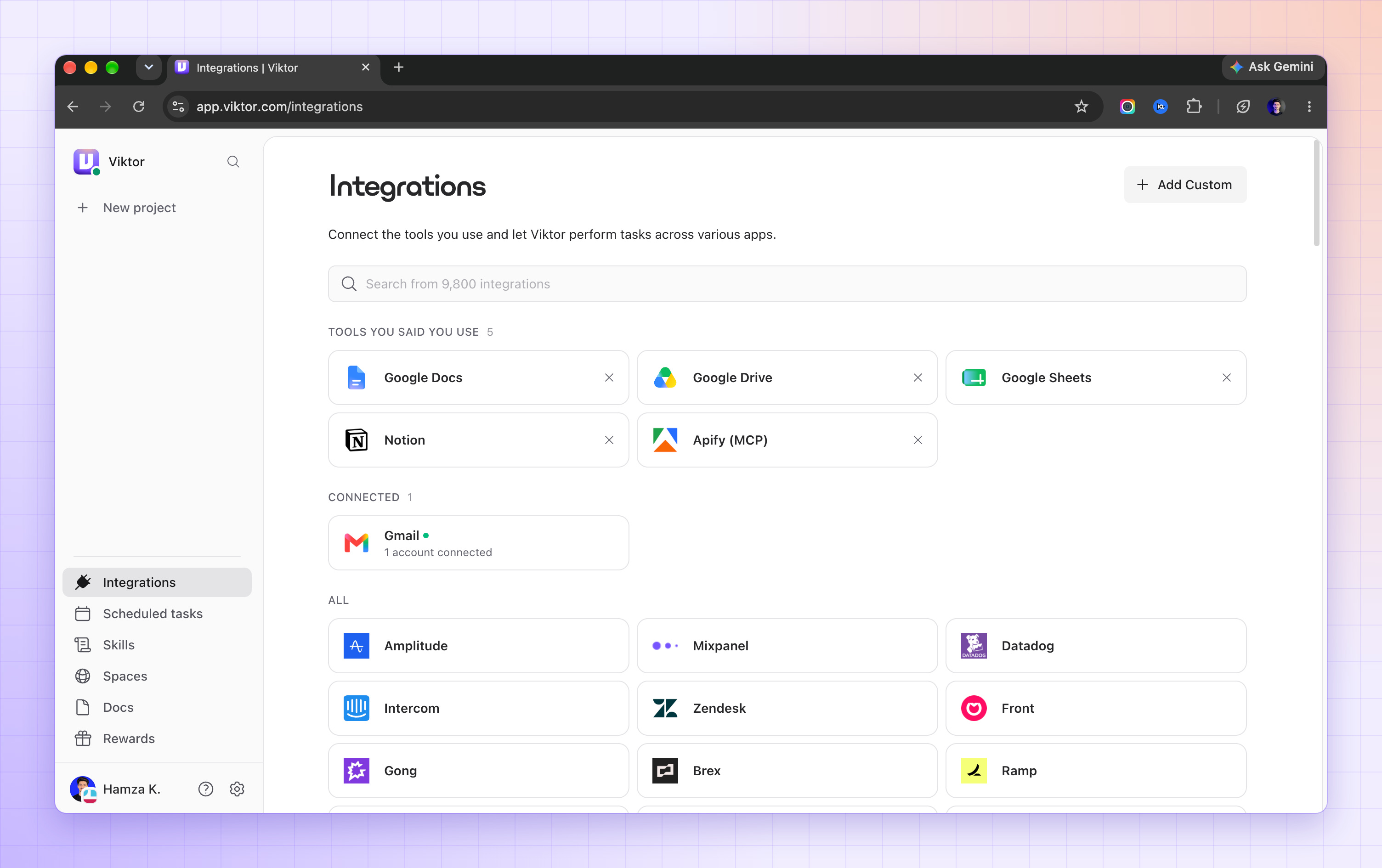
Find the tool his first job needs. Use the search bar if you don’t see it.
Click the tool’s card.
Give the connection a nickname, for example, “Stripe main.”
Choose who can use it: Everyone in the workspace, or Private.
Click Continue to the tool.
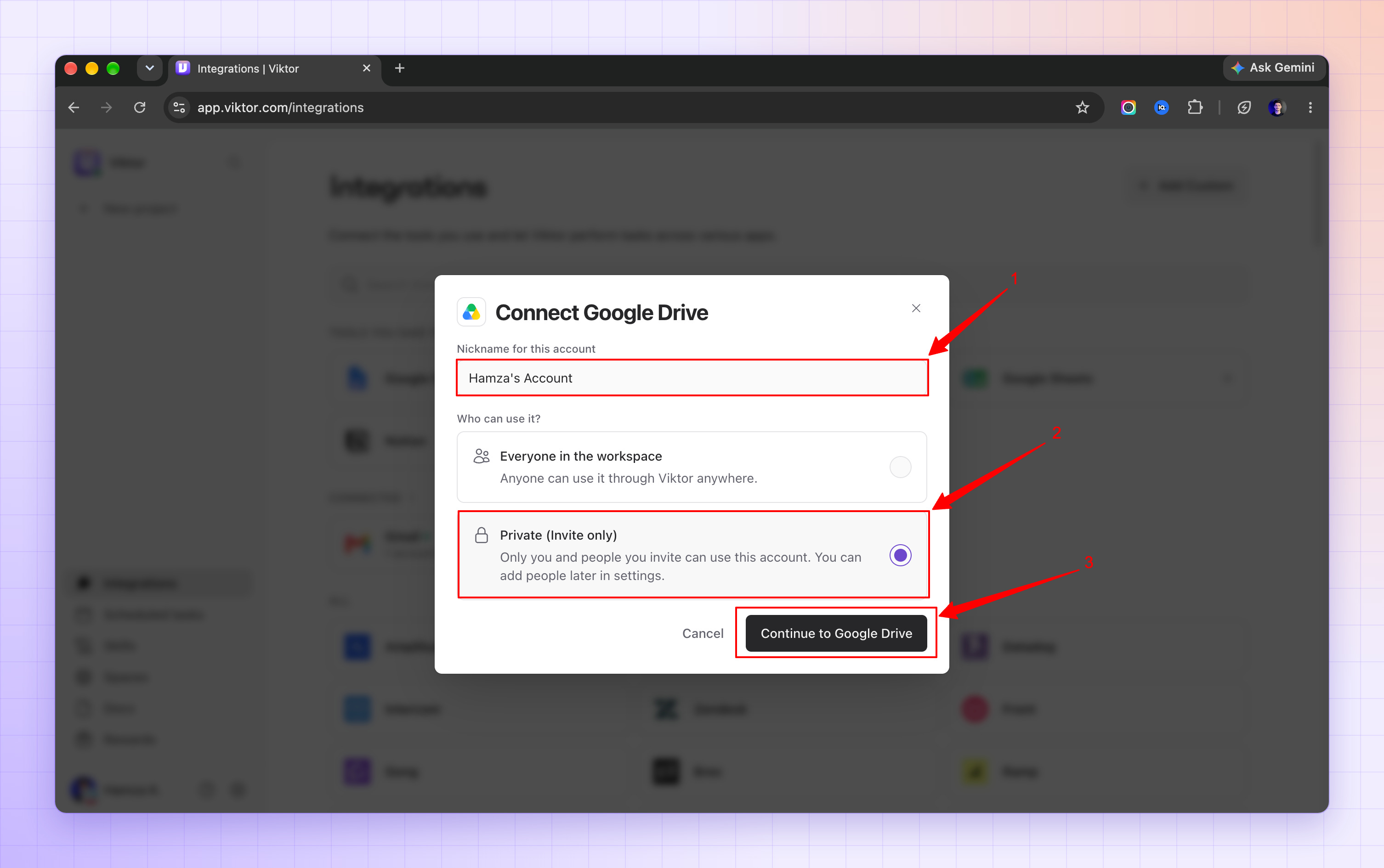
Sign in to that tool, review the access Viktor asks for, and approve it.
You can also do it from Slack.
Ask Viktor for something that needs a tool you haven’t connected, and he replies with a Connect button.
Click it, follow the same sign-in steps, and he picks your request back up.
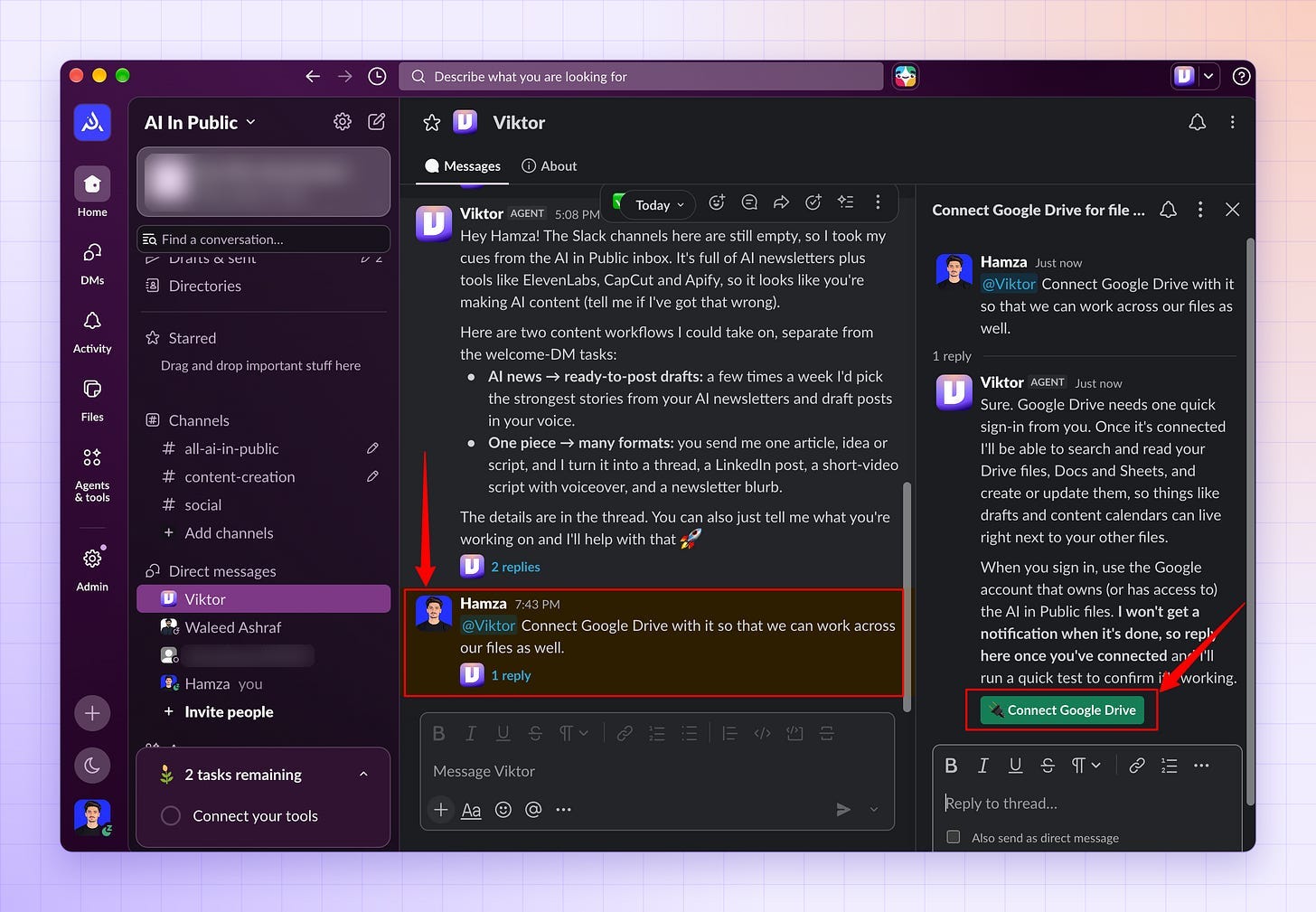
Start with read-only access where the tool offers it. Give write access later, when a job has to change data.
Step 5: Say hello
Follow the link back to Slack or Teams.
Viktor sends you his first message.
Reply the way you’d reply to a new hire on day one: who you are, what the business does, what you need from him this week.

Step 6: Give each job its own channel
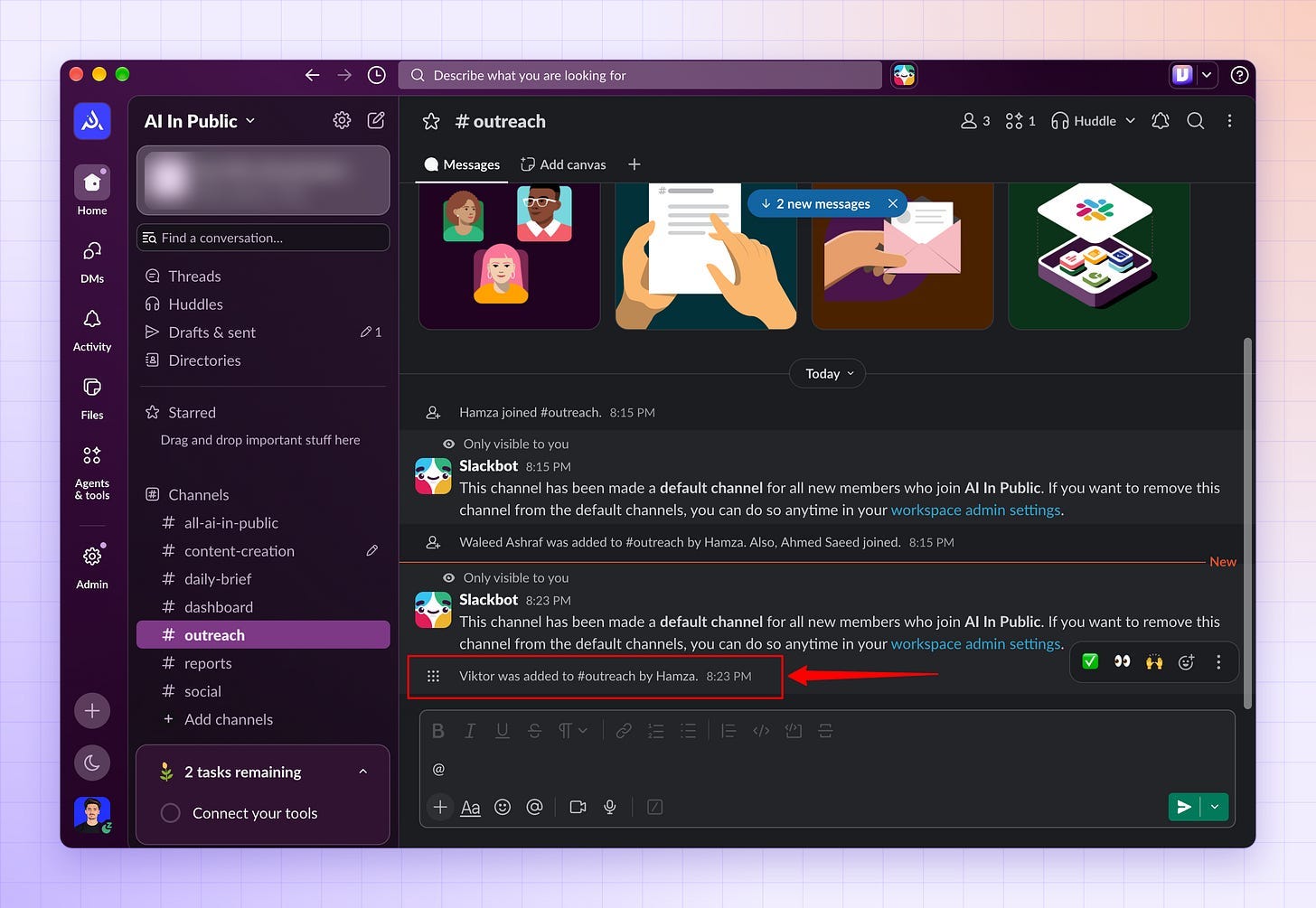
Create one channel per job:
#reports,#content,#outreach,#daily-brief,#dashboard.Invite Viktor to the first one only.
Open the next channel when the first job runs without you chasing it.
Step 7: Pin his handbook
Every channel gets one pinned message that explains the job.
I think of it as the handbook you’d hand any new hire on their first morning, and it decides how good his work is.
Copy this, fill it with your business, and pin it:
HANDBOOK FOR THIS CHANNEL

What we sell: [Your product or service, in one line.]

Who we sell to: [Your buyer: who they are, what they want, what they're tired of.]

Your job in this channel: [One sentence.]

What done looks like: [The exact deliverable, format and length.]

Check with me first on: anything that goes to someone outside this workspace, anything that spends money, and anything you're unsure about. If you're unsure, say so.

Rules:
1. Drafts only. Nothing sends without my yes in this channel.
2. Before a job that will use a lot of credits, give me the estimated cost and wait for my go.
3. Read the Rulings below before every task.

RULINGS (decisions already made):
- [Empty on day one. Every correction I give you becomes one line here.]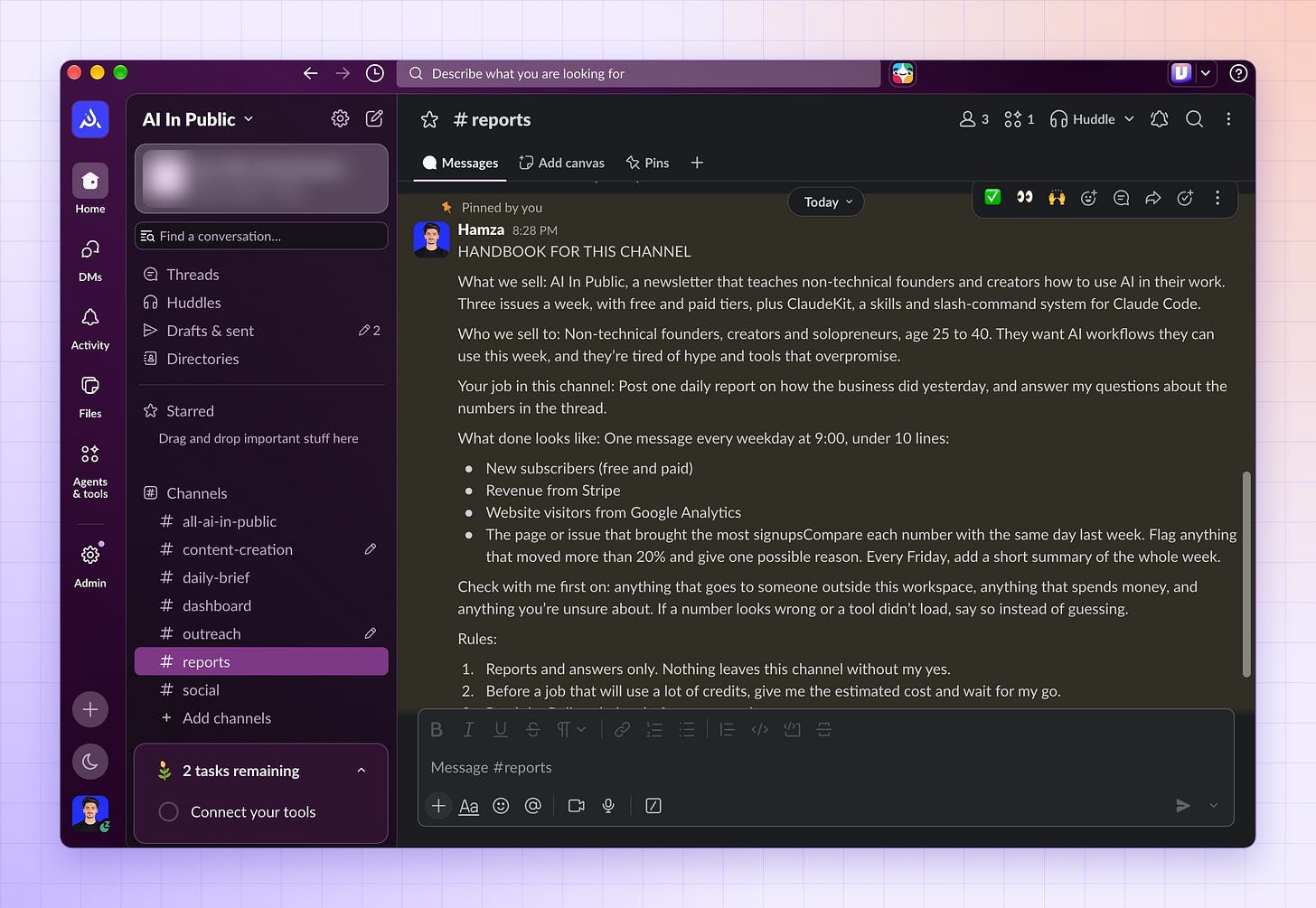
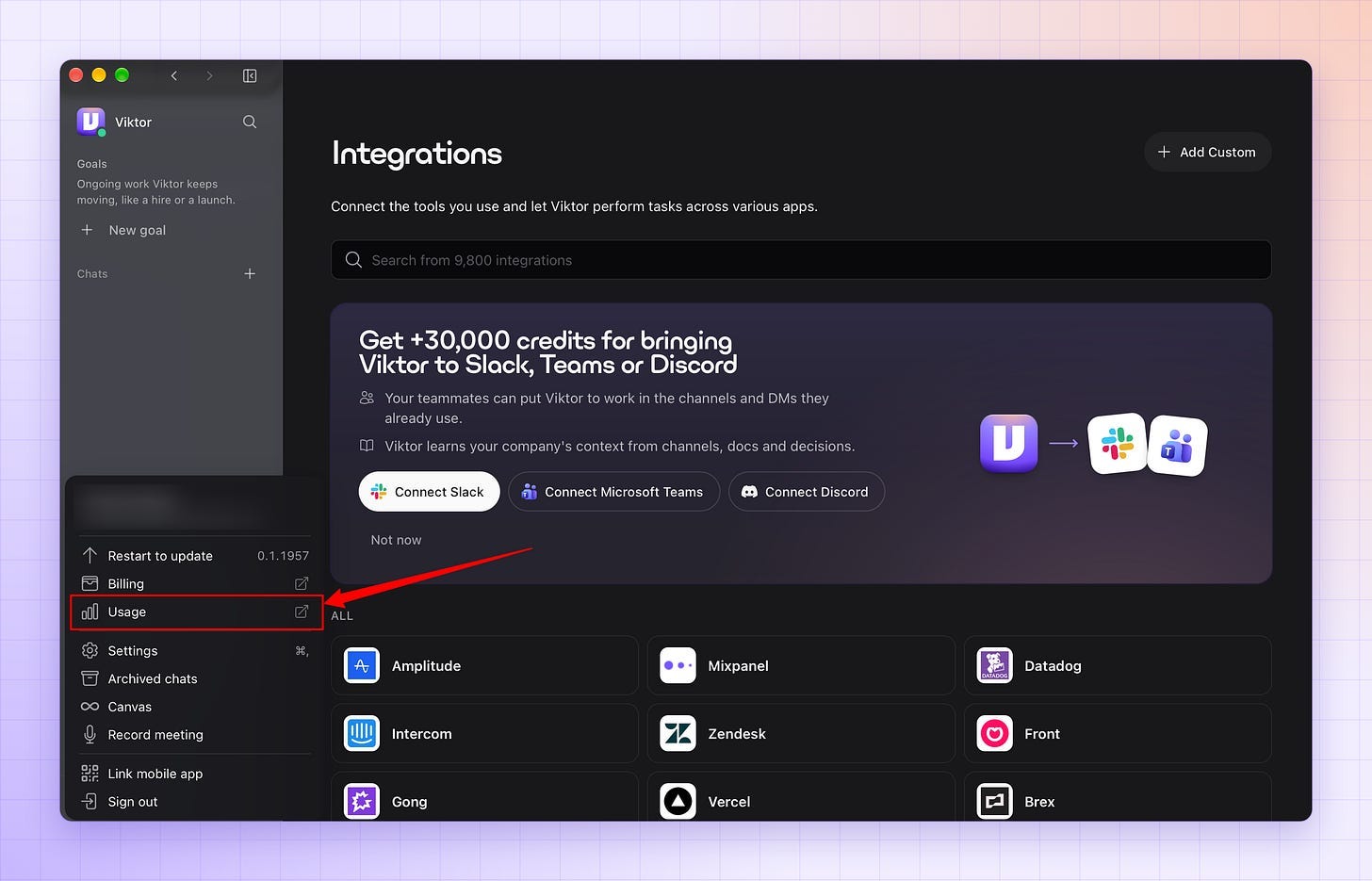
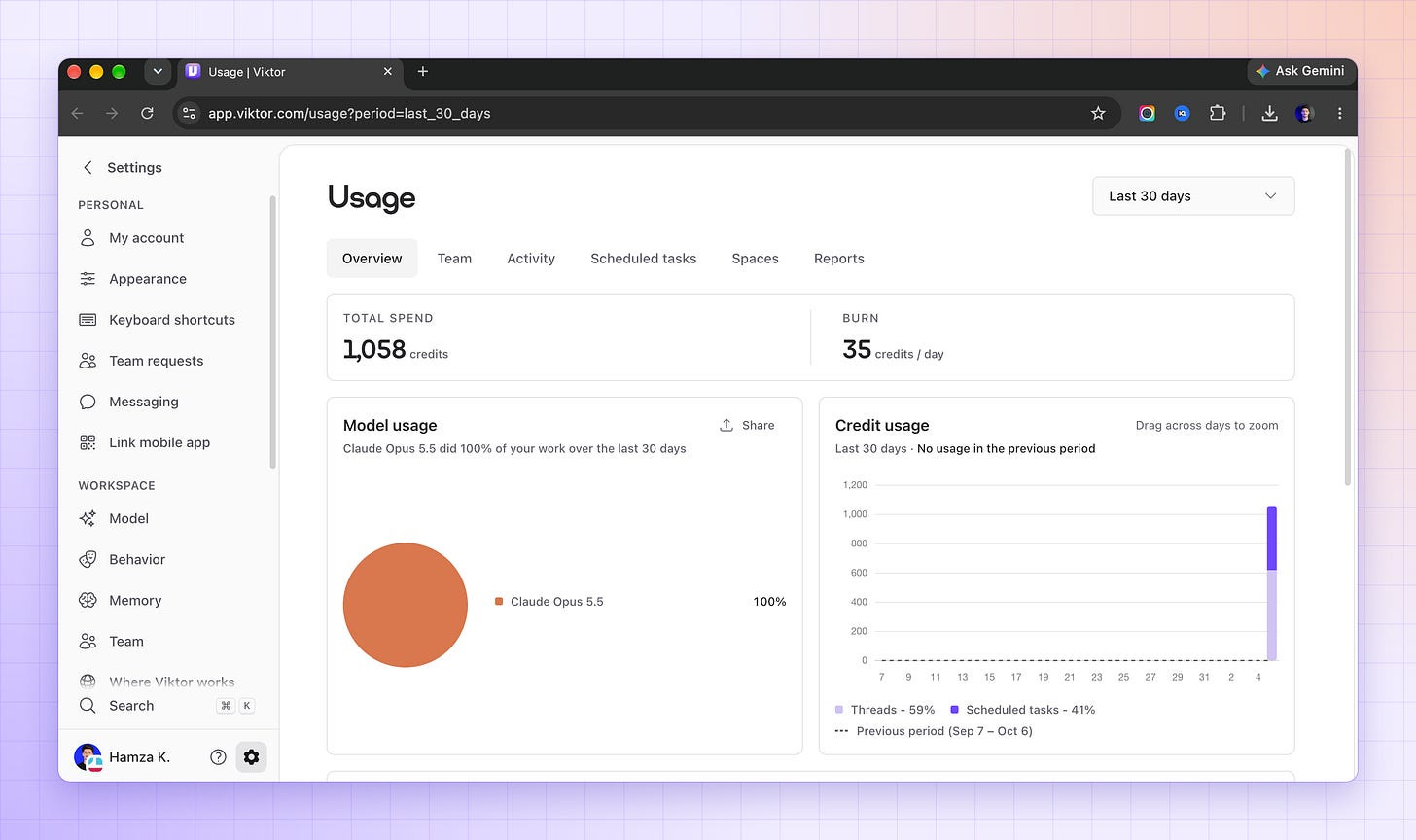
Step 8: Set a spending ceiling
Open the usage page in the Viktor app.
Decide your monthly ceiling before the first job, not after the first bill.
That’s the full setup. If someone on your team keeps saying “we need to hire,” send them this first.
The Tools You Can Connect
Viktor’s catalog has more than 9,800 integrations.
These are the ones a small business usually starts with:
CRM and sales: HubSpot, Salesforce, Pipedrive, Attio
Marketing and ads: Meta Ads, Google Ads, LinkedIn Ads, Mailchimp
Docs and productivity: Notion, Google Drive, Confluence, ClickUp
Engineering: GitHub, Linear, Sentry, Jira
Analytics: Google Analytics, PostHog, Airtable, Metabase
Finance: Stripe, PayPal, QuickBooks, Baremetrics
In 2025, each of these jobs meant opening a different tool and doing the work yourself.
In 2026, Viktor works inside them, and I brief him in Slack.
Teach Viktor a Skill (Step by Step)
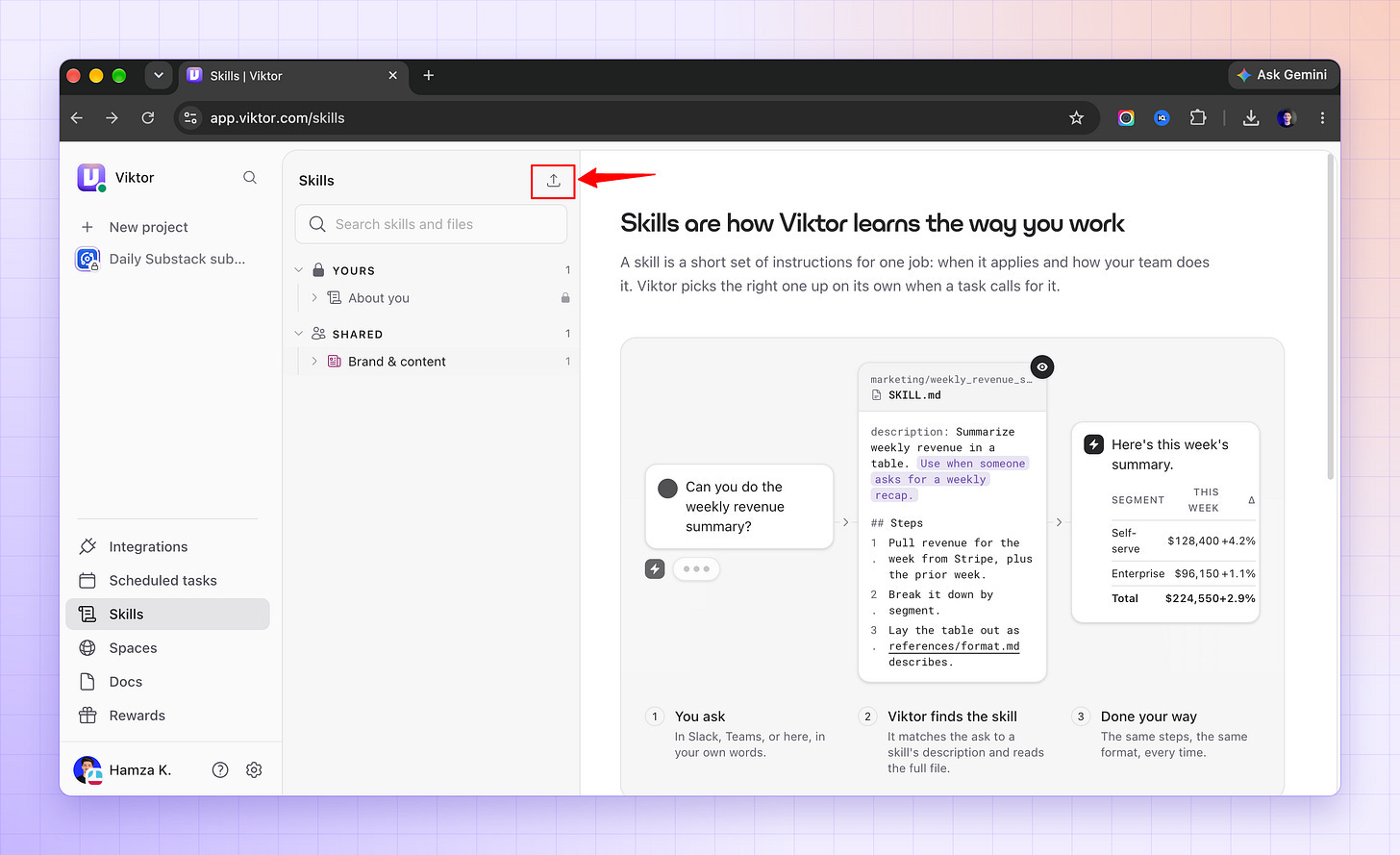
A skill is a short set of written instructions for one job: when it applies and how your business does it.
Once Viktor has a skill, he uses it on his own whenever a task calls for it, for everyone in the workspace.
That’s how he remembers your process instead of relearning it every week.
The easiest way to make one is to do the job together once:
Run the job with Viktor in chat, for example, your daily report.
When the result is right, type: “Save how we just did the daily report as a skill.”
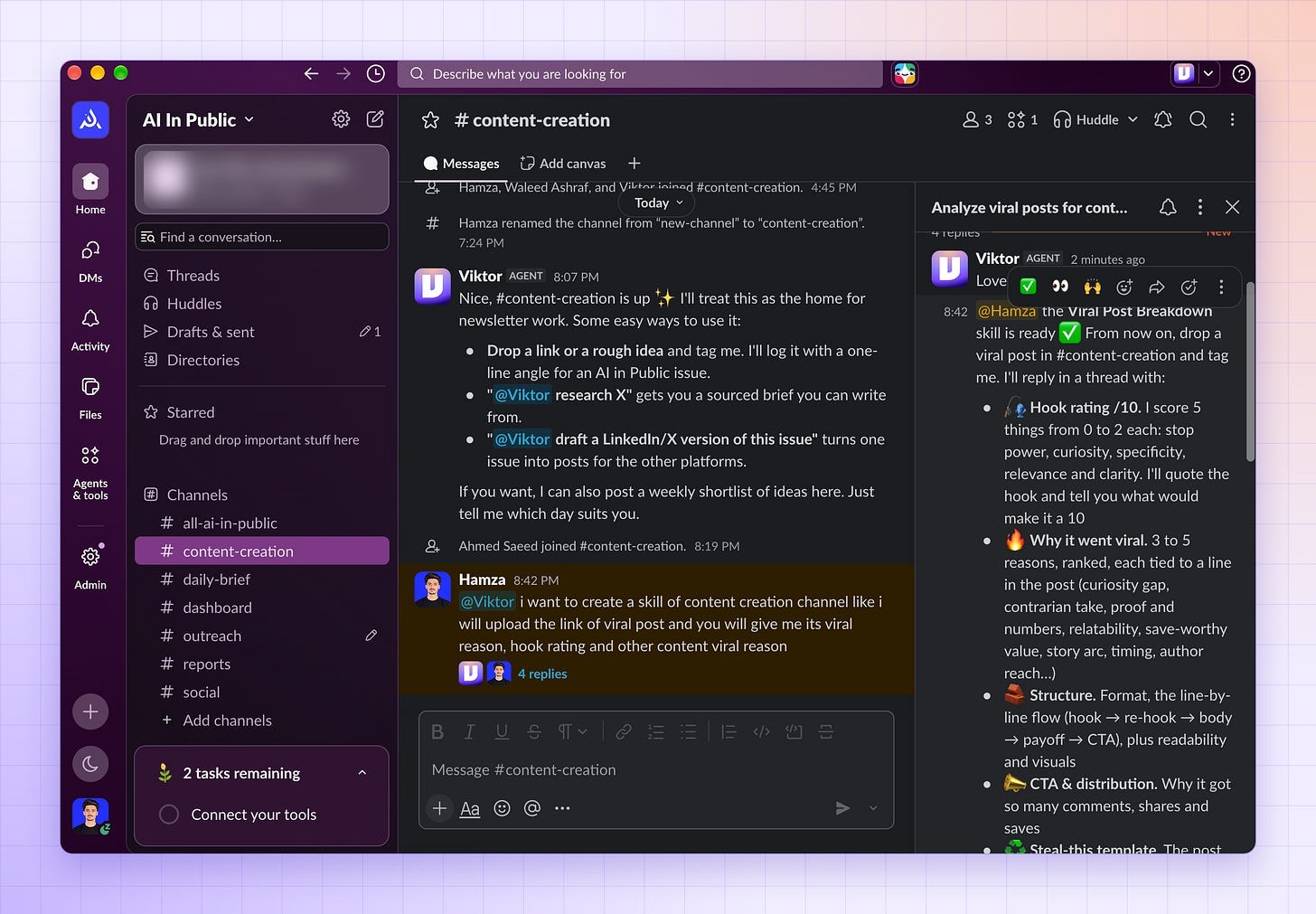
Viktor writes the skill and adds it to your Skills page.
Open app.viktor.com/skills and find it under Shared.
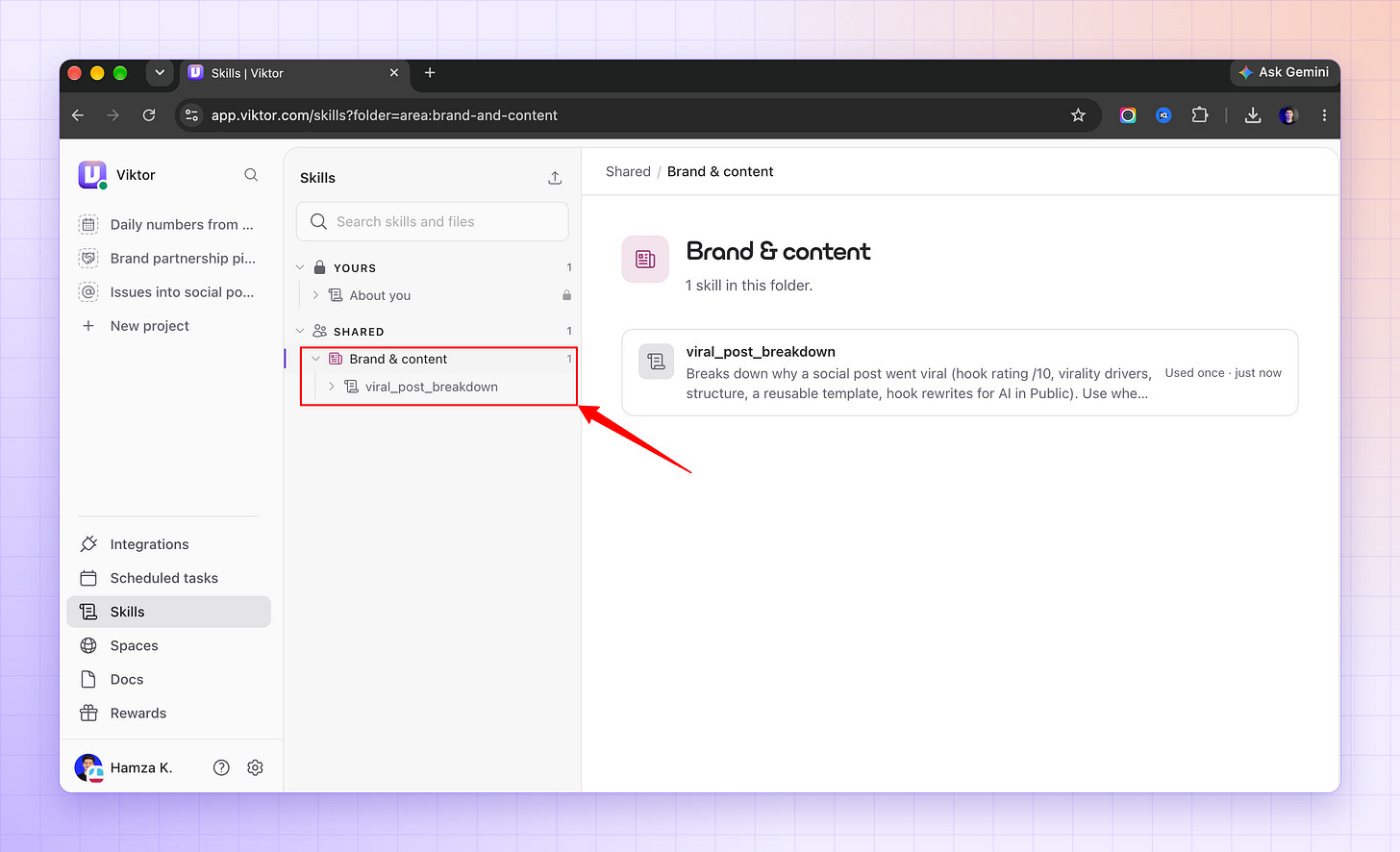
Next time, type / in the web chat and pick the skill, or ask for the report in Slack.
You can also start from the Skills page:
Open app.viktor.com/skills.
Select Teach Viktor in chat.
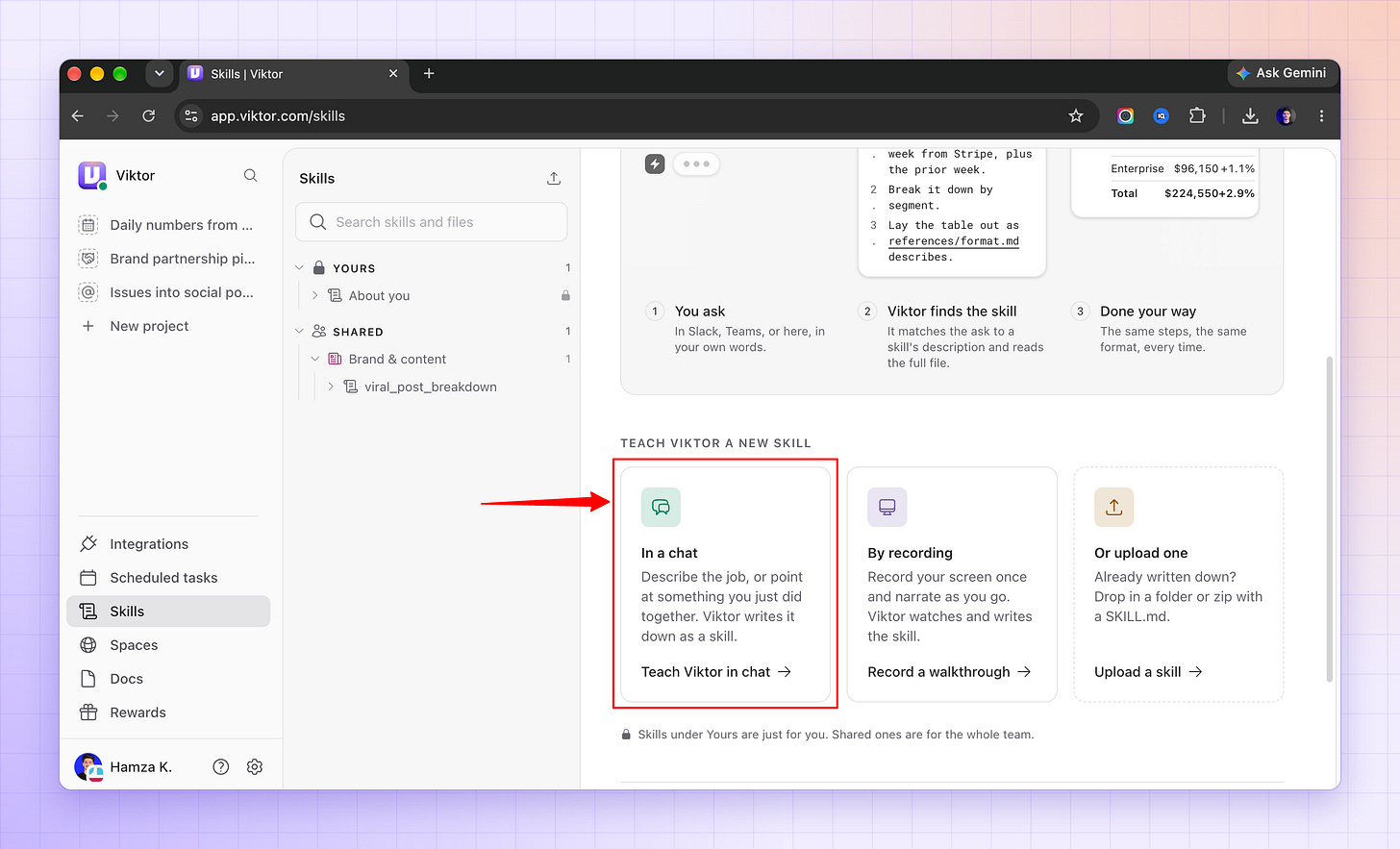
Send the message that’s already filled in.
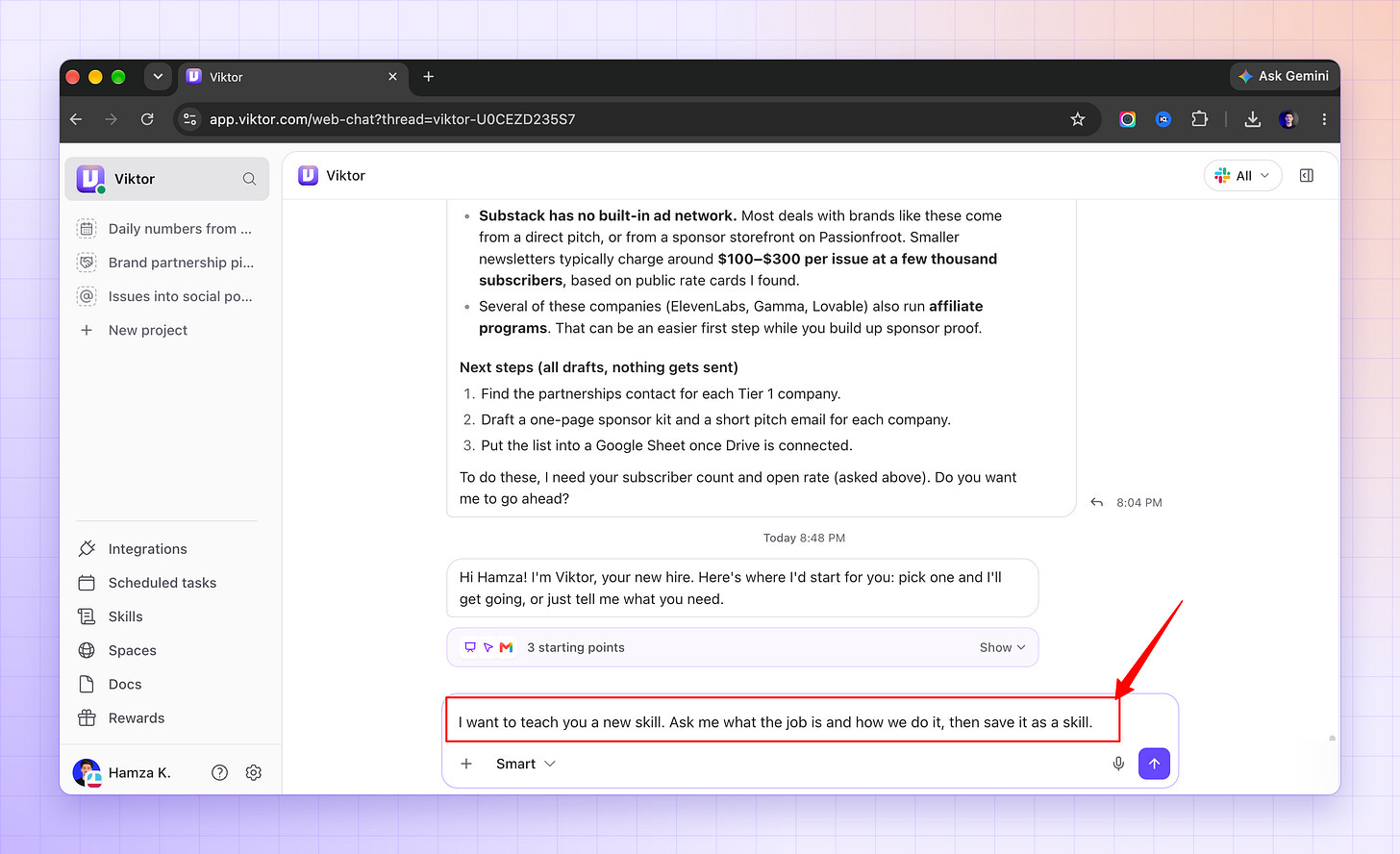
Describe the job step by step.
If you already have skills written as SKILL.md files:
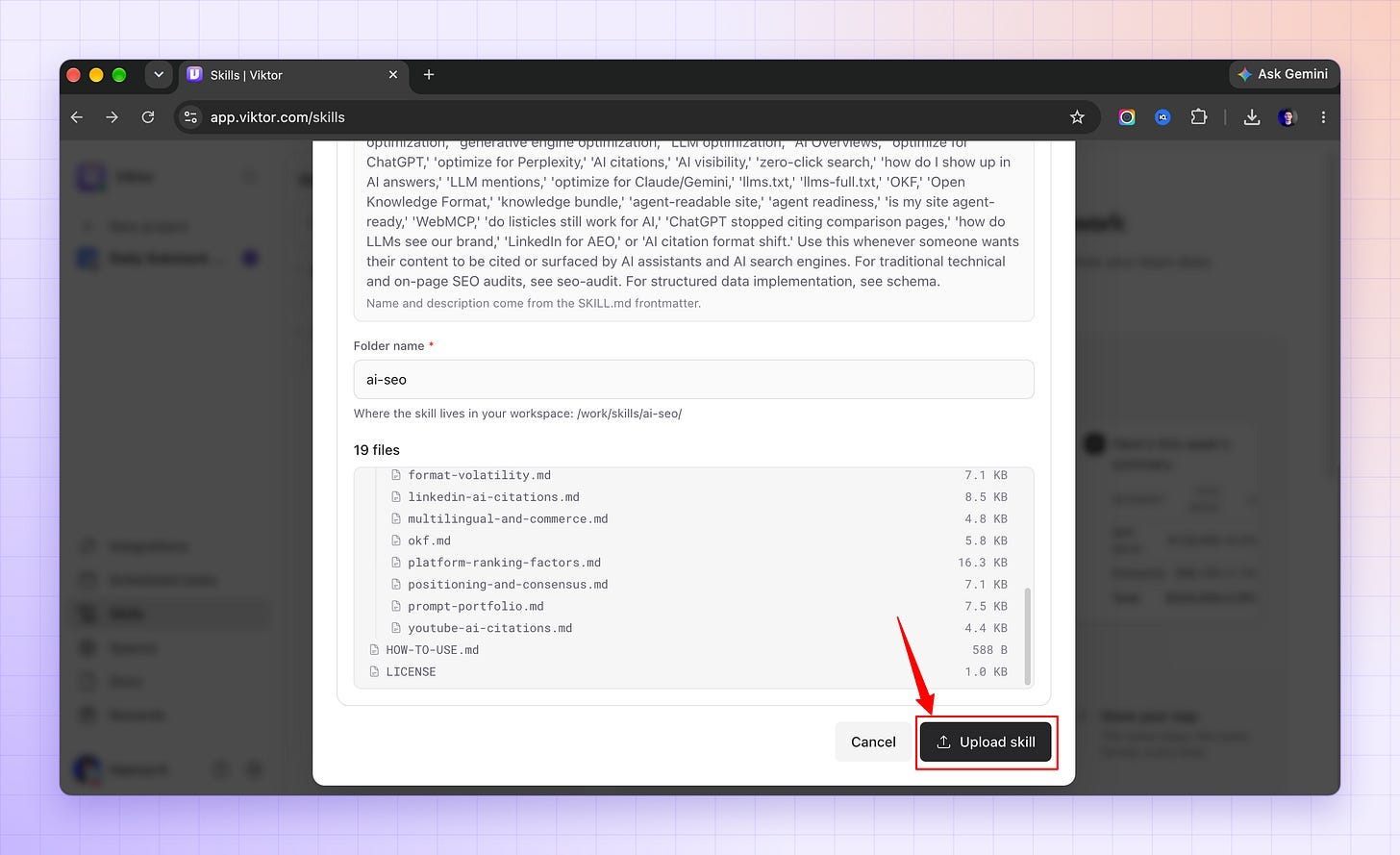
Select Upload skill at the top of the Skills page.
Drop in the skill folder or a .zip.
Check the name and description.
Select Upload skill.
It’s live immediately.
Workspace admins can edit any skill the team wrote:
Open it, select Edit, change the file, and save.
Viktor uses the new version from his next reply.
Where you can use Viktor
Every hire gets a job description, so I wrote Viktor one.
Five jobs, one channel each, with the exact steps and the brief I paste for every one.
Swap in your own details.
A vague brief gets you vague work back.
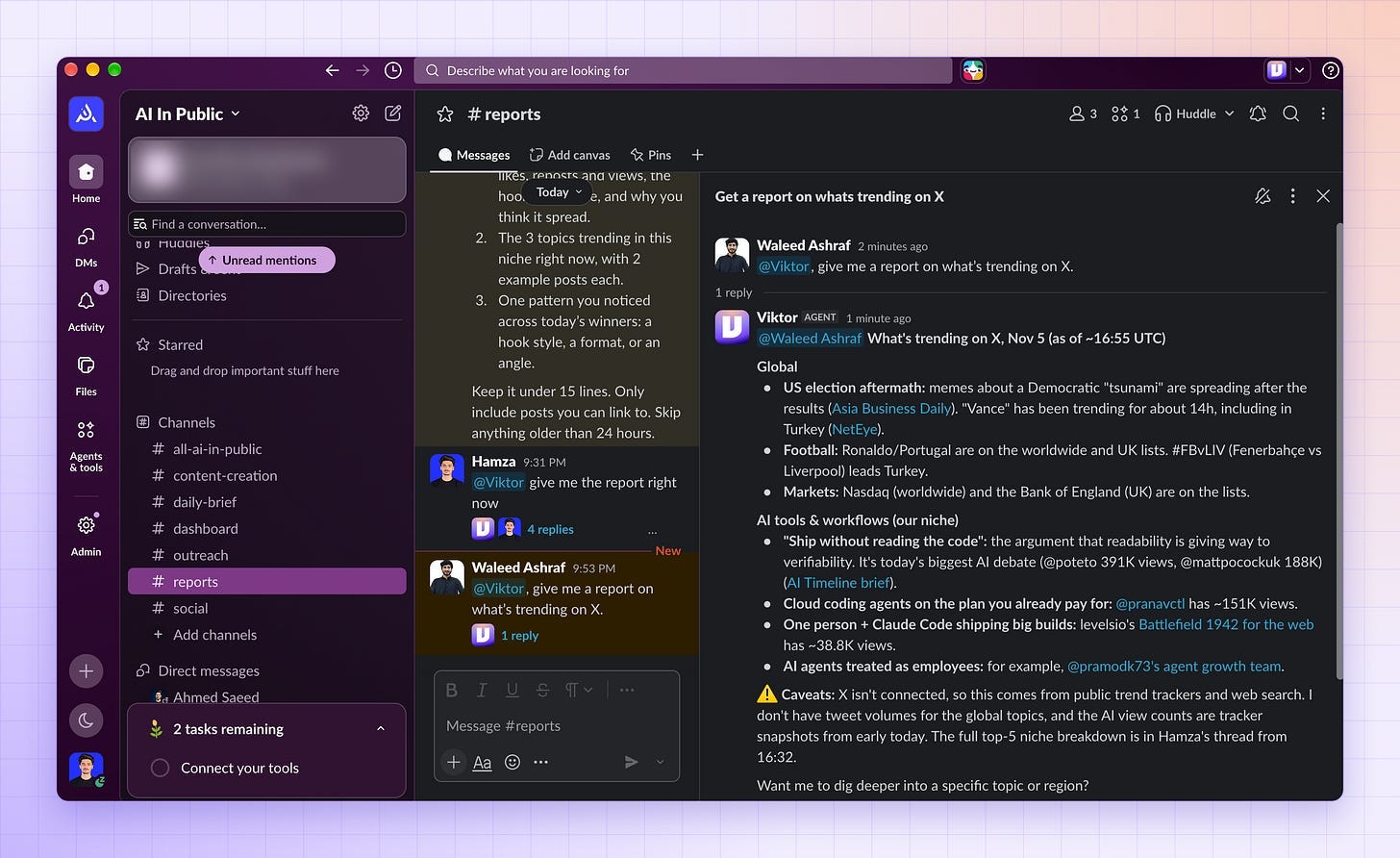
Job 1: A daily X report in Slack, and a chat about every trend (#reports)
Every morning, he searches X for the posts that went viral in my niche over the last 24 hours and the topics trending right now, then posts a report in Slack.
When something catches my eye, I reply in the thread and ask him about it.
Create a channel called
#reportsand invite Viktor.Connect a tool that lets him read X, such as X itself or a scraping tool like Apify.
Add your niche and the 10 X accounts you watch most to the pinned handbook.
Paste the brief below.
Viktor does one test run and reads the schedule back to you.
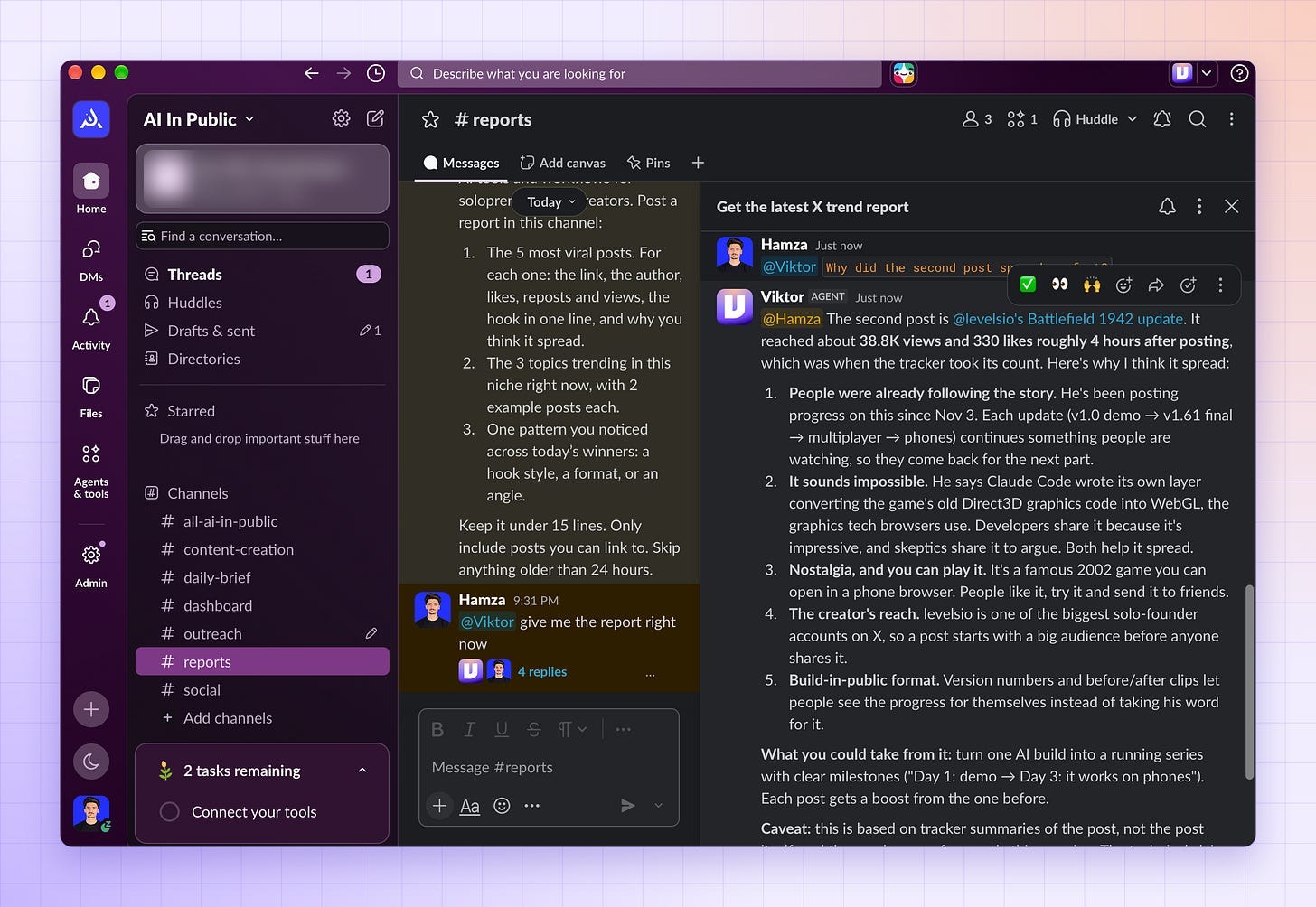
Confirm the schedule.
Reply in the thread under any report when you want to go deeper.
Every morning at 8:00, search X for the last 24 hours in my niche: AI tools and workflows for solopreneurs and creators. Post a report in this channel:

1. The 5 most viral posts. For each one: the link, the author, likes, reposts and views, the hook in one line, and why you think it spread.
2. The 3 topics trending in this niche right now, with 2 example posts each.
3. One pattern you noticed across today's winners: a hook style, a format, or an angle.

Keep it under 15 lines. Only include posts you can link to. Skip anything older than 24 hours.
Then talk to him in the thread:
Why did the second post spread so fast?Which of these hooks would work for my audience? Rewrite the best one in my voice.Compare today's trends with yesterday's. What's growing and what's fading?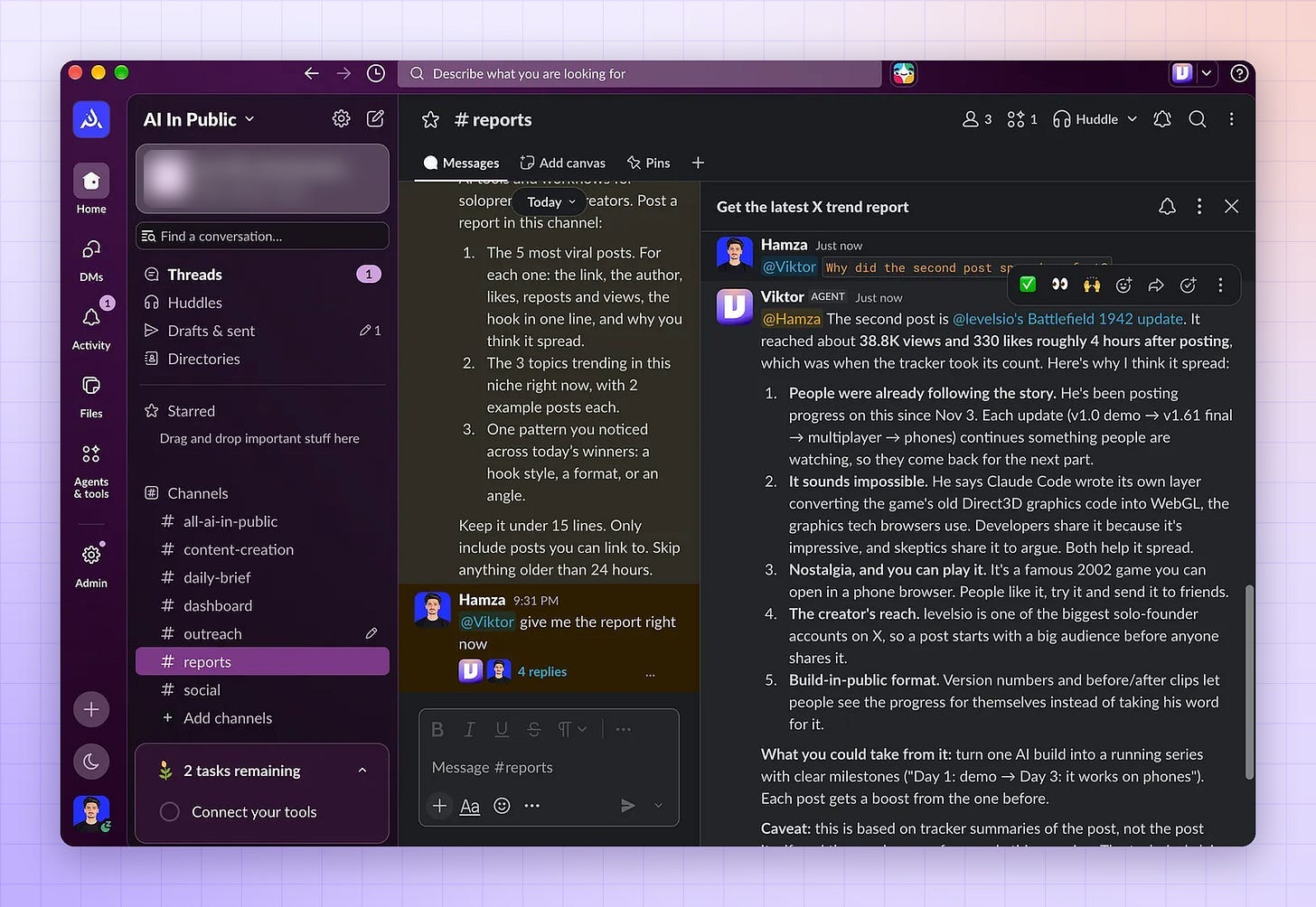
Job 2: Content research and drafts (#content)
On a daily basis, he studies what performed in my niche over the last two weeks, then drafts posts from what he found.
I edit, approve, and post.
Create a channel called
#contentand invite Viktor.Add your voice to the pinned handbook: three of your best posts and the words you never use.
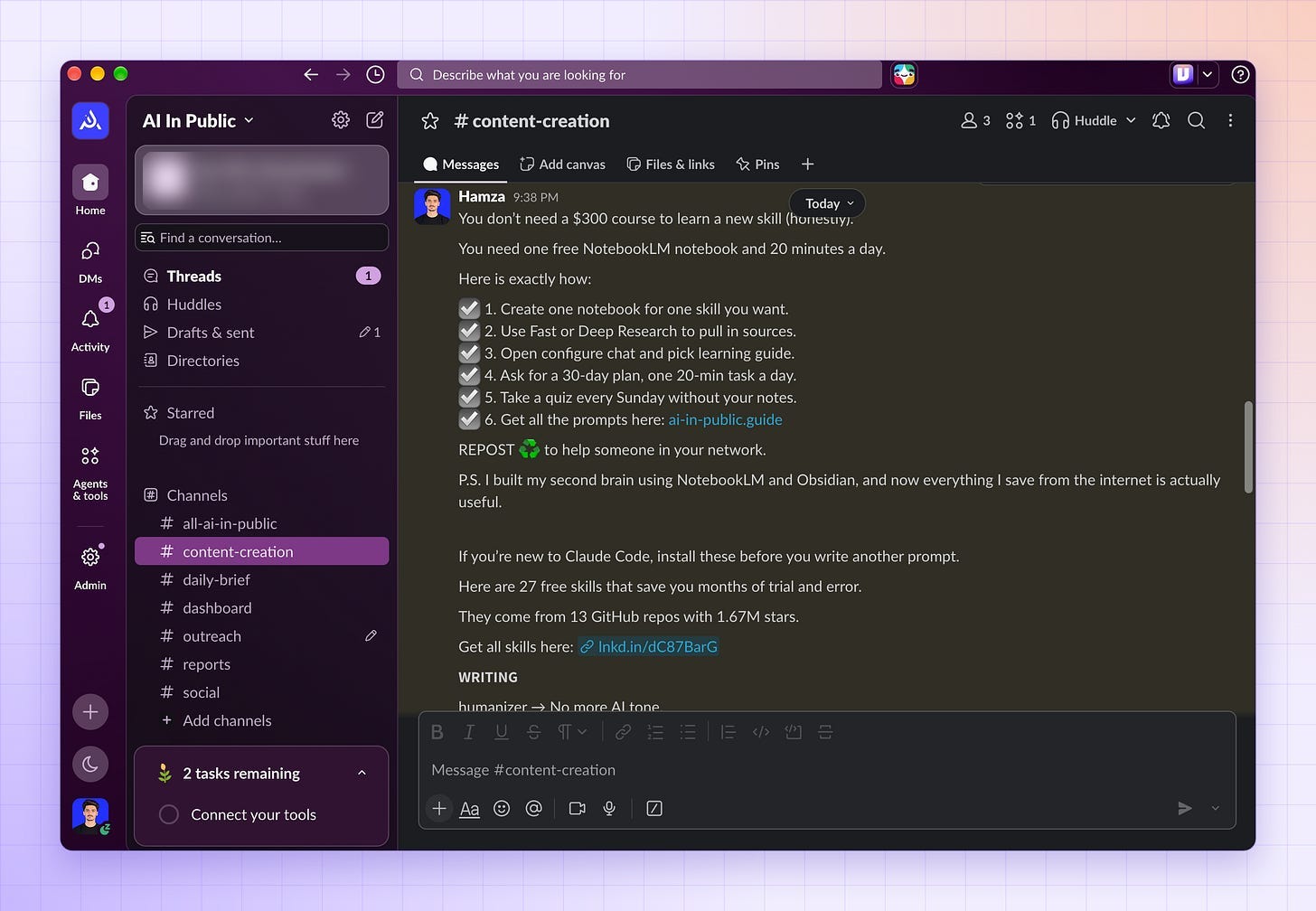
Paste the brief below.
Confirm the Monday schedule when he reads it back.
Review the drafts in the thread, edit the ones you like, and post them yourself.
Add one Ruling every time you fix the same thing twice.
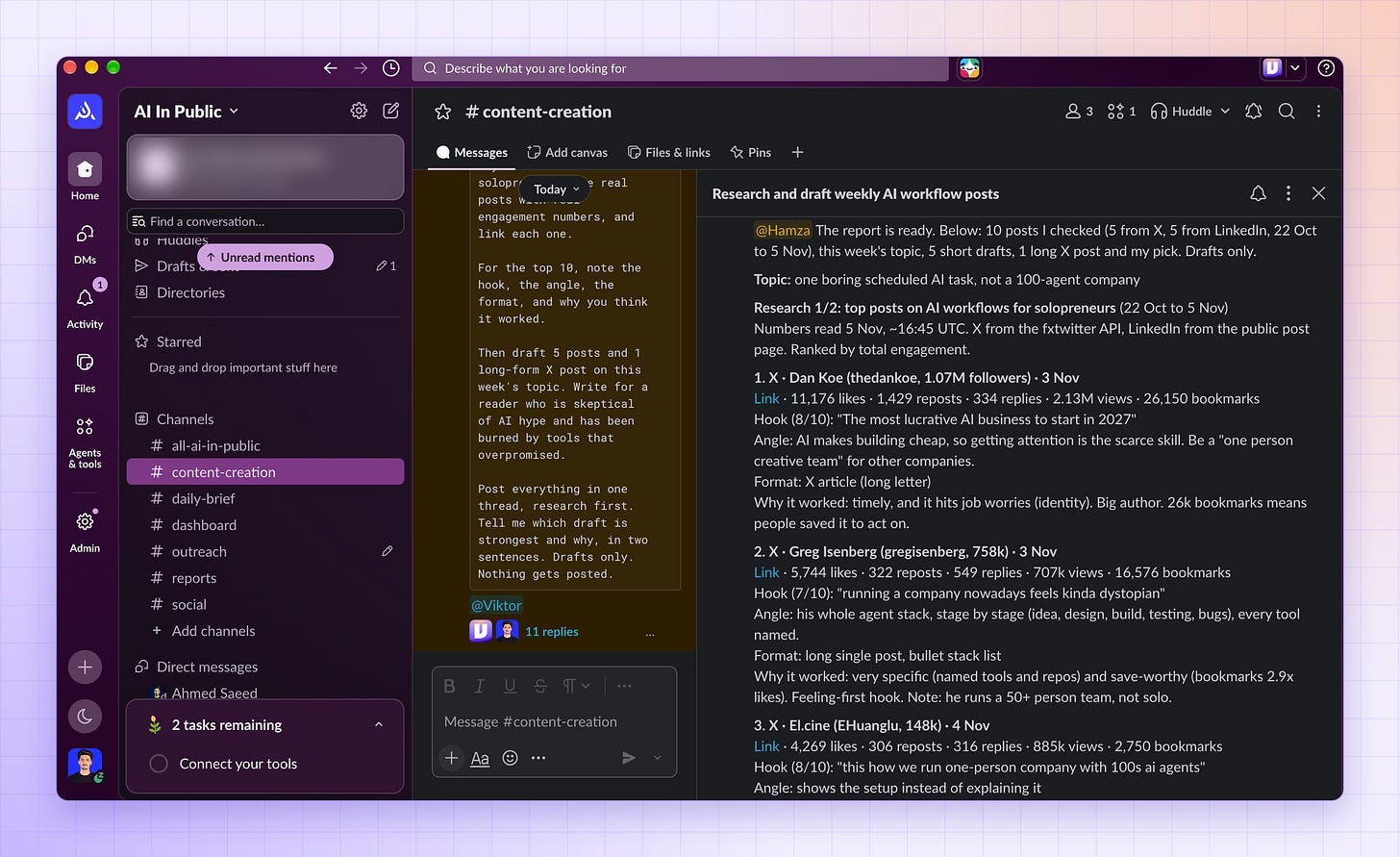
Every Monday at 10:00, research the posts that performed best on X and LinkedIn in the last 14 days on AI workflows for solopreneurs. Use real posts with real engagement numbers, and link each one.

For the top 10, note the hook, the angle, the format, and why you think it worked.

Then draft 5 posts and 1 long-form X post on this week's topic. Write for a reader who is skeptical of AI hype and has been burned by tools that overpromised.

Post everything in one thread, research first. Tell me which draft is strongest and why, in two sentences. Drafts only. Nothing gets posted.
Here is the report Viktor delivered to me.
Then my team member also asked Viktor to find trends from X, and Viktor helped him also with this result:
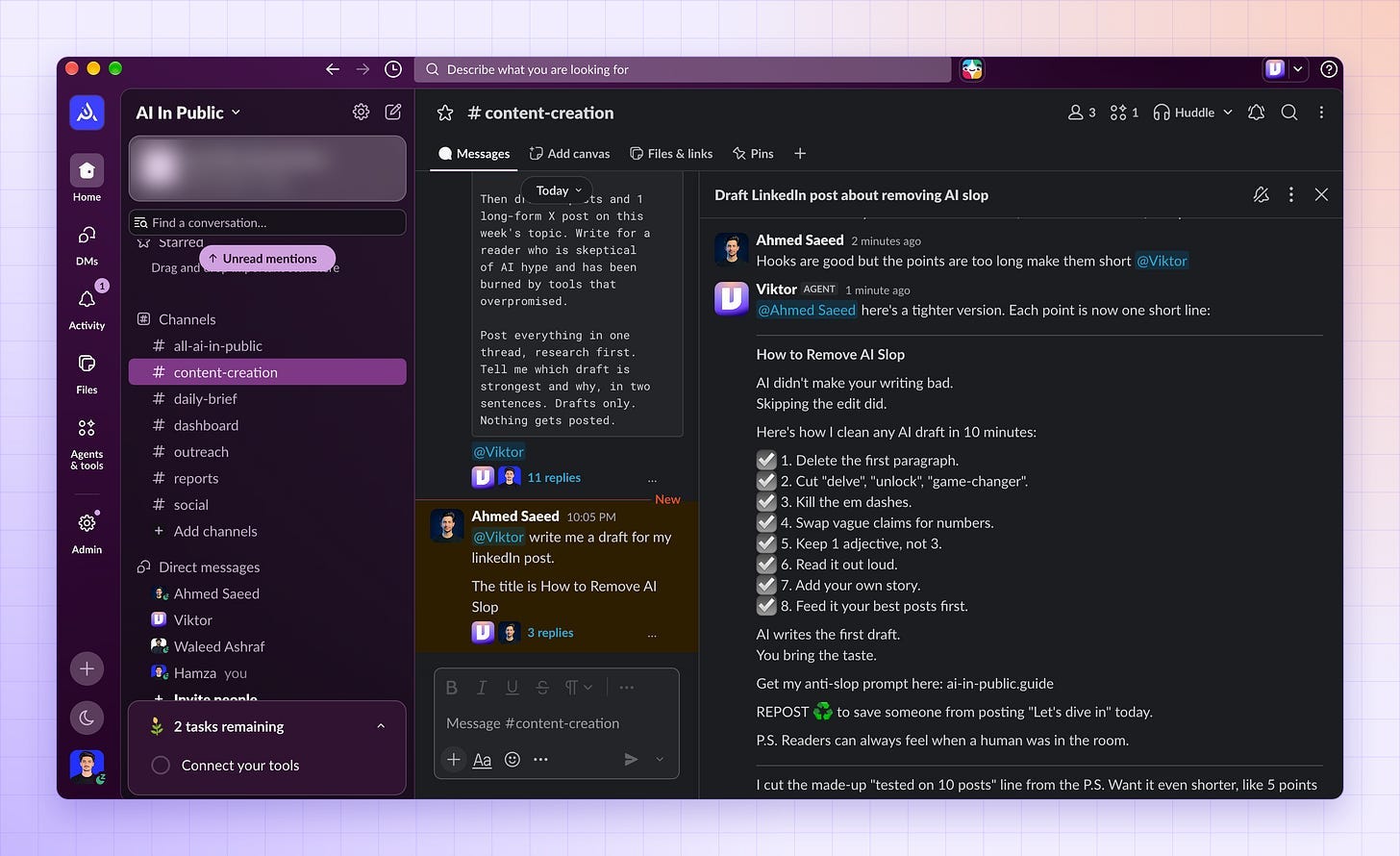
Here is another team member who asked Viktor to give him a draft of a LinkedIn post, and here is what Viktor came back with. It’s good, and we can make it even better by chatting with Viktor.
Job 3: Outbound and sponsor prospecting (#outreach)
He finds companies that would want to reach my audience, works out why now is a good time to contact them, and drafts the first email.
I decide who gets it.
Create a channel called
#outreachand invite Viktor.Connect your CRM, for example, HubSpot.
Don’t connect anything in this channel that can send email.
Add details of your audience and pin that message.
Paste the brief below.
Check the confidence score on each company before you read the draft.
Edit the drafts you like and send them from your own inbox.
Find 10 real AI tool companies with 5 to 50 employees that sell to solopreneurs and creators.

For each one, give me:
- What they do, in one line
- Who their customer is
- A reason to reach out now: a funding round, a product launch, a marketing job post, or a recent sponsorship with a similar creator
- A confidence score from 1 to 5, and what you'd check to raise it

Add each company to HubSpot as a new contact with the status "Researched."

Then write a first email for the top 5. Open with the reason to reach out now, not a compliment. Two short paragraphs. End with one clear question.

Drafts only. I decide what gets sent.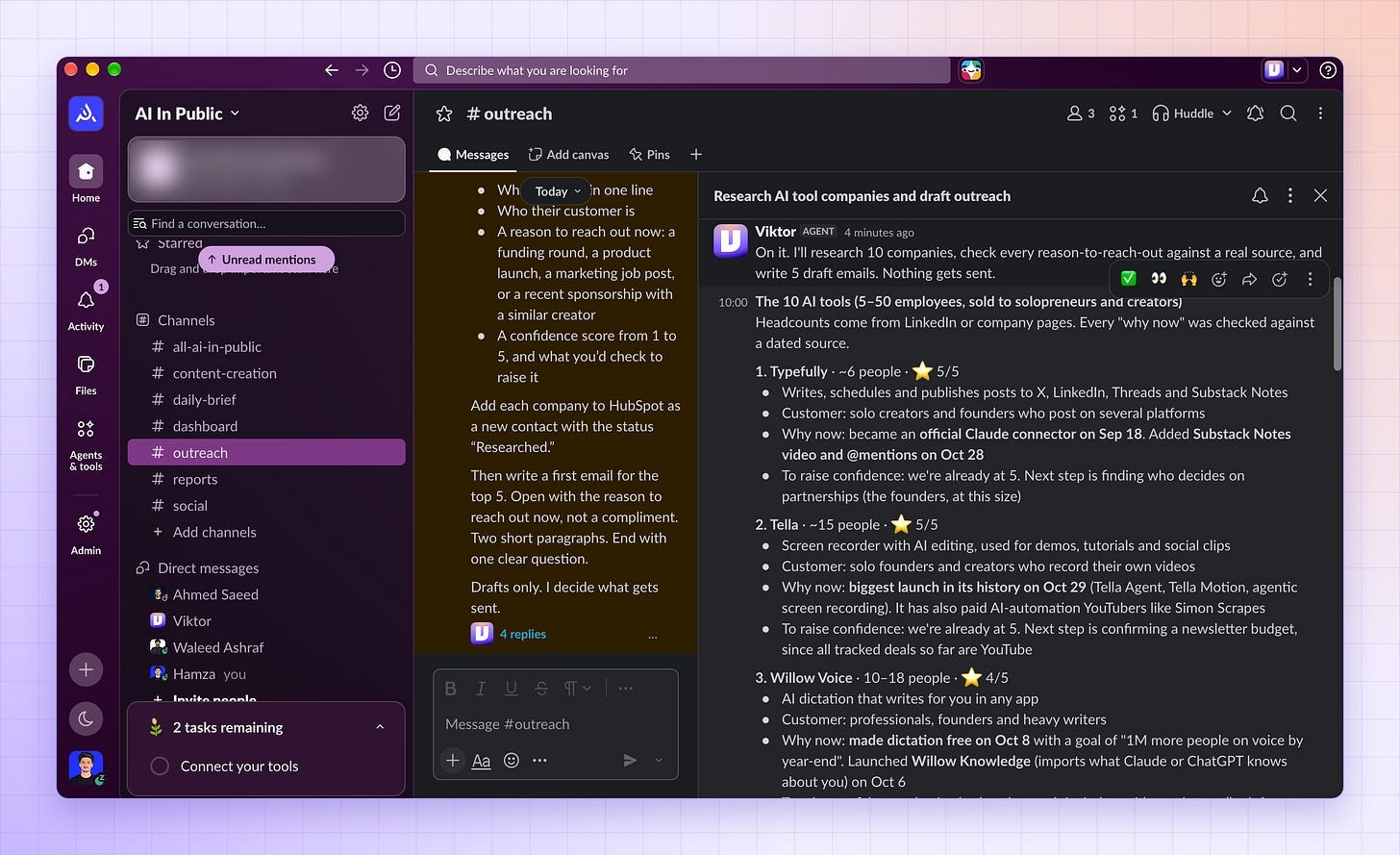
Job 4: A daily trend brief (#daily-brief)
Before I open my laptop, he’s already read it for me.
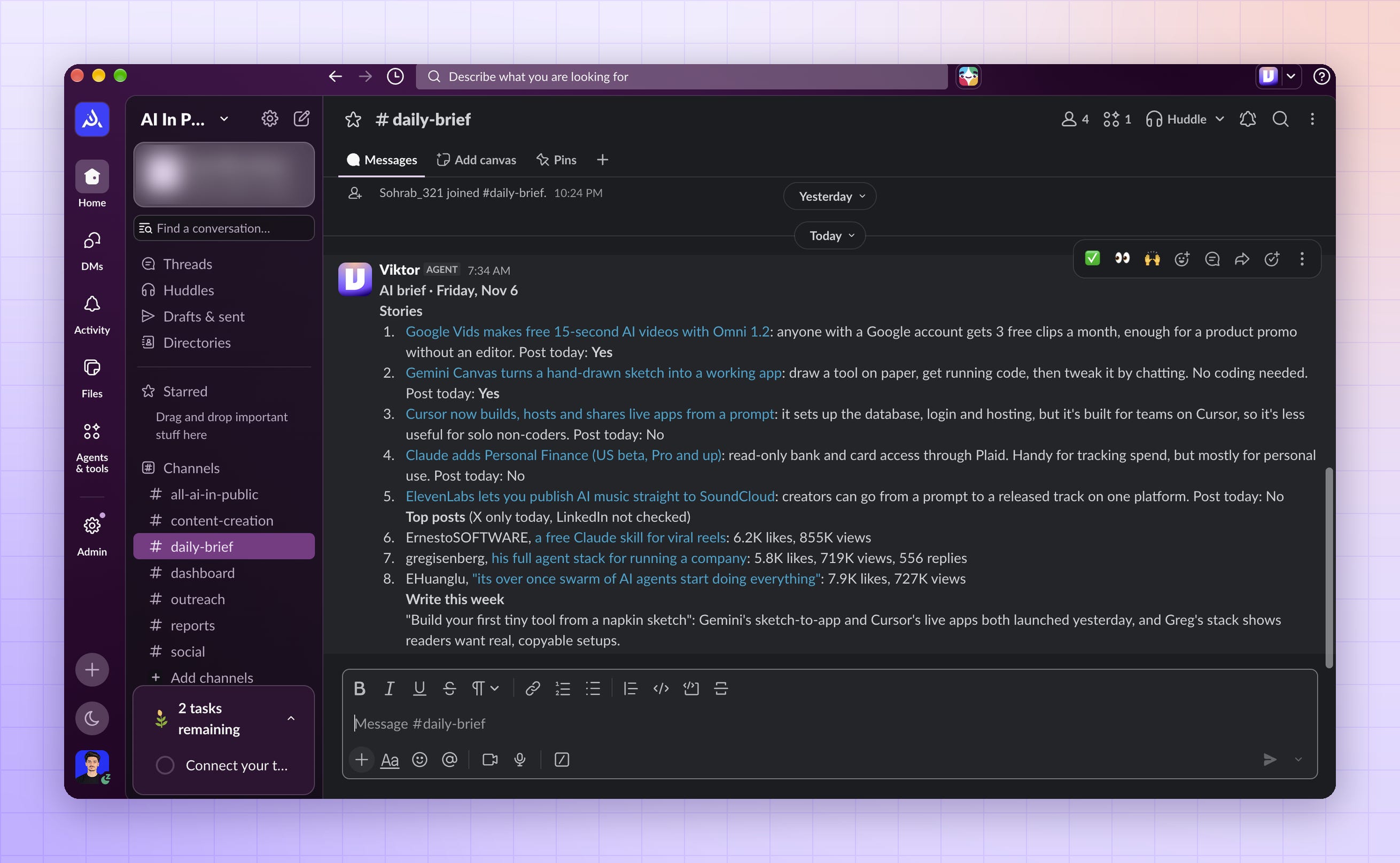
Every morning I get the biggest stories in my niche, each with a source, and his call on whether it’s worth a post today.
Create a channel called
#daily-briefand invite Viktor.Give it a niche.
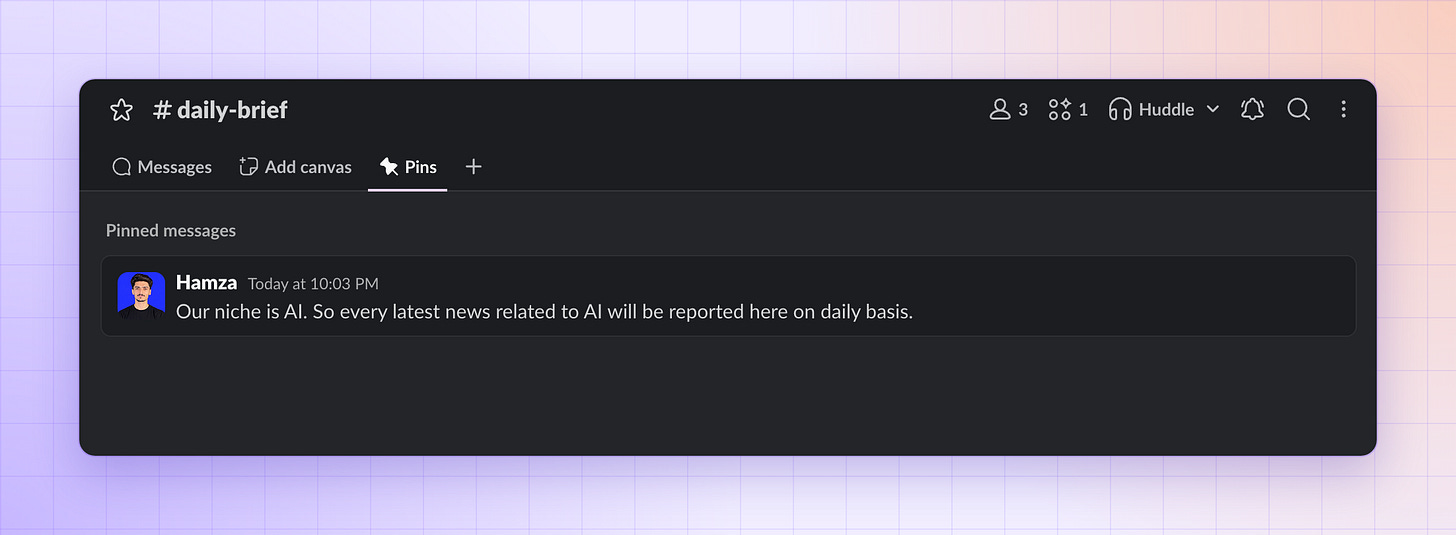
Paste the brief below.
Confirm the schedule when he reads it back.
Reply to any item with “Draft this,” and he writes it up for
#content.
Every morning at 7:30, post a brief in this channel:

1. The 5 biggest stories in AI tools for solopreneurs and creators from the last 24 hours. For each one: a source link, one line on why it matters to non-technical founders, and whether it's worth a post today.
2. The 3 posts in this niche getting the most engagement right now, with links.
3. One topic you think I should write about this week, and why.

Keep it under 15 lines. Skip anything you can't link to a source.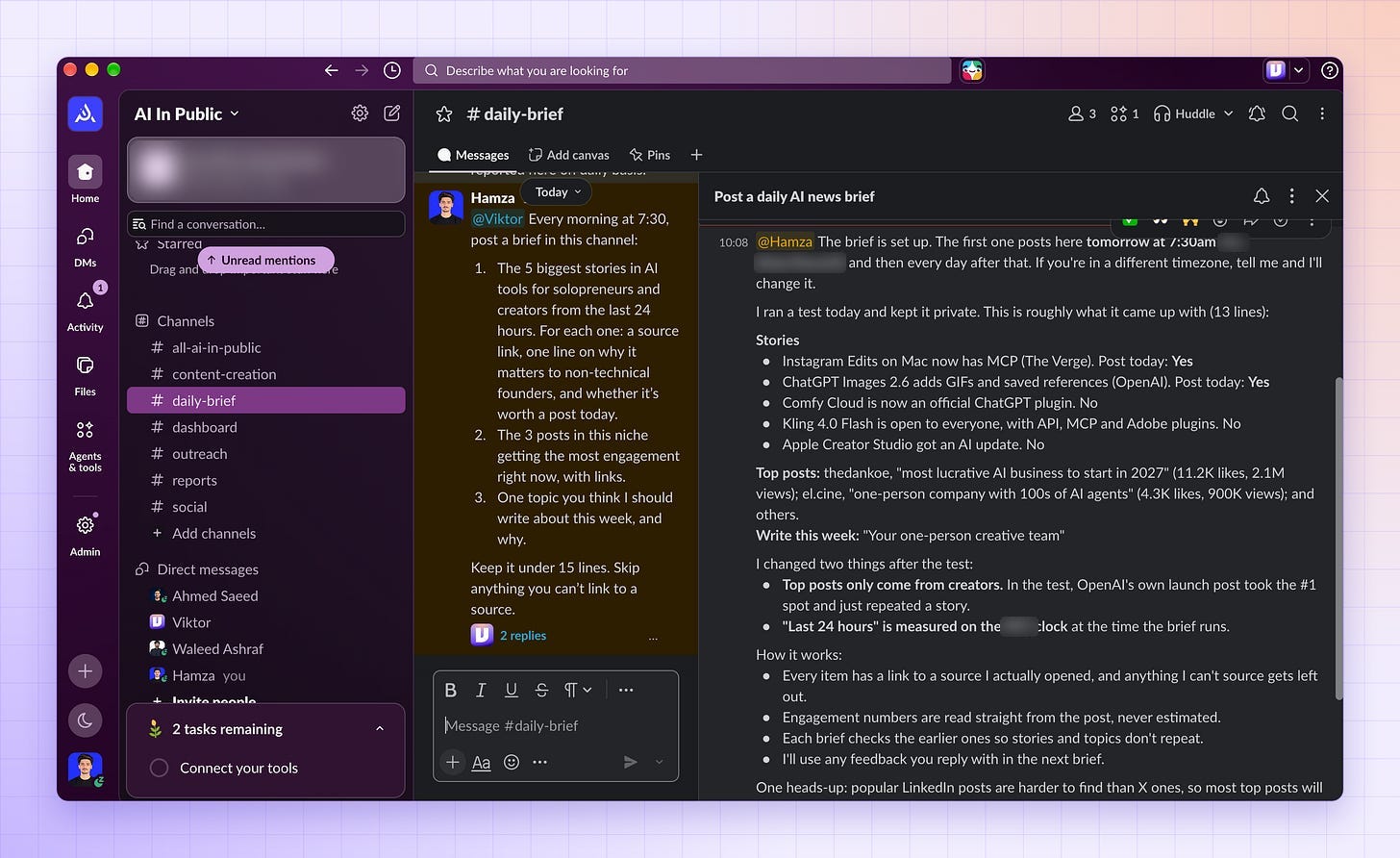
Here is the daily brief I got from Viktor daily in the morning (Viktor got up before me and presented me with a brief like this…)
Job 5: A live dashboard (#dashboard)
I asked for a weekly report and ended up with a dashboard.
Viktor builds web apps called Spaces, each with its own database and sign-in, and gives you a link the team can open.
Open
#dashboardand describe what you want.Answer his questions.
If details are missing, he asks for them all in one message before he starts.
Viktor builds the dashboard, tests it, and posts screenshots, the link, and a summary.
Open the link and check three numbers against the source.
On the Spaces page, open the Access tab and choose who can see it.
Ask for changes in the same thread.
He updates the live dashboard.
Ask him questions about the data in Slack, like “How many people signed up this week?”
I ask him to give me the dashboard about the “AI In Public Prompt Library”
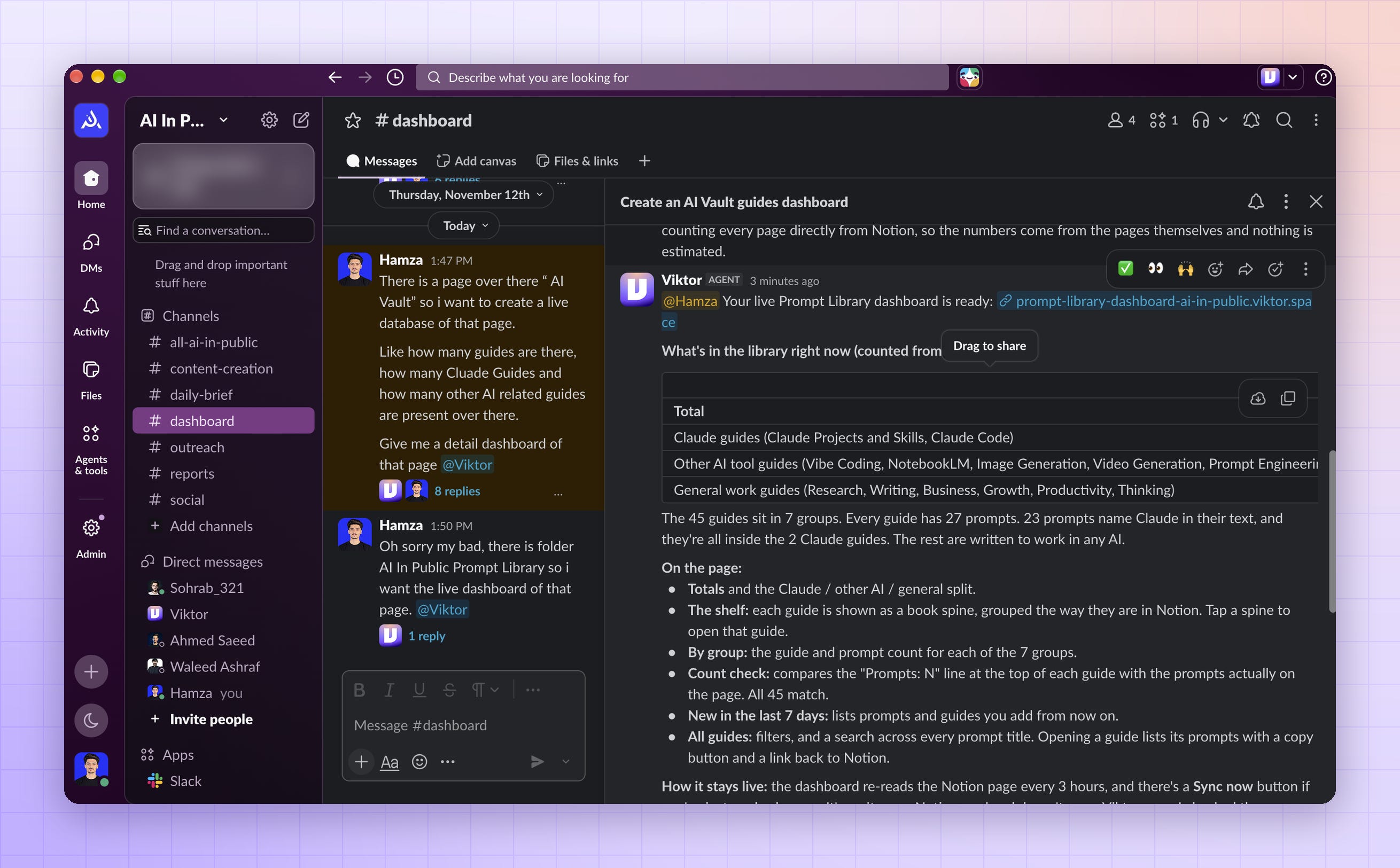
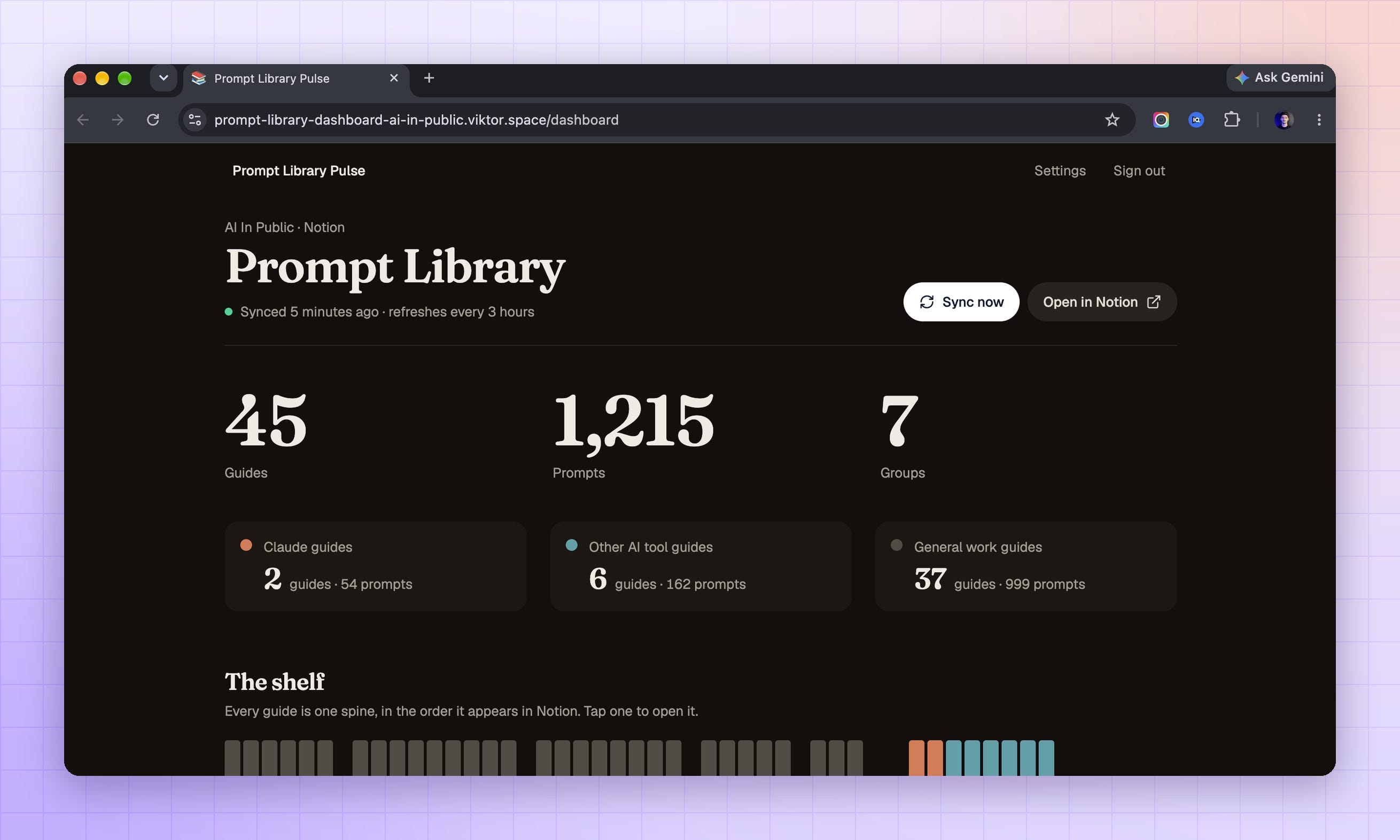
And Viktor goes through my whole Prompt Library and gives me this dashboard in return:
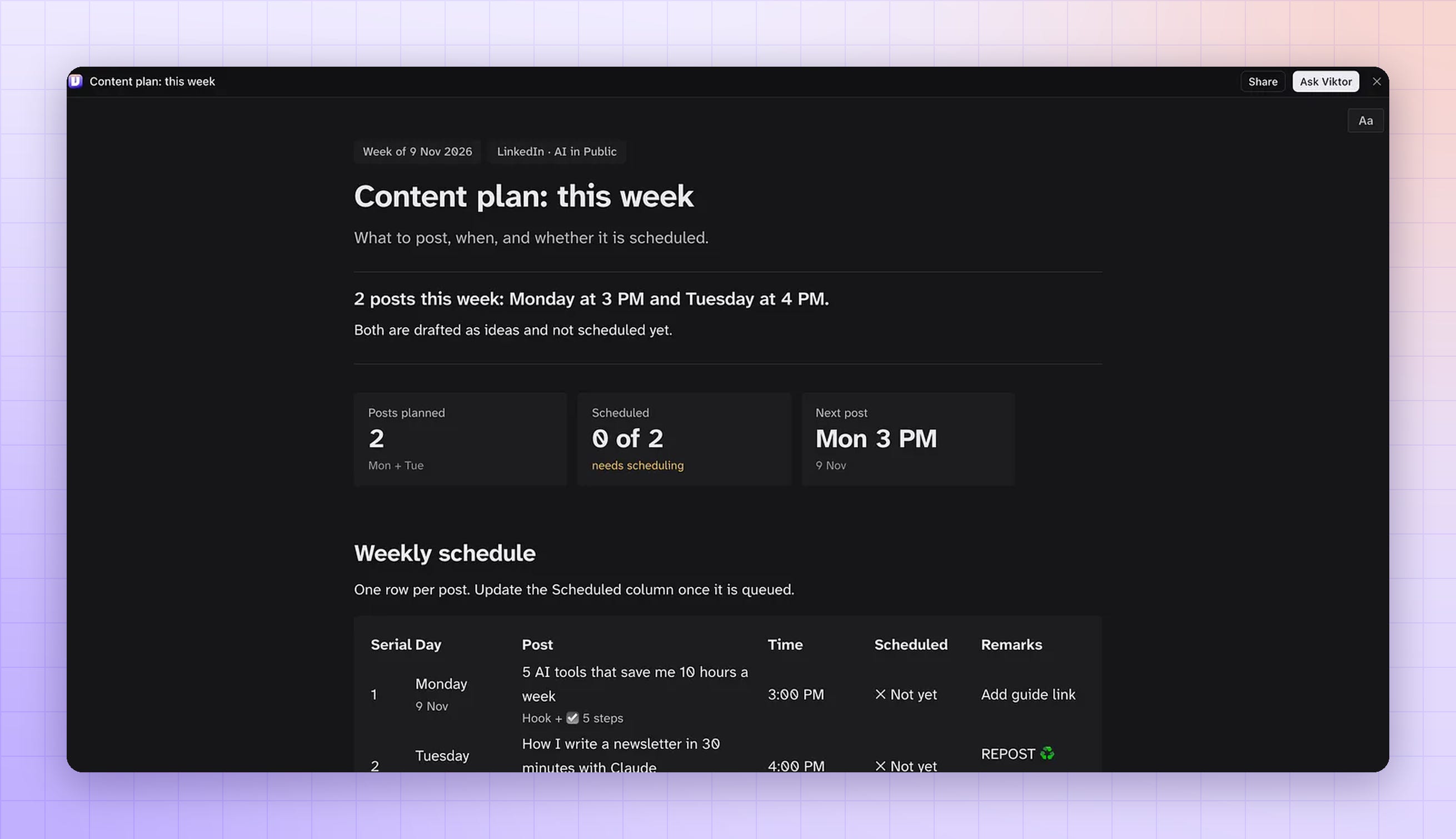
One of my team members asked Viktor to create a dashboard also, and what he got in return from Viktor is below:
All five briefs follow the same shape: the context, the deliverable, when it happens, and a stop before anything that touches money or people outside the team.
Use that shape for every new job you give him.
These five jobs are where I started.
Once they ran without me, I mapped out everything else he can take on.
Here are 27 of them, grouped by channel.
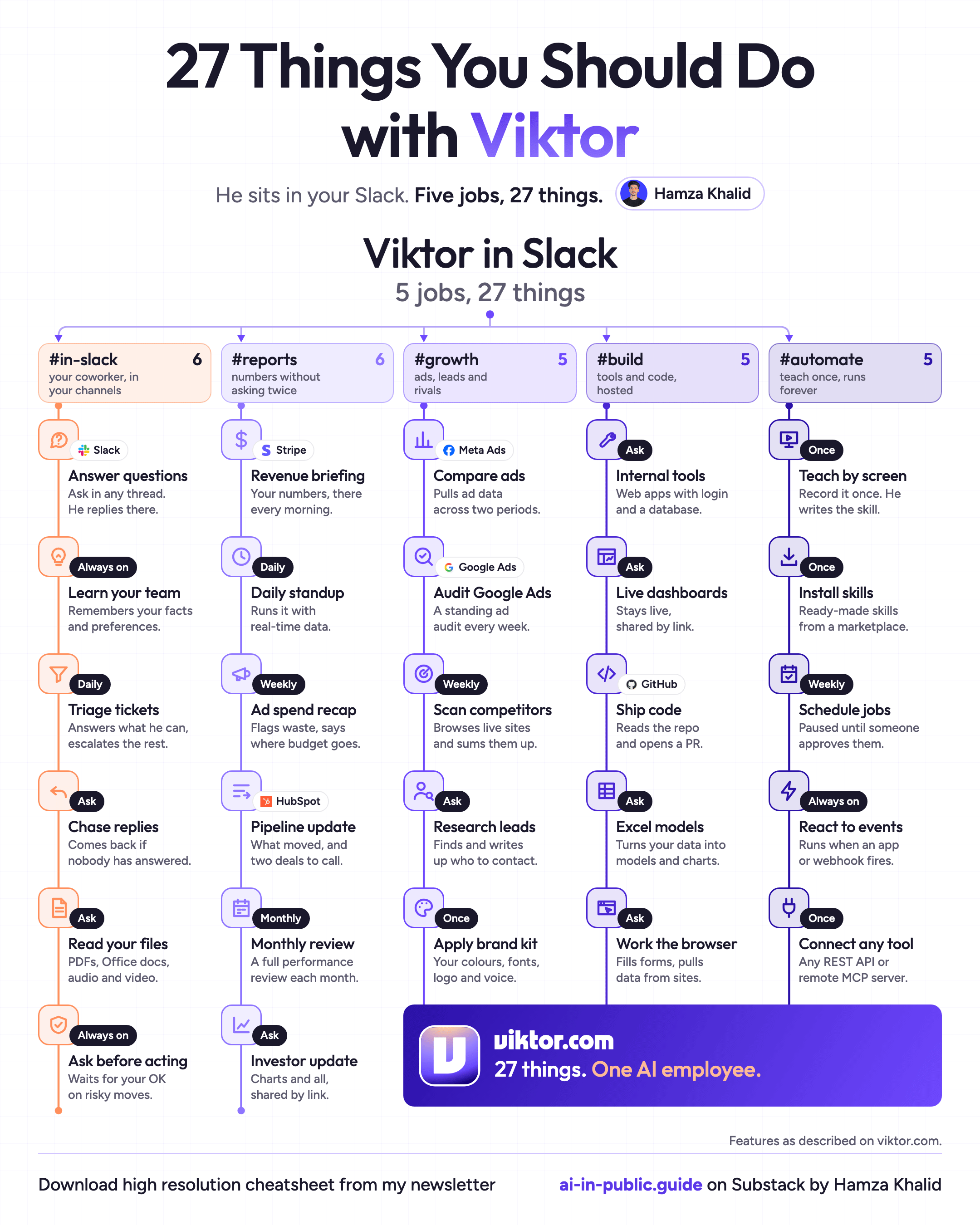
Save this for the day you hire your own. Or share it with the person who’ll manage him.
How I Manage Him
Every brief says what done looks like. When I sent a lazy brief, I got a confident answer to the wrong question, and I still had to read all of it.
He asks before anything that sends or spends. Reports, research, and drafts run on their own. Emails and anything public wait for my yes. Viktor already puts approval buttons on actions you can’t undo, and I’ve never turned that off.
I review twice a day. Once in the morning and once before I log off. He produces faster than I read, so reviewing whenever I remember doesn’t work.
Every correction becomes a rule. When I fix something, I add one line to the Rulings in that channel’s handbook. “Never open a sponsor email with a compliment.” “Every trend needs a source link.” I only have to say it once.
He earns his next job. I open a new channel only when the last job ran this morning without me asking.
Your Checklist
[ ] Sign up at viktor.com and add Viktor to Slack or Teams
[ ] Choose one channel for his first job
[ ] Connect only the tool that job needs, read-only first
[ ] Pin the handbook with your real business details
[ ] Add the cost-estimate rule and set a monthly ceiling
[ ] Send one brief with context, deliverable, timing, and an approval stop
[ ] Save the job as a skill once it works
[ ] Review at two fixed times a day
[ ] Turn every correction into a Ruling
[ ] Open the next channel only when the last job runs without you
We tested it in public. Now go use it in private.
Every week I test a new AI tool on my own business and tell you what actually worked. Subscribe so you don’t miss the next one.
PS: Try free at @viktor_com. Use code HAMZA100 for $100 in free credits. Full link in my first reply.
Here is the full link:
https://ref.viktor.com/hkhalid-x
Viktor turns AI delegation into a disciplined workflow. This guide is very helpful.