

I don’t own a camera.
I don’t have a production team.
I have Claude, a Higgsfield account, and 20 minutes.
Last week, I generated four cinematic video clips: all without leaving Claude chat. No drag-and-drop editor. No API keys. Just text.
That’s what the Higgsfield MCP connector does. And by the end of this issue, you’ll know exactly how to set it up and what to say to make it work.
Your gift today: a copy-paste Claude + Higgsfield prompt kit with 6 ready-to-use video prompts, delivered at the end of this issue.
This newsletter grows from your shares. If this saved your time today, send it to one person who’s still generating videos the old way.
What Higgsfield Actually Is
Most people think of Higgsfield as another AI video tool. It’s not. It’s closer to a production studio that you access through a browser.
Higgsfield gives you access to multiple leading AI video models in one workspace:
Seedance 2.0
Kling 3.0
Veo 3.1
Wan
Sora 2 and many others
You can switch between models without leaving the platform, compare outputs side by side, and pick the best result for your project.
That alone separates it from every other tool in this space. You’re not locked into one model. You run the same brief through three engines and keep the winner.
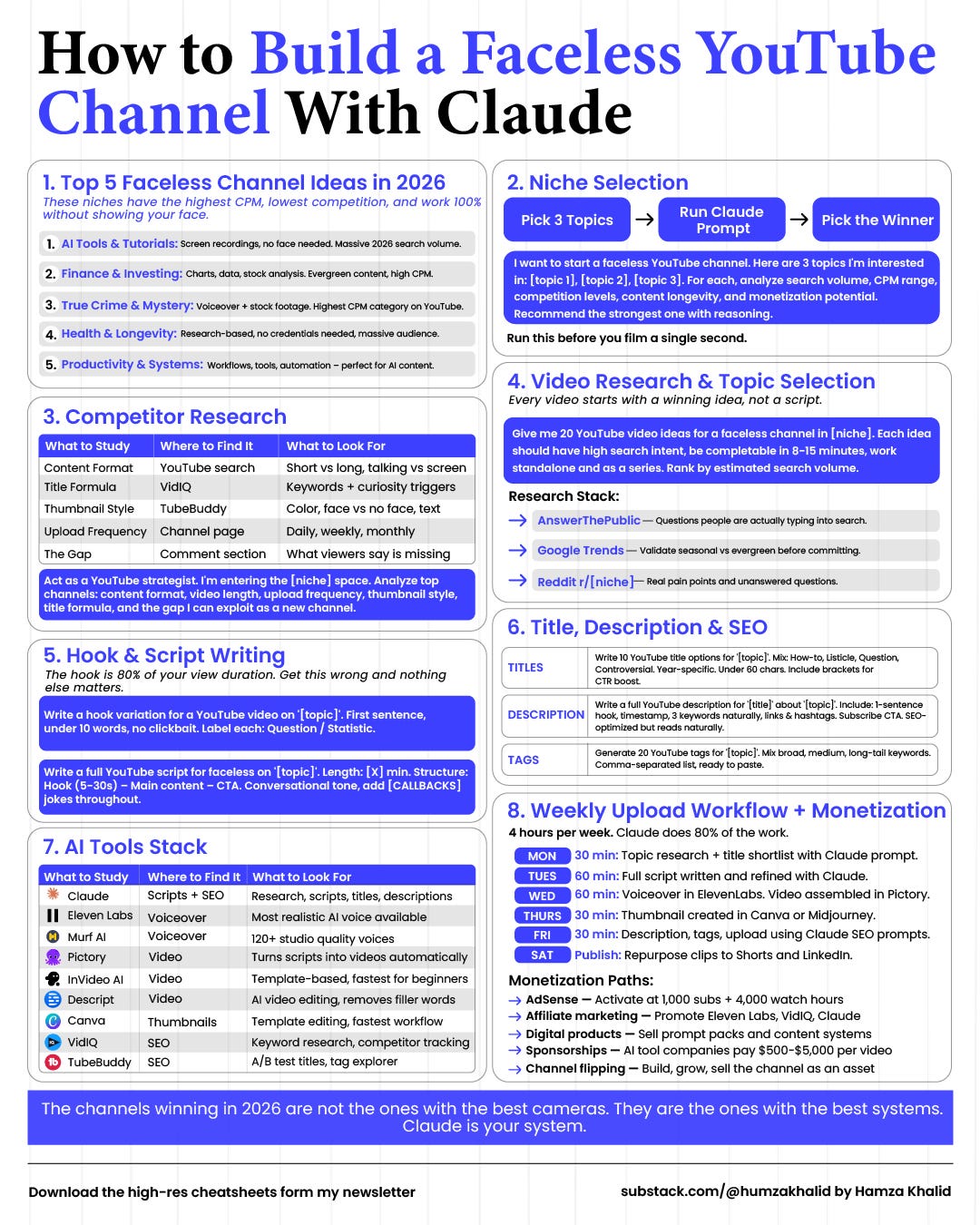
How Claude Talks to Higgsfield
Here’s where it gets interesting.
Higgsfield AI released its MCP server on April 30, 2026, becoming the first platform to bring cinematic-grade image and video generation directly into Claude conversations.
The old way of making AI video looked like this:
Write a prompt → Copy to Runway → Download Clip → Upload to Capcut → Realize the style is wrong → Go Back → Start Over.
The new way:
Describe your video to Claude → Claude picks the model → Video arrives in Chat.
MCP is the bridge. It stands for Model Context Protocol, an open standard that Anthropic developed, which lets Claude securely connect to external tools. Before MCP, connecting an AI to an external API required custom integration work every time.
You’d write wrapper code, handle authentication, manage errors, and maintain the connection yourself. With MCP, a tool like Higgsfield publishes a server that exposes its capabilities in a format Claude already understands.
Once the two are connected, Claude can reach every model and feature on the Higgsfield platform from inside any conversation.
If this is useful, share it with one person who’s been trying to figure out AI video. Takes 10 seconds.
Step-by-Step Guide: Claude + Higgsfield
Step 1: Create a Higgsfield Account
Go to higgsfield.ai
Create an account.
Step 2: Open Claude and Go to Settings
You need Claude on desktop or in the browser at claude.ai.
Open claude.ai
Click your profile icon at the Bottom right corner.
Navigate to Settings → Connectors → Customize → Click on “+” on Top
