

You explain the same thing to AI every single day.
Your tone.
Your client process.
How you want your posts formatted.
A skill ends that.
You teach the AI once, and it remembers forever.
And as of this week, a skill you build in Claude also works in ChatGPT, Cursor, Copilot, and 70+ other tools.
By the end of this issue, you’ll know every way to build a skill in Claude and ChatGPT, and you’ll have your first one running.
Paid members get a gift at the bottom: three skills I use every single day along with all prompt templates.
Humanizer
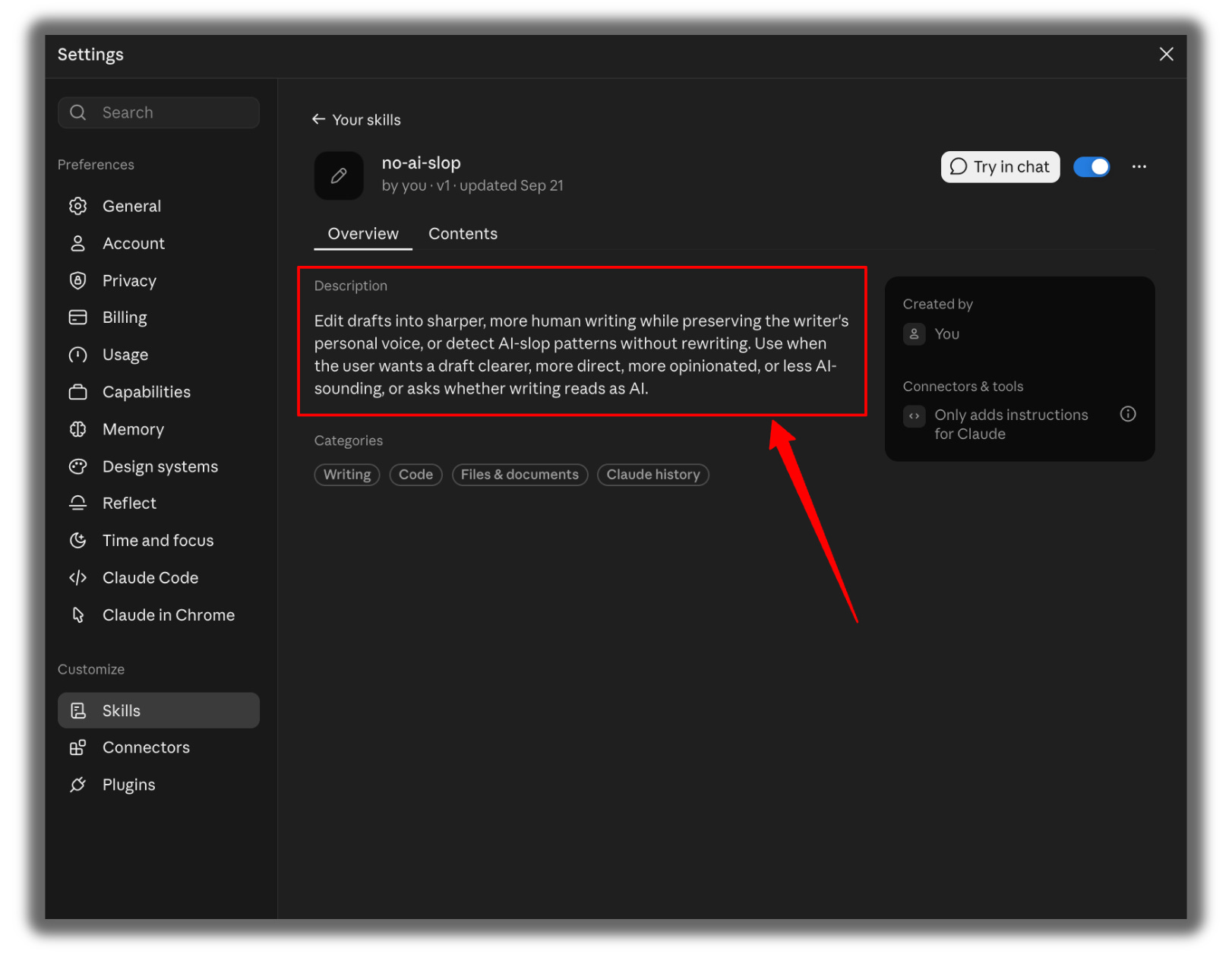
No AI Slop
Banner Generator.
Why Now
I run my business on over 30 skills.
All built in Claude.
For months, one question bugged me.
What happens if I ever need ChatGPT instead?
Do I rebuild everything?
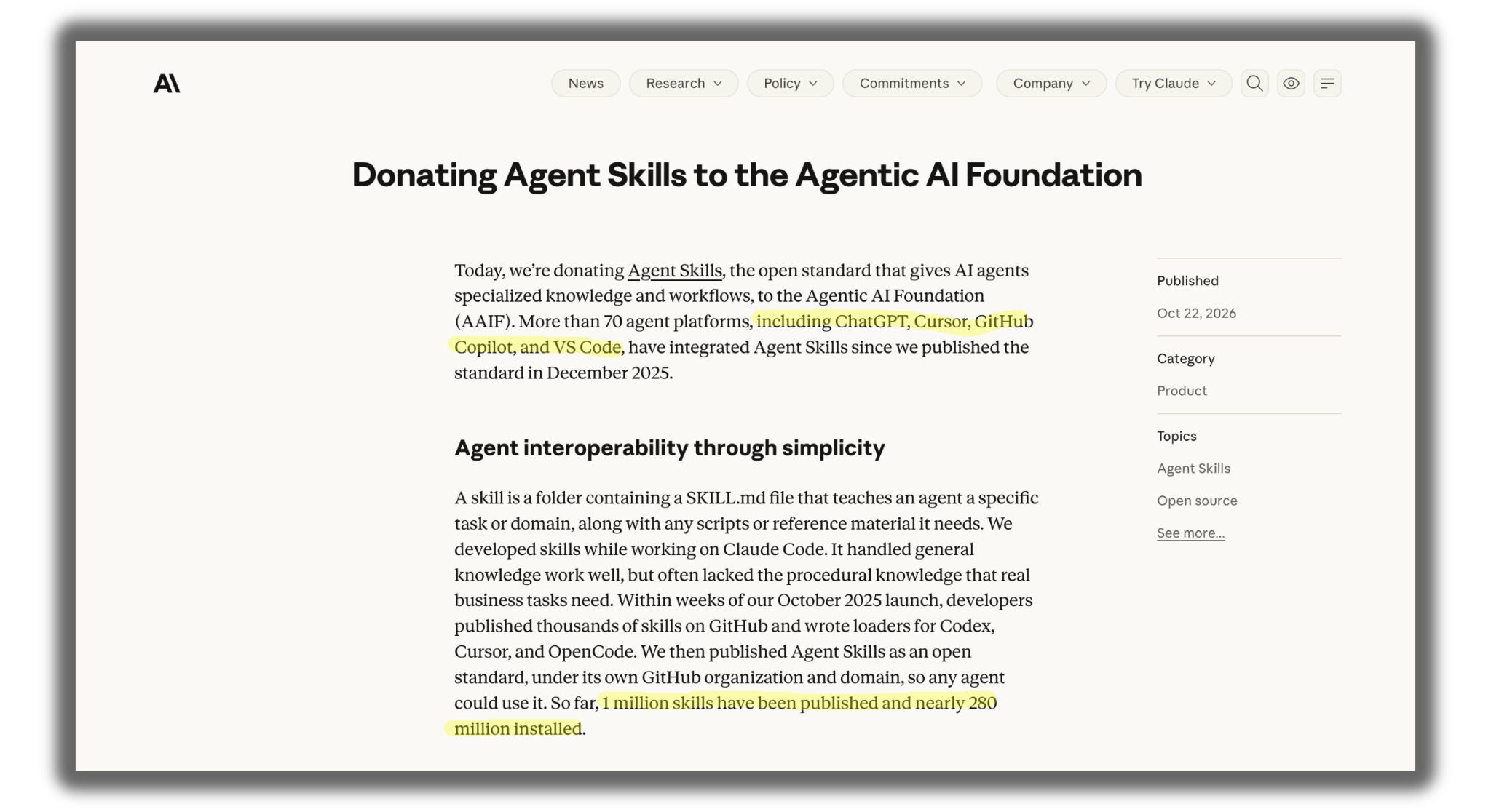
On October 22, Anthropic answered it.
They donated Agent Skills, the format behind every Claude skill, to the Linux Foundation.
Engineers from Anthropic, Google, and OpenAI now maintain it together.
More than 70 platforms already support it, including ChatGPT.
1 million skills have been published.
Nearly 280 million have been installed.
So I tested every way to build a skill in both tools.
Here’s all of it.
What a Skill Actually Is
A skill is a folder with one text file inside called SKILL.md.
The top of the file holds a name and a short description.
Your instructions go underneath.
The AI reads only the description at first.
It opens the full instructions only when your request matches.
That’s why you can install 50 skills without slowing anything down.
Old way: You paste the same long prompt into every new chat.
New way: You type “write my LinkedIn post,” and the AI already knows how.
Part 1: Building Skills in Claude
Skills in Claude need a Pro, Max, Team, or Enterprise plan.
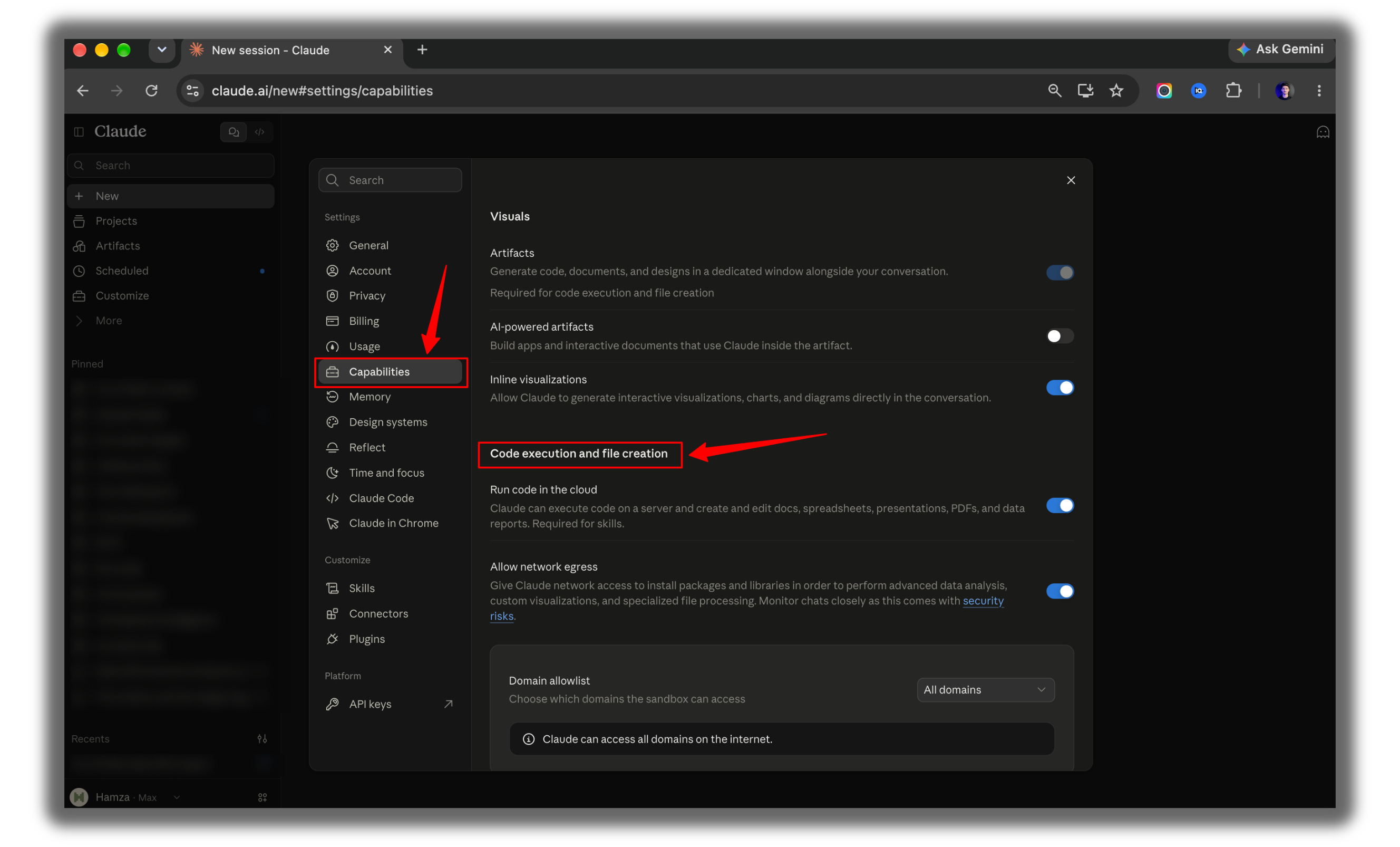
Before any method, do this once:
Open Claude.
Go to Settings, then Capabilities.
Turn on code execution and file creation.
Method 1: Let Claude Build It For You (Easiest)
I recommend this method for beginners. You talk. Claude writes the skill.
Open a new chat.
Paste this:
I want to create a skill that writes LinkedIn posts in my voice.

About me: I'm a freelance brand designer. I write for small business owners who want a logo that doesn't look cheap.

My style: short sentences, one idea per line, a strong first line, no hashtags, no emojis, and every post ends with one question.

I never use these words: game-changer, unlock, elevate, delve.

Here's a post I wrote that performed well:
"Your logo isn't the problem. Your 6 different fonts are. I audited 40 small business websites last month. 31 used more than 3 fonts. Pick two. Delete the rest. What's the one design rule you break on purpose?"

Ask me any questions you need, then build the skill.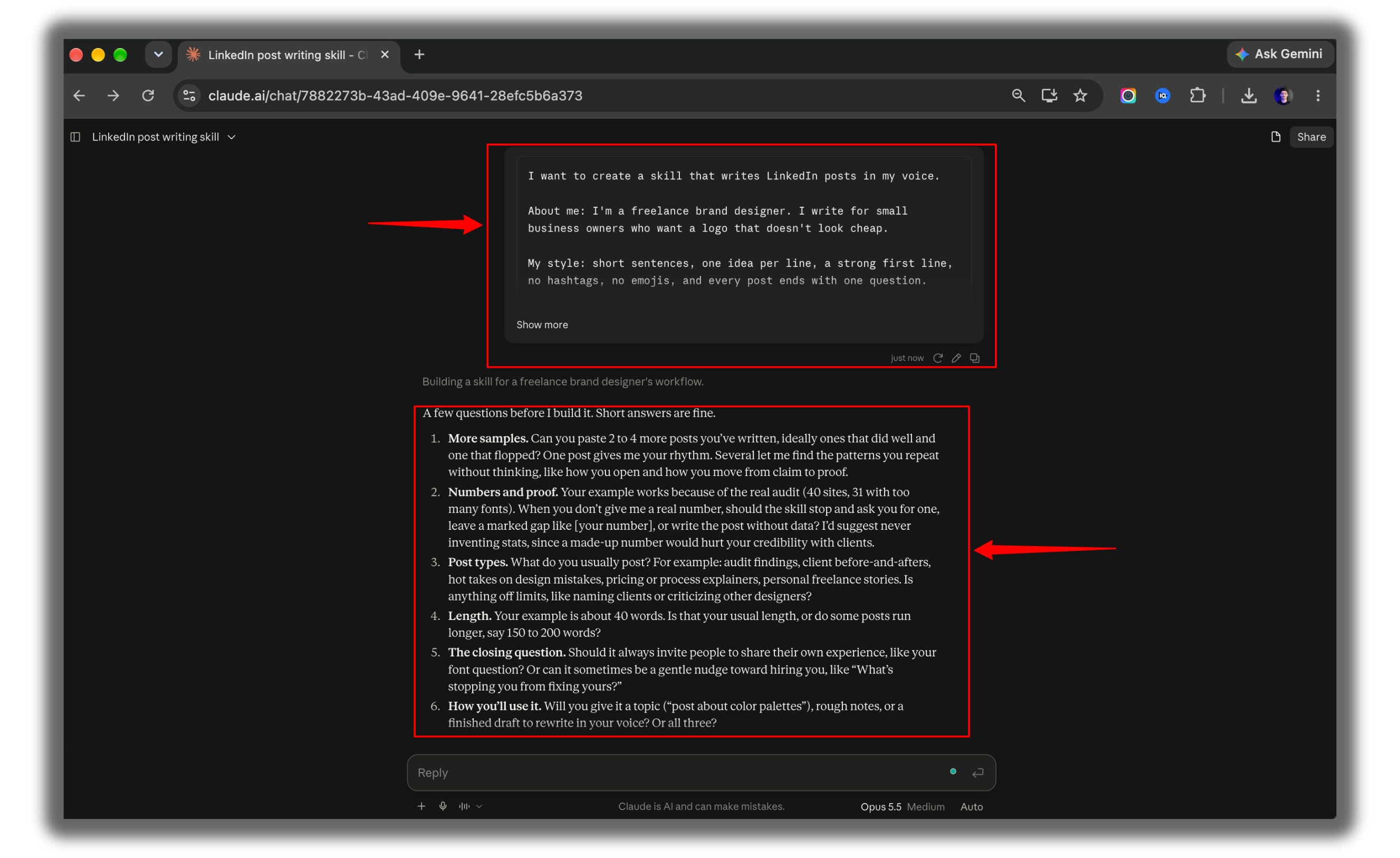
Answer Claude’s follow-up questions.
Let Claude write the skill and package it.
Save the skill Claude creates.
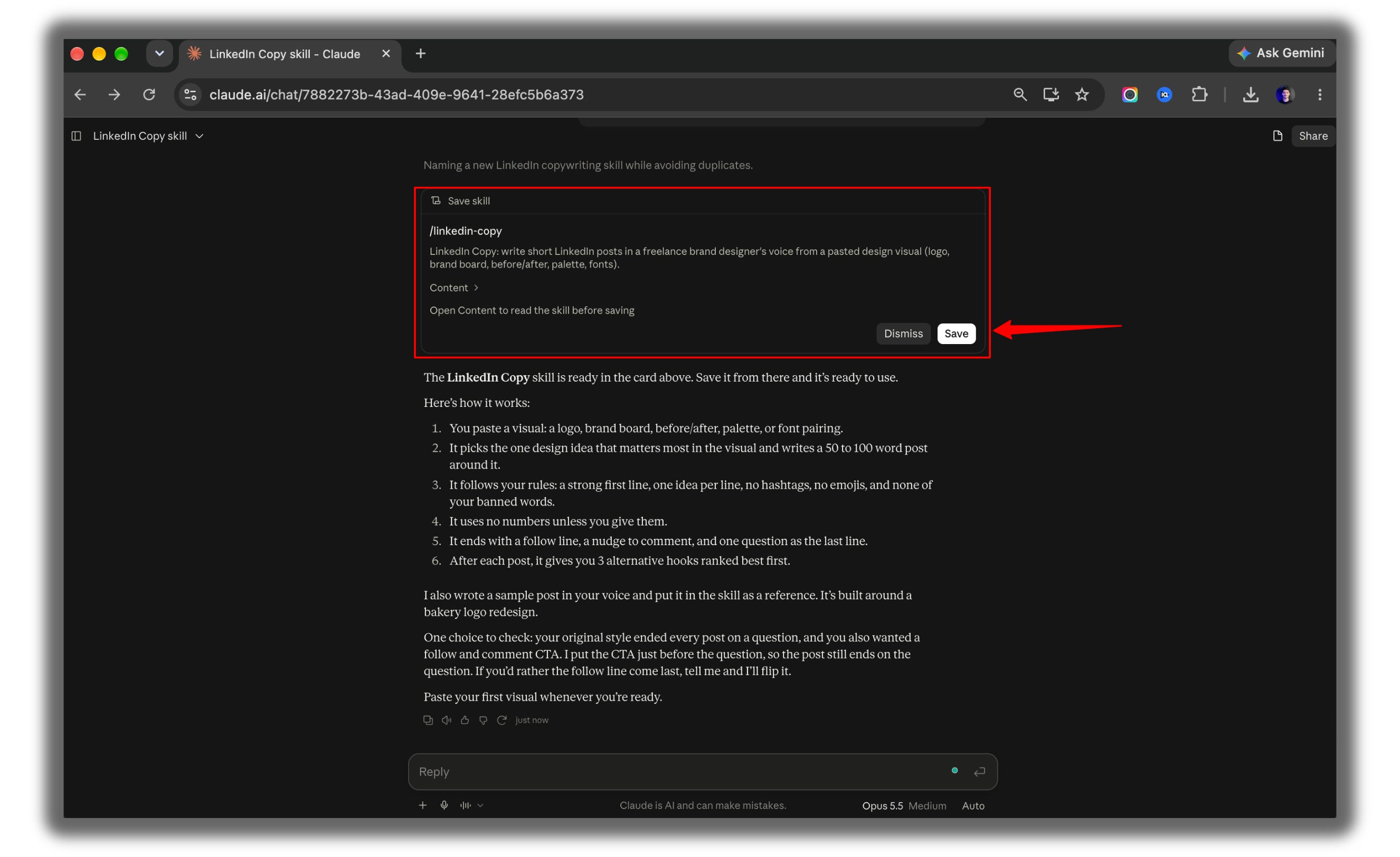
Then press / and trigger the skill.
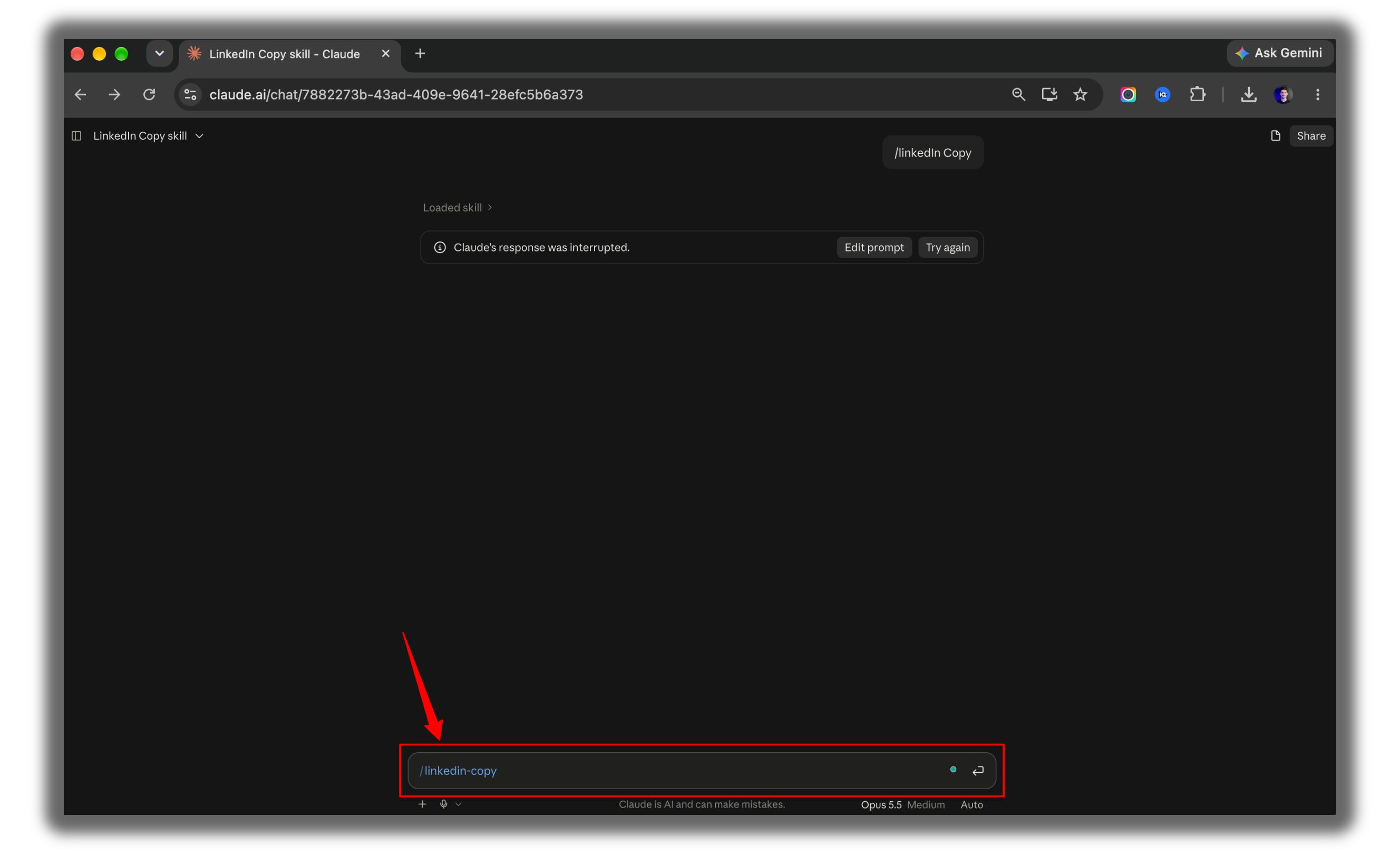
Swap the example above with your own job, audience, style, and a real post of yours. The more specific you are, the better the skill.
Method 2: Write It Yourself and Upload It
Use this when you want to control every line.
Create a new folder on your desktop.
Name it brand-voice.
Open a plain text editor.
Paste this:
---
name: brand-voice
description: Drafts or rewrites any post, email, or newsletter in Hamza Khalid's voice. Use when the user asks to write content, draft a post, rewrite text, or make something sound like Hamza.
---

# Brand Voice

## Who I am
I'm Hamza Khalid. I write AI In Public, a newsletter that teaches solopreneurs and creators how to actually use AI. I test everything in public before I recommend it.

## How I write
- Short sentences. One idea per sentence.
- Active verbs. "I tested" not "it was tested."
- Open with the reader's problem, never with background.
- Proper capitalization always.
- Plain English an 8th grader can read.

## What I never do
- No hype words: revolutionary, game-changer, unlock, supercharge, delve.
- No em dashes.
- No emojis.
- No claims I haven't tested.

## Process
1. Identify the platform the content is for.
2. Draft in the voice above.
3. Cut 20% before returning it.
4. Return only the final text.

## Example
Before: "In today's fast-paced world, AI is revolutionizing how creators work."
After: "You're spending 6 hours a week on posts. AI can write the first draft in 10 minutes."
Swap in your own name, audience, and banned words.
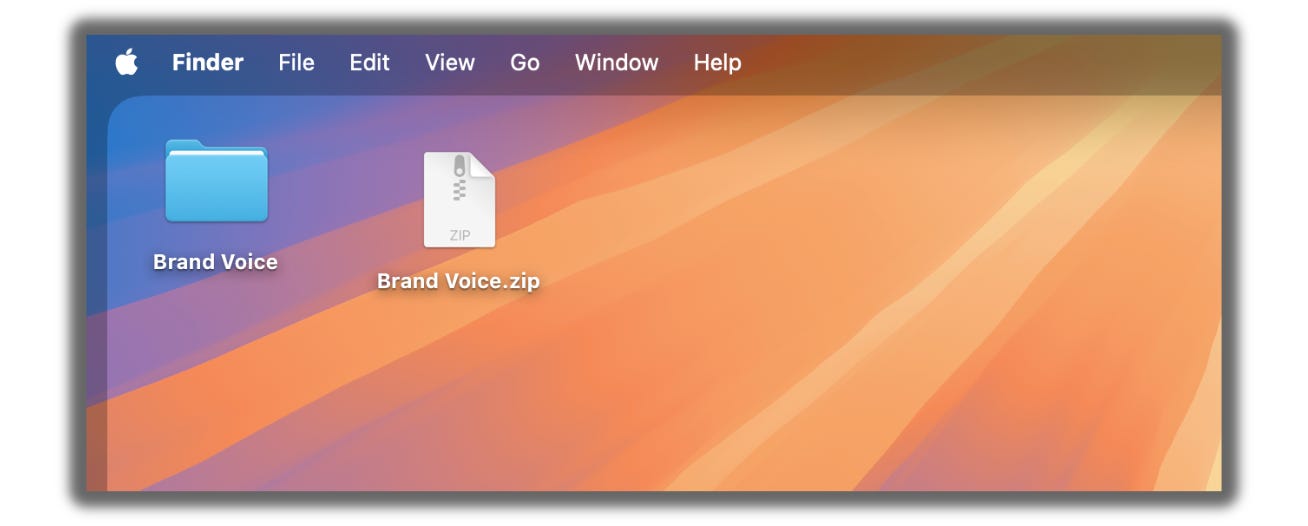
Save the file inside the folder as SKILL.md.
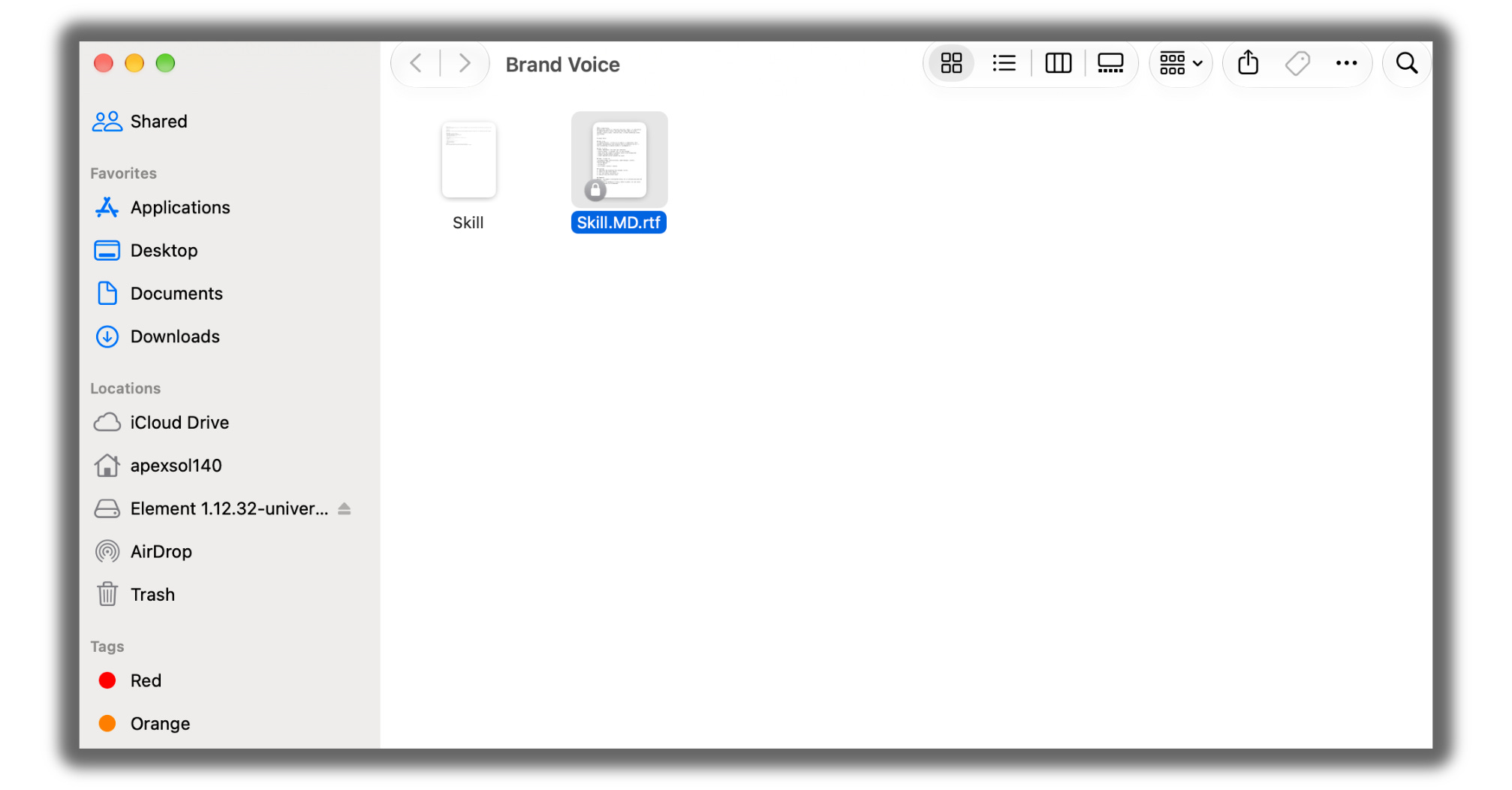
Right-click the folder and compress it into a zip.
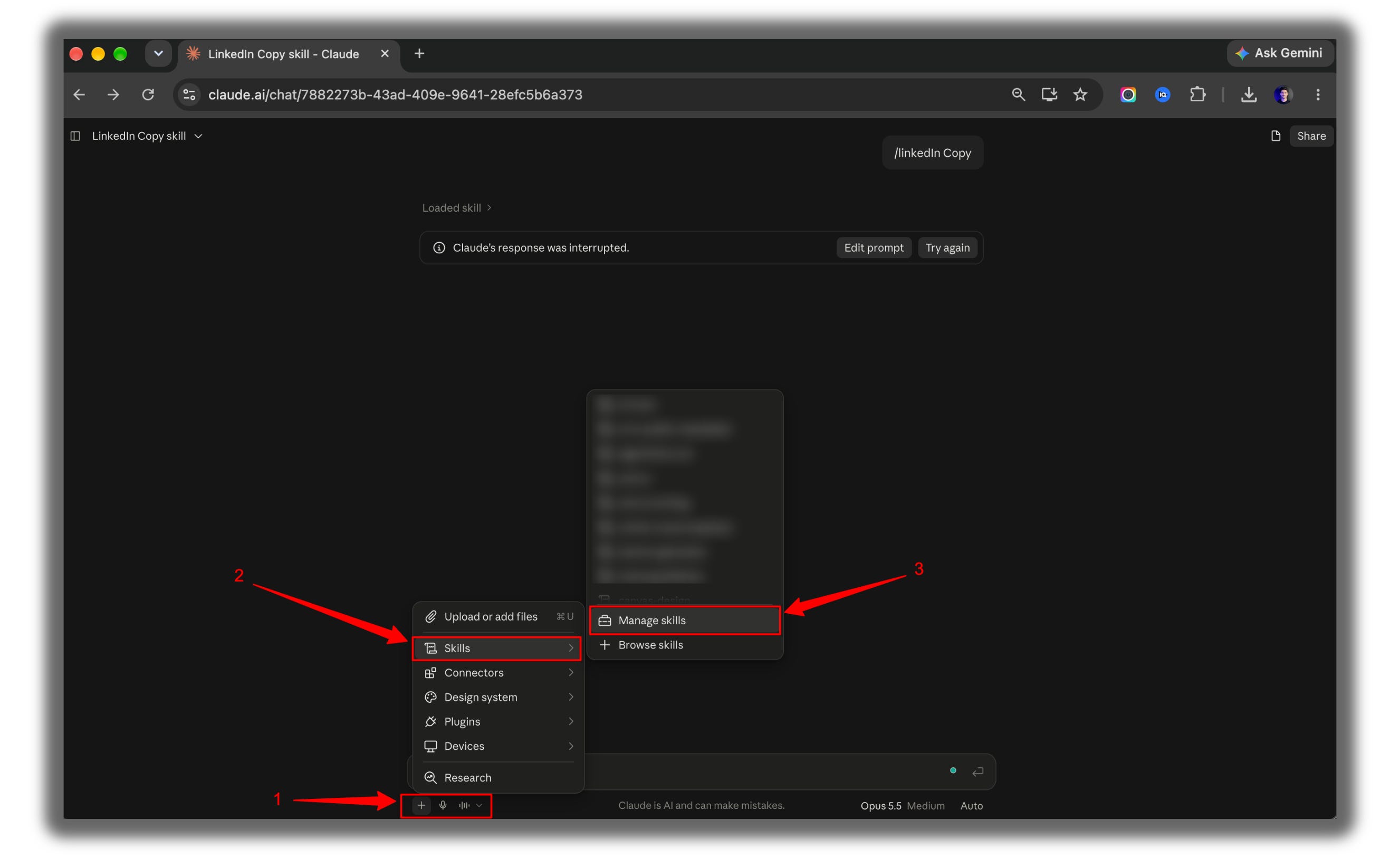
In Claude, click on the + icon, then on Skills, and then on Manage Skills.
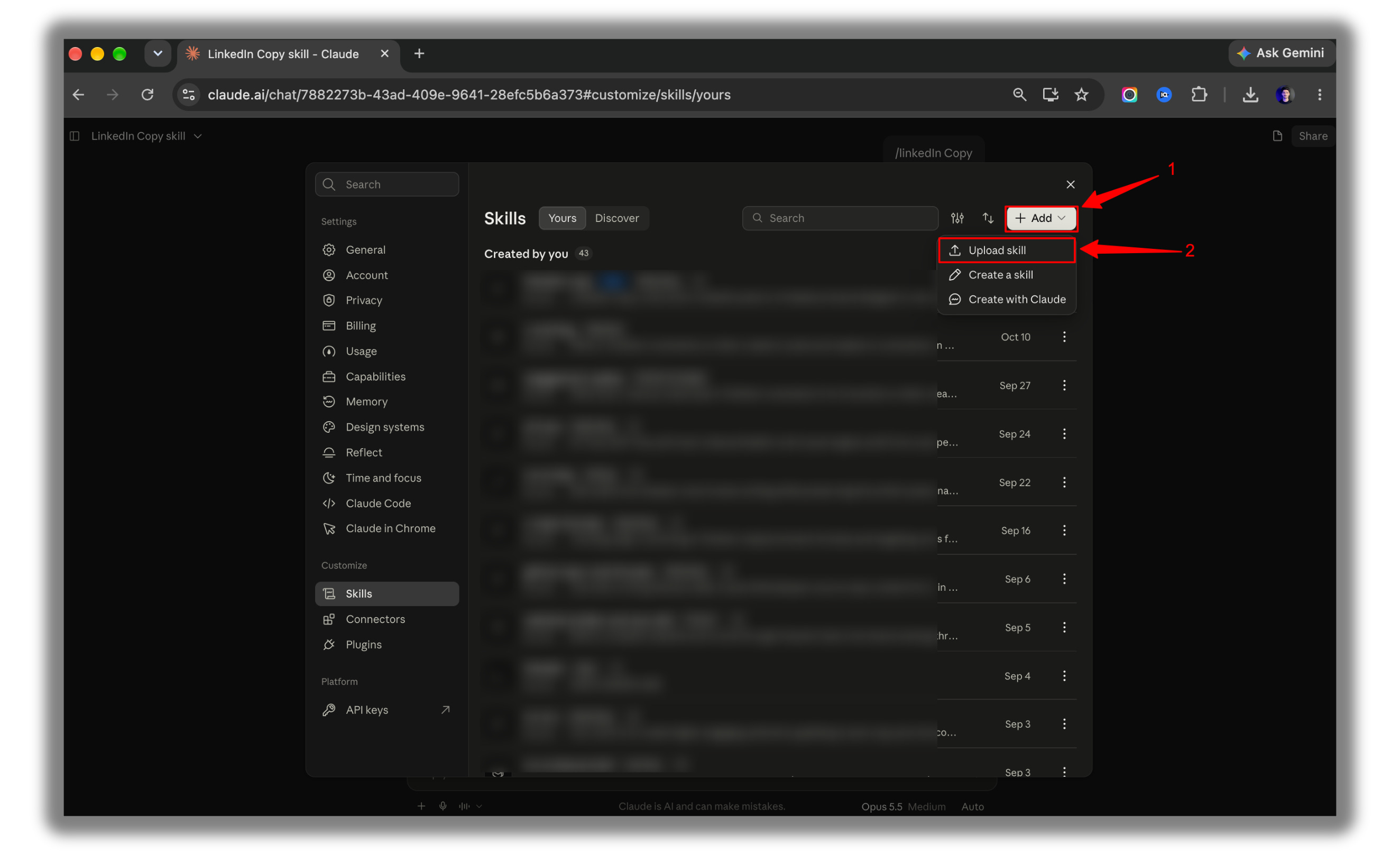
Click on Add and then Upload skill.
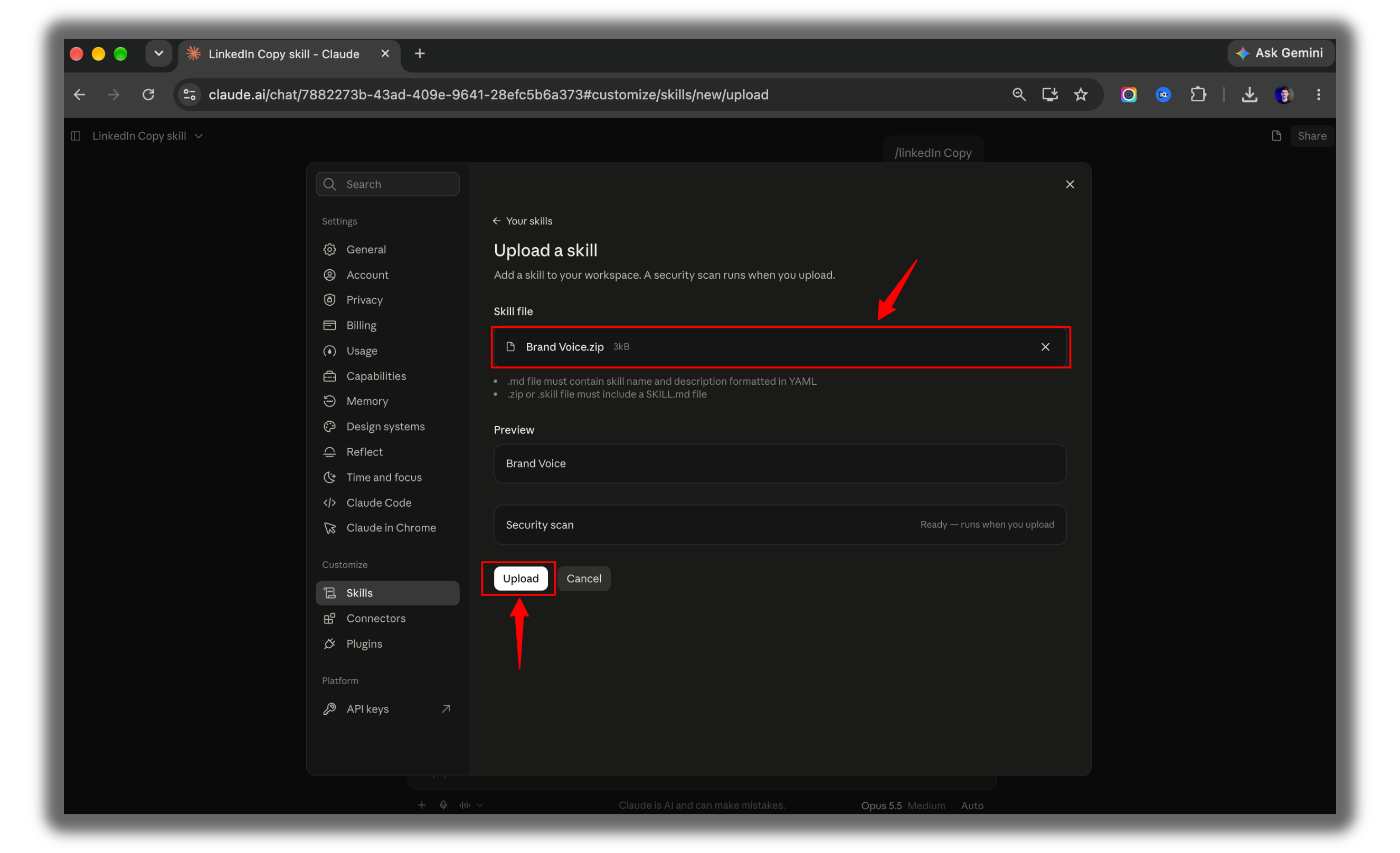
Select your zip file and toggle it on.
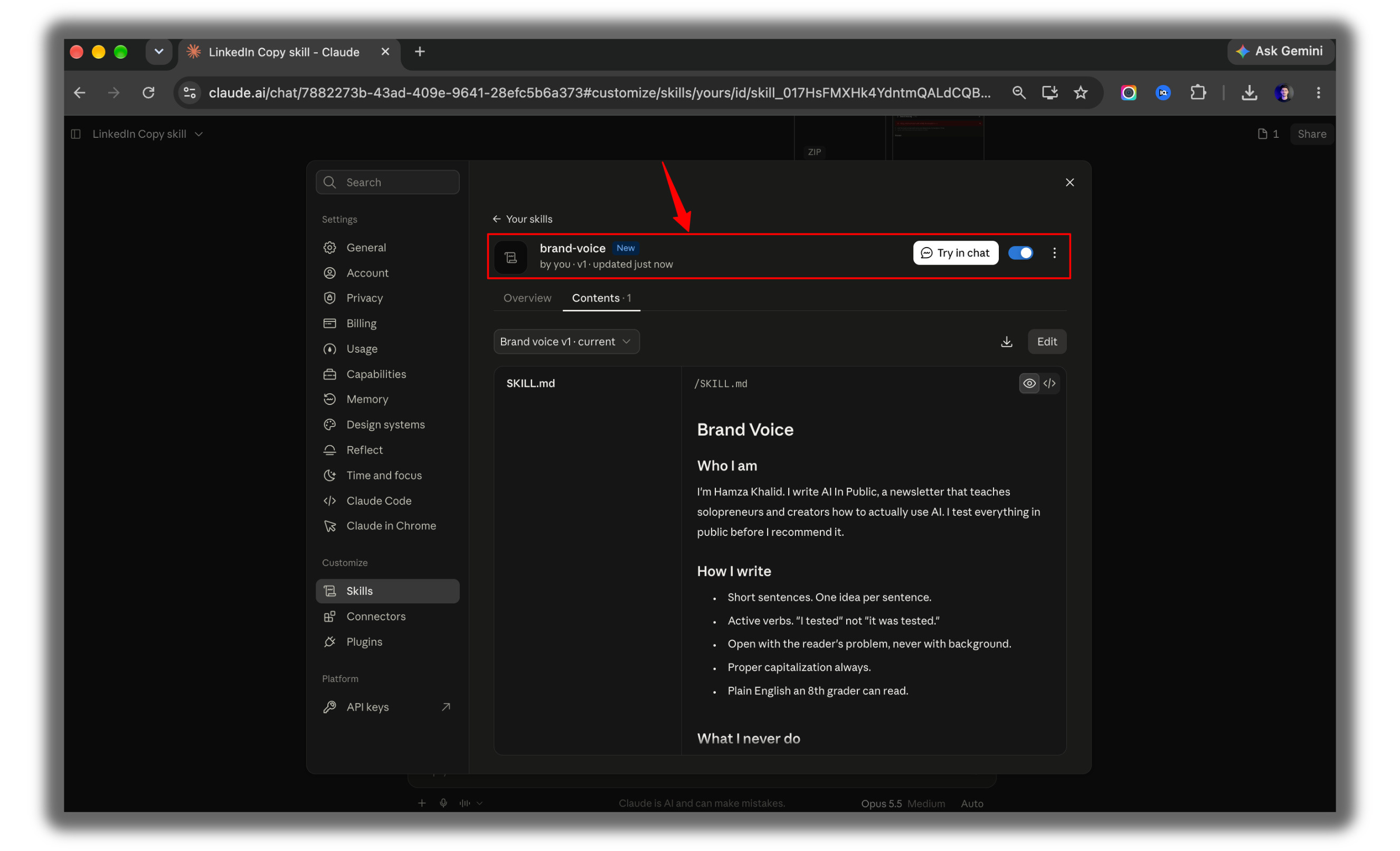
Ta-da… our skill is created….
Two rules break skills: the folder name must match the file name, and the name can only use lowercase letters, numbers, and hyphens.
Test Any Claude Skill
Open a new chat.
Trigger the skill.
Type: Write a LinkedIn post about why I stopped using 5 different AI apps.
Look for “Using brand-voice” in Claude’s thinking.
If the output is off, tell Claude what to fix and ask it to update the skill.
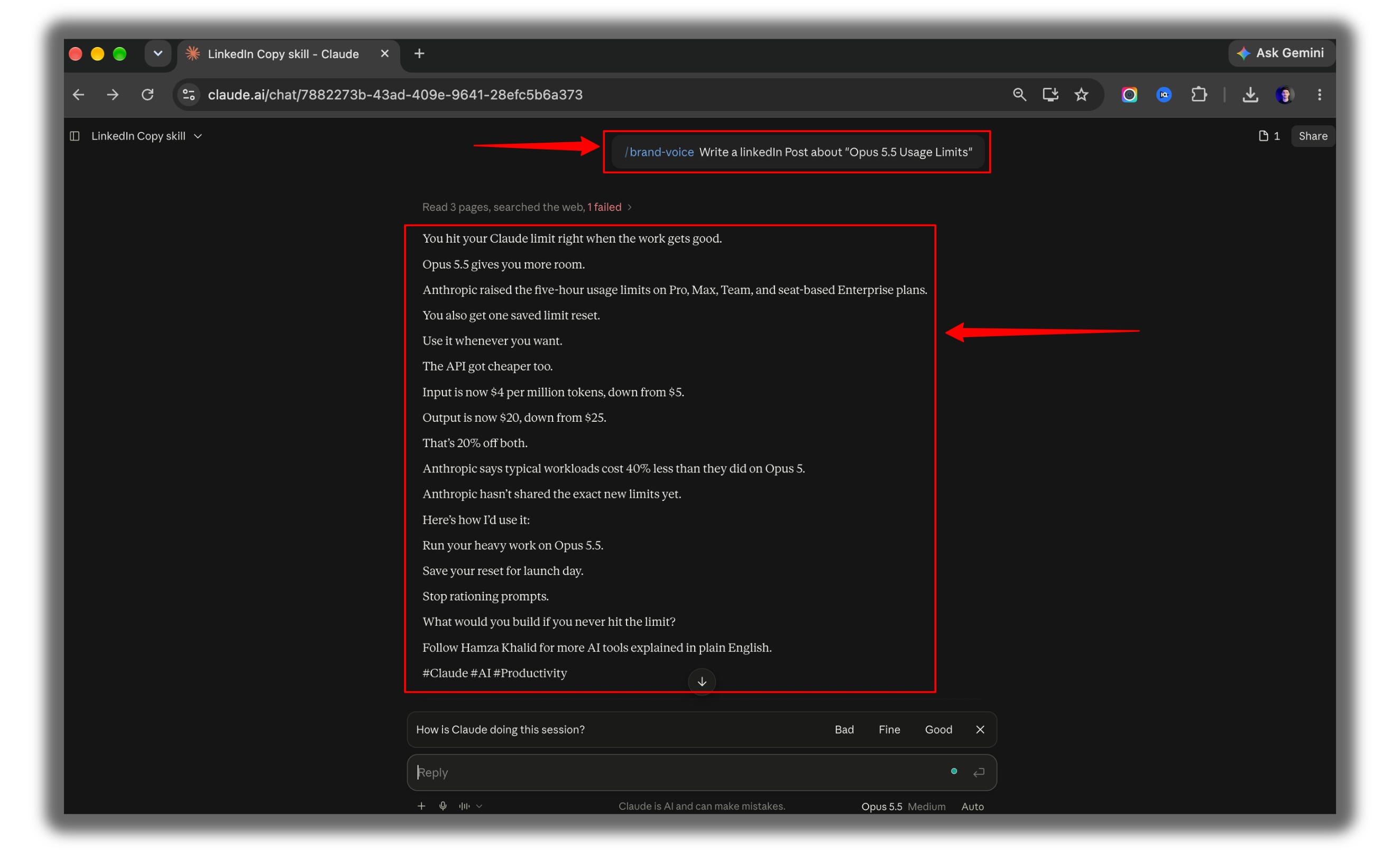
You just built a skill in Claude. Now make it run in ChatGPT too, without changing a line.
Below this line: all three ChatGPT methods, the three mistakes that stop skills from firing, and my personal skill pack, with Humanizer, No AI Slop, Banner Generator, and every prompt template from this issue.
