Most people use Claude like a vending machine.
Put in a prompt.
Get out an answer. Walk away.

That’s not a system.
That’s a habit. And habits don’t scale.
By the end of this issue, you'll get a free Claude Code Loop Template - 5 blocks, pre-built, variables ready to fill in and run in under 3 minutes.
Last month I hit a wall.
I had 6 recurring workflows - content briefs, inbox triage, research summaries, client reports. All of them ran on Claude. All of them ran on me.
Open Claude. Paste. Copy. Paste somewhere else. Close. Repeat.
I was spending 40 minutes every morning doing mechanical work that felt productive but wasn’t. The problem wasn’t Claude. The problem was me treating Claude like a calculator instead of an engine.
Then I built my first proper loop. Goal block. Instructions block. Start state. Result. Loop guard.
I hit enter and walked away.
When I came back - 6 content briefs. Named. Saved. Formatted. Done.
40 minutes → 4. Every morning. Without me.
I’ve rebuilt 6 workflows this way since.
If you want those 6 workflows pre-built and ready to run, they’re inside ClaudeKit. 121 commands across 6 kits. Engineering, marketing, SEO, video, e-commerce, and trading. One install. Every session. → theclaudekit.com
What’s a Claude loop
A single prompt asks Claude to do one thing.
Then it stops. And waits. For you.
A loop doesn’t wait. It reads the next file, writes the next output, checks its own progress, handles its own errors - and keeps going until the work is done.
Think of it this way:
Prompting: You’re the engine. Claude is the tool.
Looping: Claude is the engine. You’re the one who built it.
Old way: Open Claude → Paste prompt → Copy output → Rebuild somewhere else → Repeat tomorrow.
New way: Build the loop once → Walk away → Come back to finished work.
The difference isn’t the prompt. It’s who’s doing the repeating.
If this is useful, share it with one person who needs it. Takes 10 seconds.
There are two types of Claude users right now.
Type 1 opens Claude every morning. Types a prompt. Gets an output. Closes the tab. Does it again tomorrow? They’re users.
Type 2 builds a loop once. Comes back to finished work. Runs the same system on Monday that they ran last Monday - without touching it. They’re builders.
This issue is the line between the two.
By Step 5, you’ll be a builder.
Builders who want the full team - not just the loop - are using ClaudeKit. 6 kits. 121 slash commands. 25 skills. 16 subagents. Claude Code stops being a tool and starts being a department. → theclaudekit.com
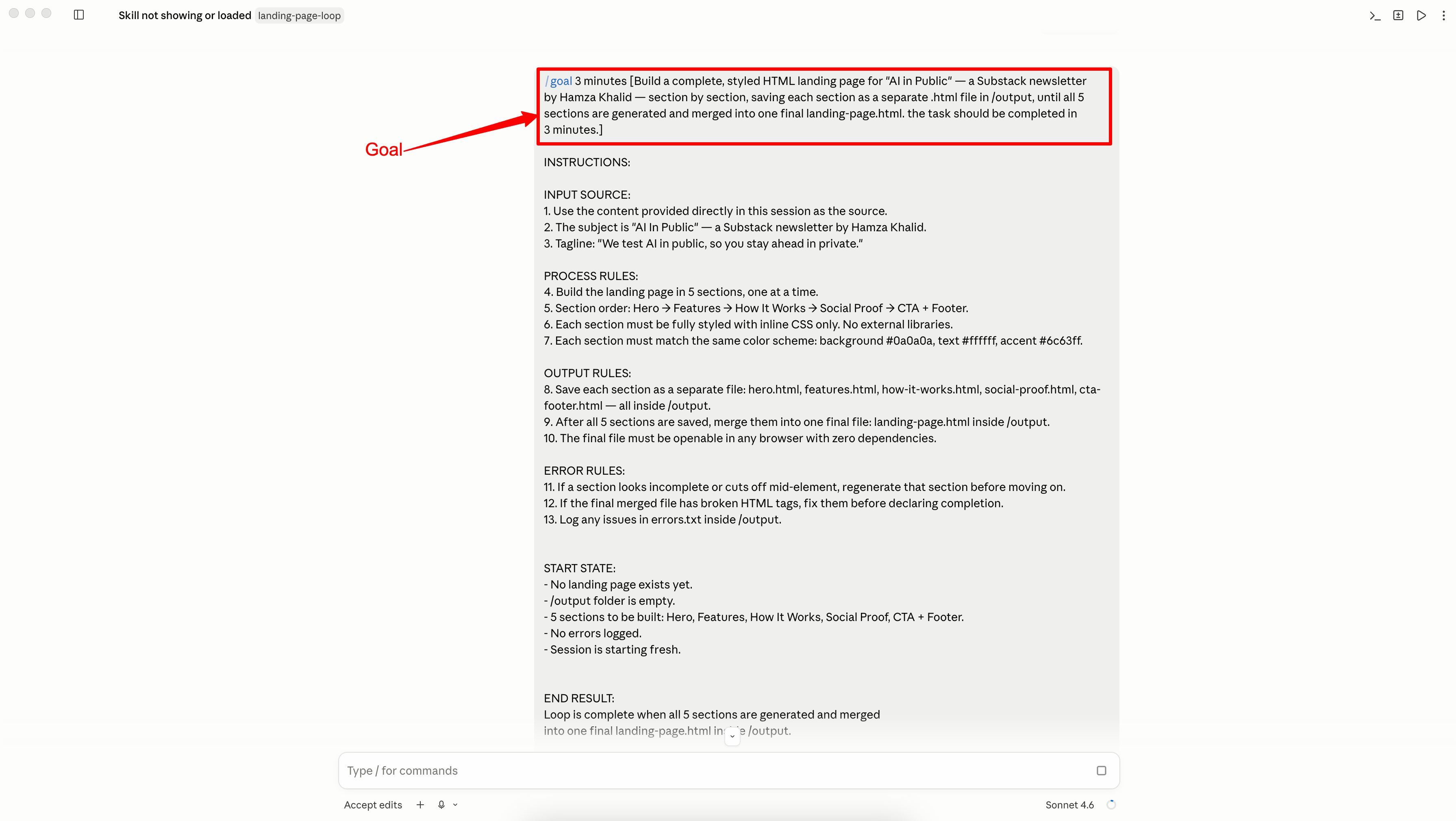
Step 1: Define the Goal (not the task)
Most people write tasks. Claude needs a goal.
A task is: Summarize this article.
A goal is: I want a 5-bullet brief on every new article in this folder, saved as a separate .md file, until the folder is empty.
The goal has three parts:
What Claude is producing: the output format
What the condition is: what triggers each loop cycle
What is done looks like: when to stop
Quick setup:
Open Claude Code (terminal or VS Code extension)
Start a new session
Before any instructions, type your goal in this format:
GOAL: [What you want produced] for every [unit of input], saved as [output format], until [end condition].
Example goal:
GOAL: Write a 5-bullet content brief for every .txt file in /inbox,
save each brief as a matching .md file in /output,
until /inbox is empty.
Until /inbox is empty: this line is the entire loop. Without it, Claude does one file and stops.